Flectra 2getHR Integration
Flectra 2getHR Integration is a Flectra extended module which is used for synchronization between flectra and 2getHR.
Table of contents
Installation
To install this, follow below steps:
- Just simply mount this module as Flectra's custom module
- Now, Install the module in Flectra from Main Apps section.
Usage
How to configure this module
Go to Settings -> go to Flectra 2getHR Integration -> enter 2getHR API Details.
Enter URL of 2getHR swagger portal in 2getHR URL For example - https://t-2payroll-api.azurewebsites.net/
- Generate your 2getHR API key
- Go to 2getHR portal.
- Go to settings.
- Add an API key in Public API Keys.
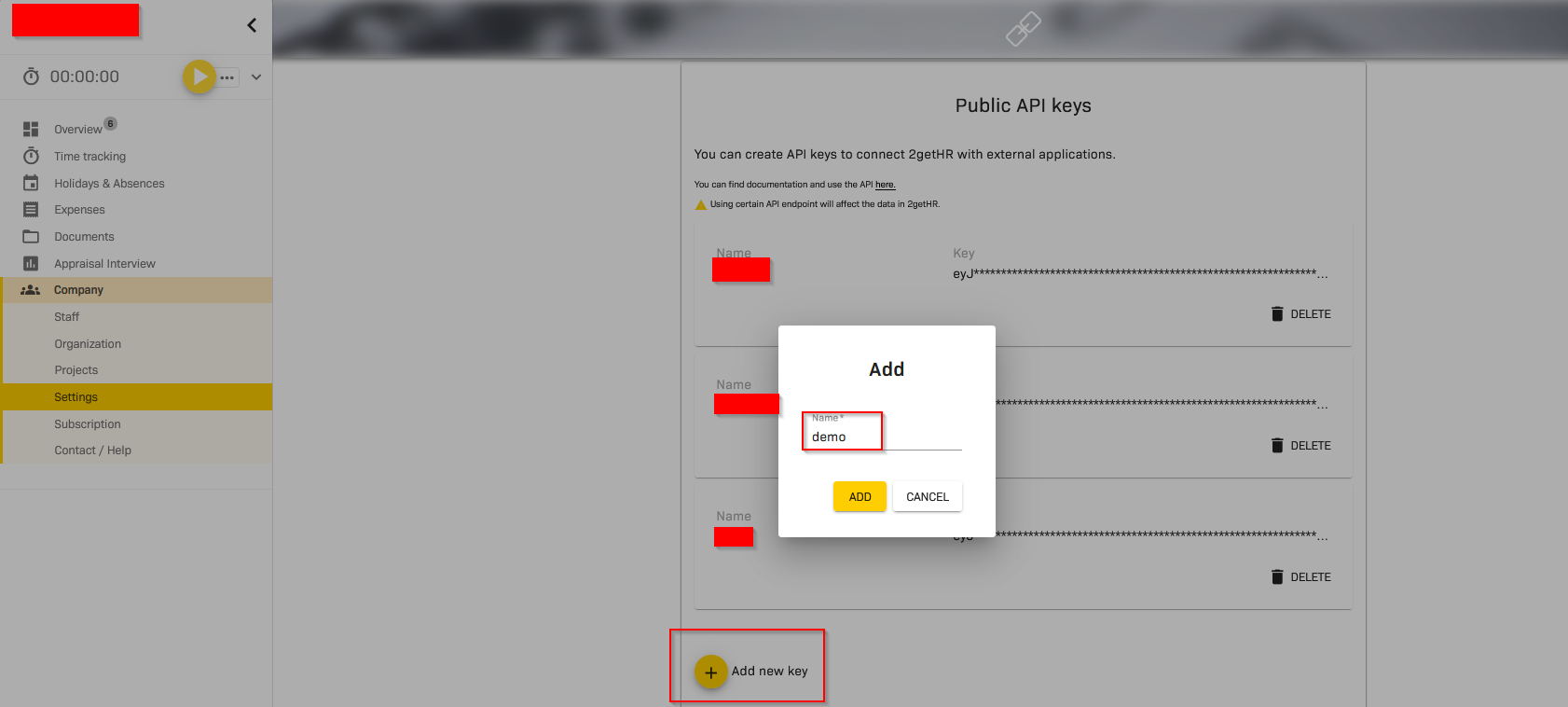
- Copy this API key because, It will no longer available.
Enter the API key in 2getHR API key in 2getHR configuration.
Enable flags in 2getHR Synchronization Settings and select default product and default journal in 2getHR Default Settings.
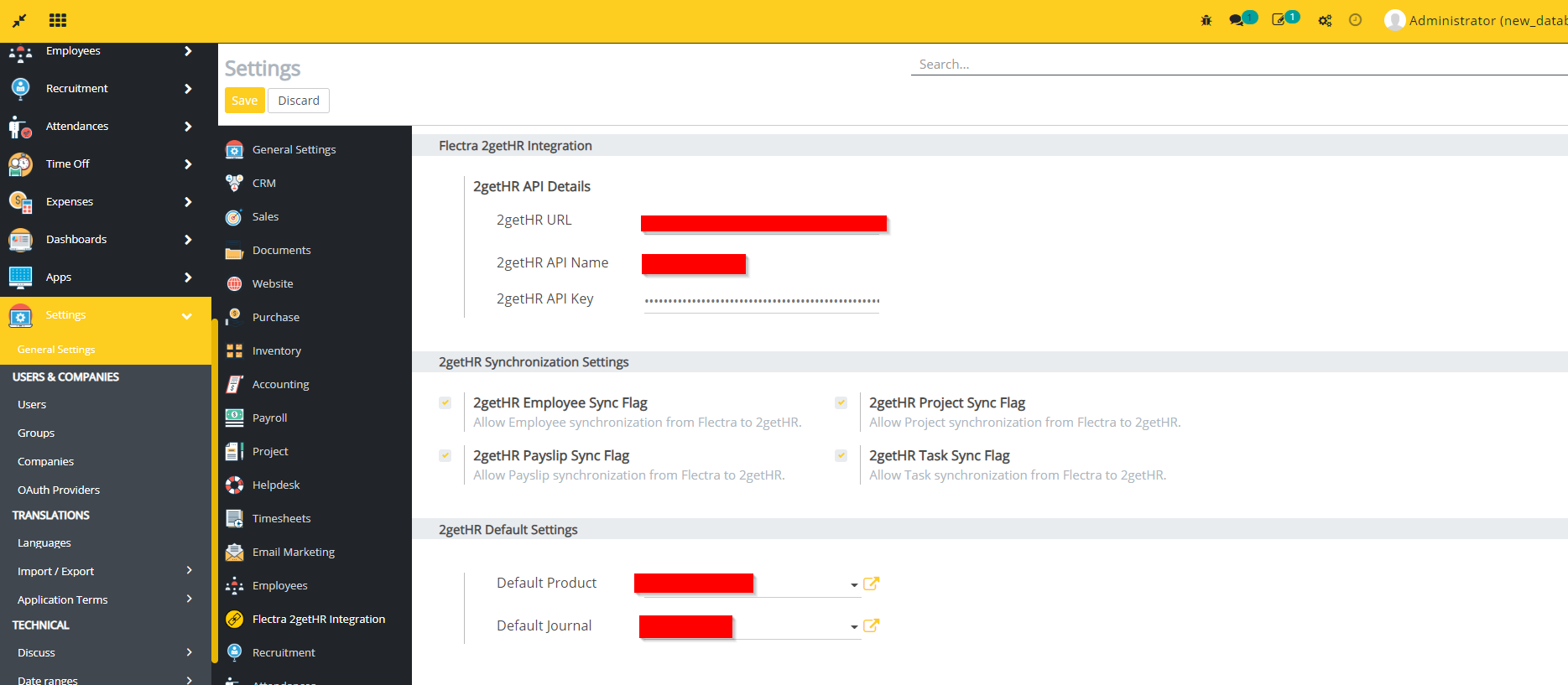
- Make sure that Default Journal does not have type as Purchase.
How to use this module
This module synchronizes data of multiple sub modules between flectra and 2getHR. You can see in following points -
- Absense type
- It synchronizes absense types from 2getHR to flectra. Create an absense type in 2getHR.
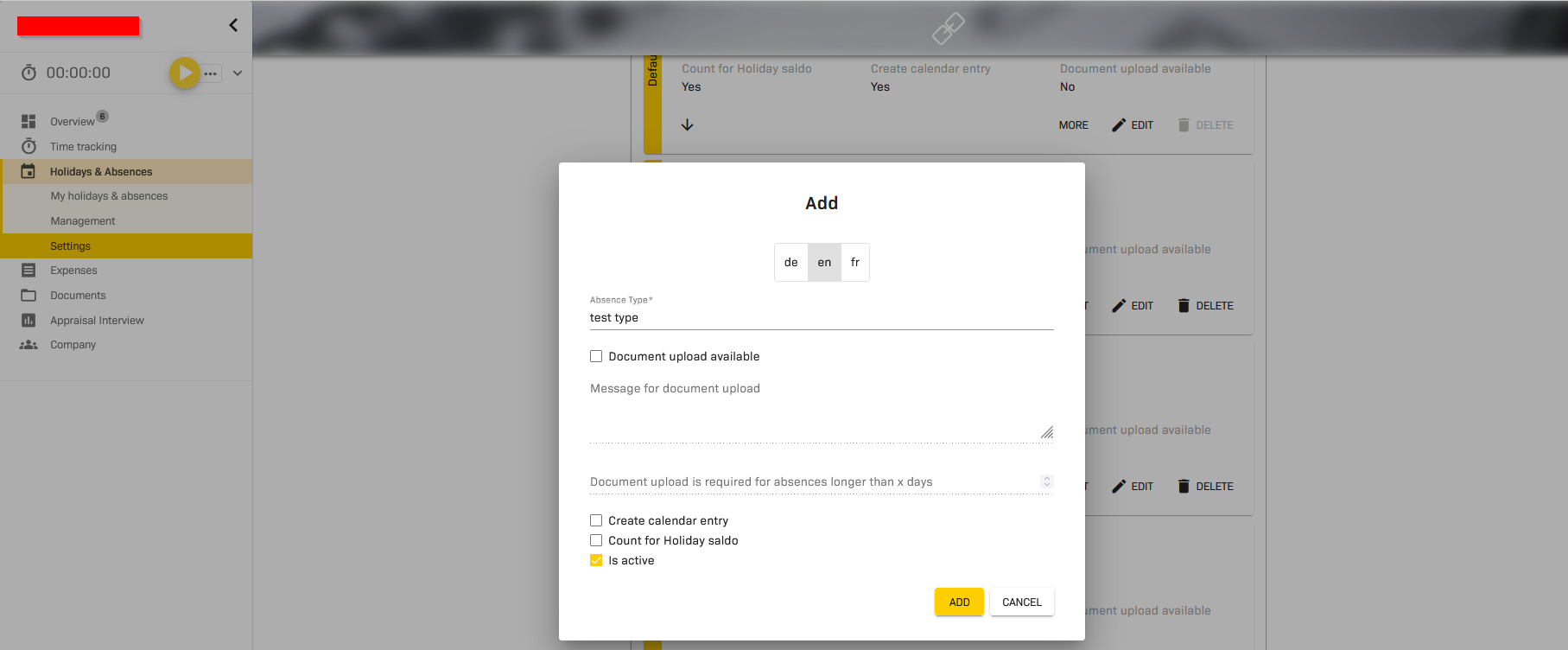
- Go to Time Off in flectra -> go to Time Off Types ->
- Click on Sync 2getHR TimeOff Types button. You can see the time off type which created in 2getHR.

- Projects
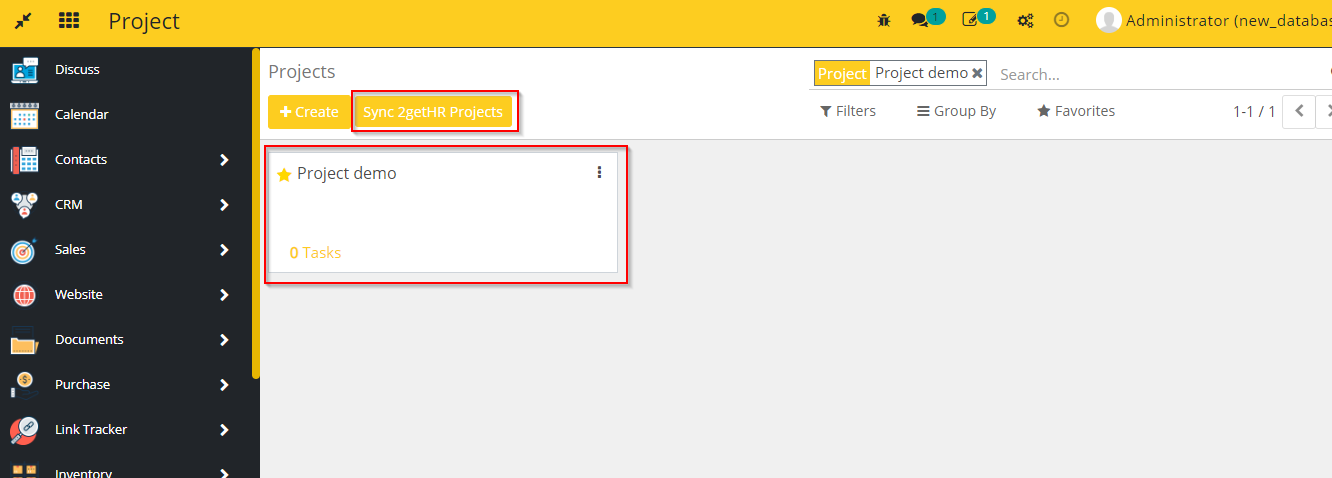
- This module synchronizes projects between flectra and 2getHR. Create any project in 2getHR.
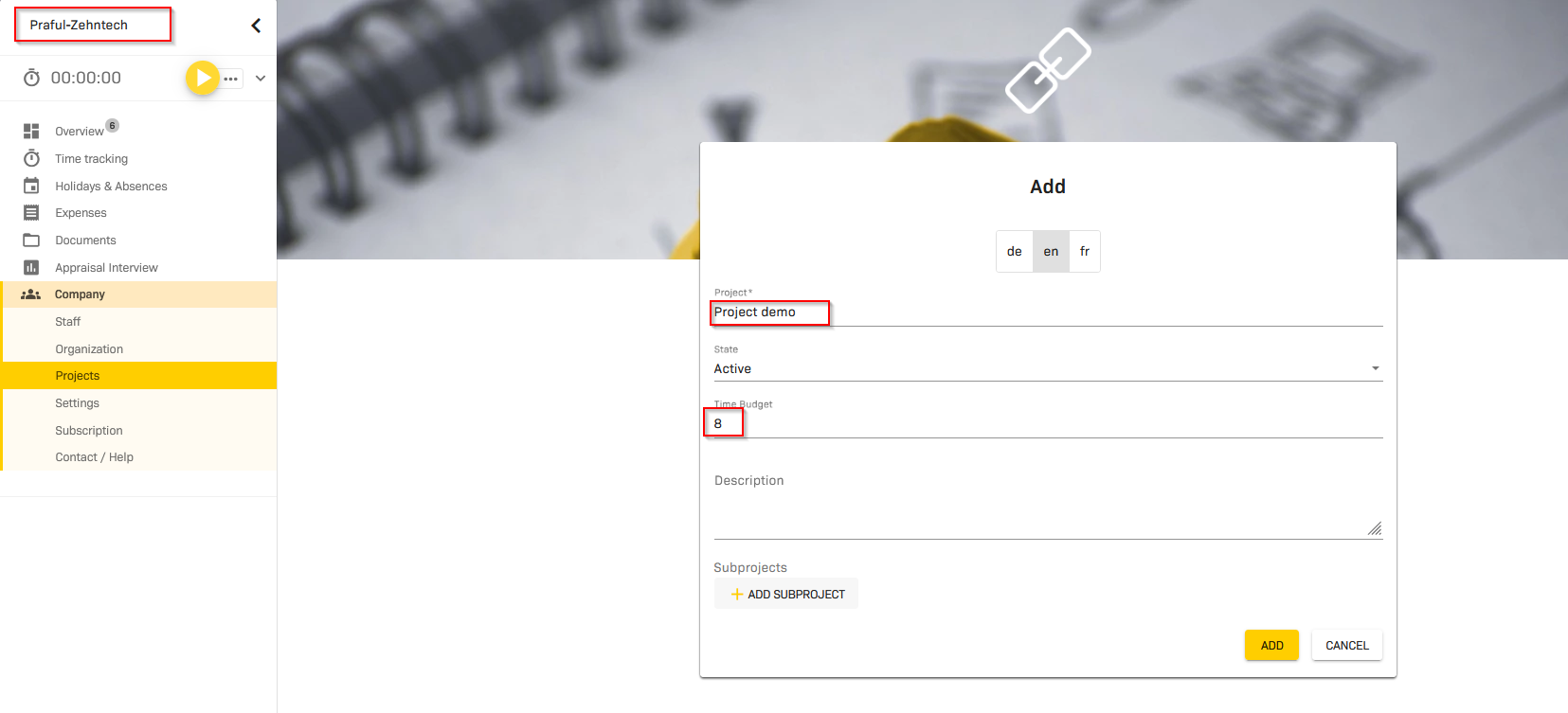
- You can see here the project which created in 2getHR.This synchronization happens automatically through webhook.
- Additionally you can use Sync 2getHR Projects button in flectra projects to synchronize all the records at a time.
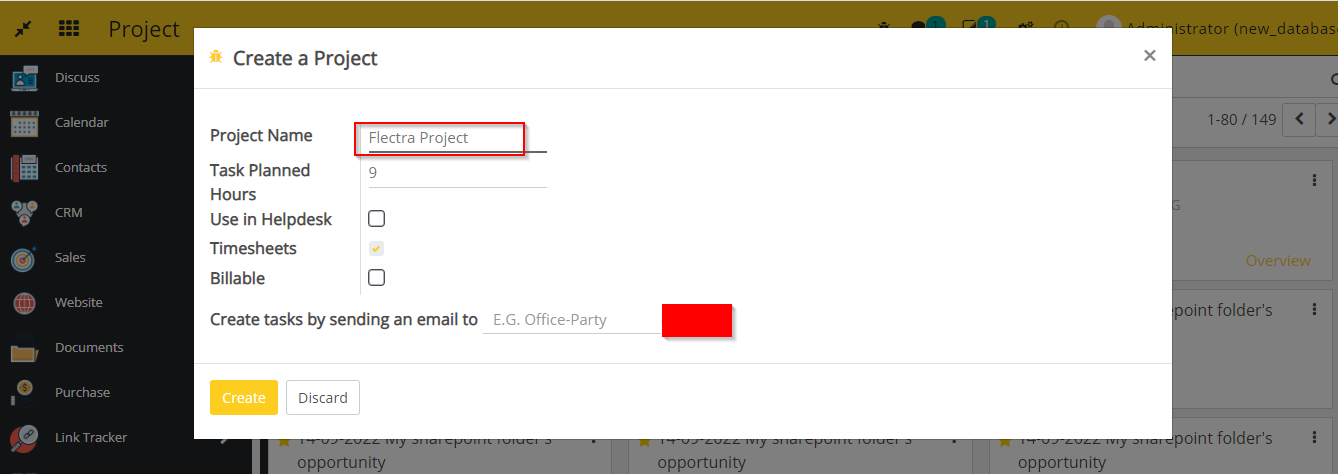
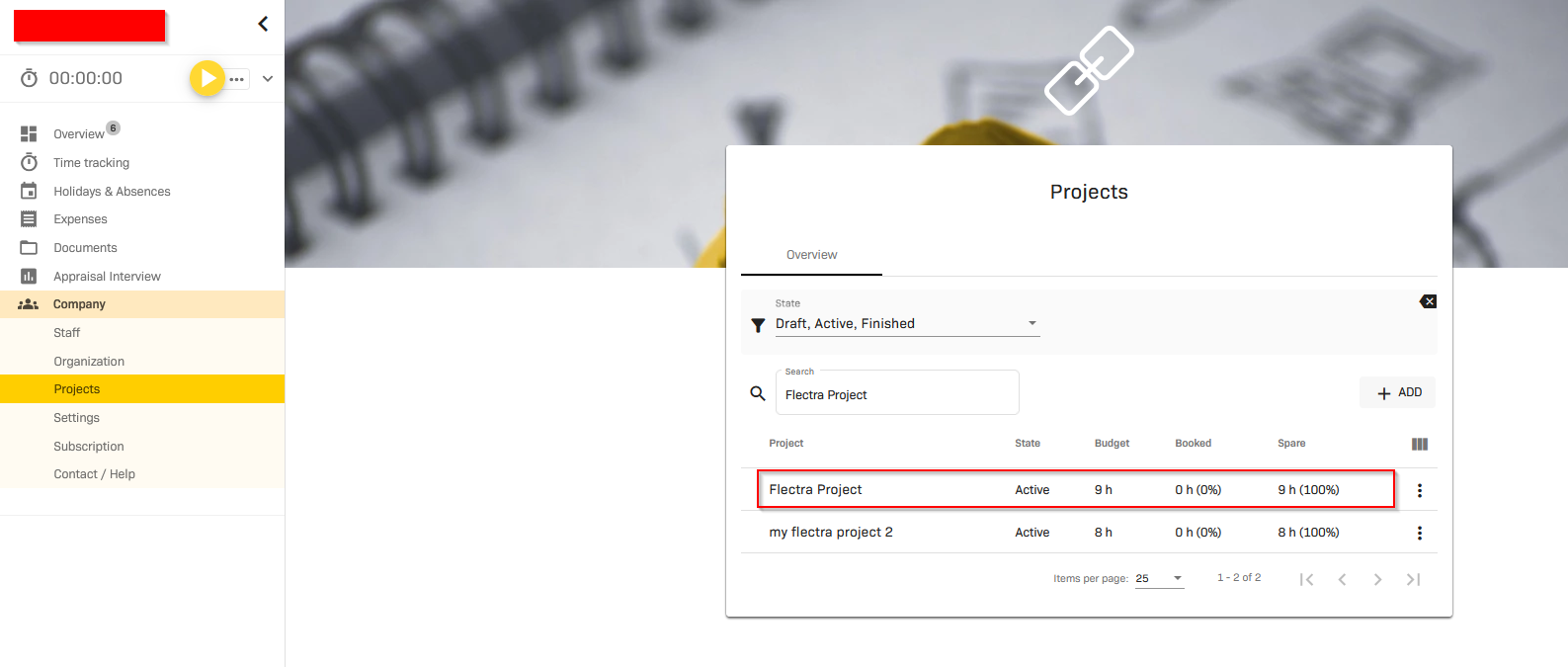
- Now create any project in flectra. It will also synchronize in 2getHR.
- subprojects
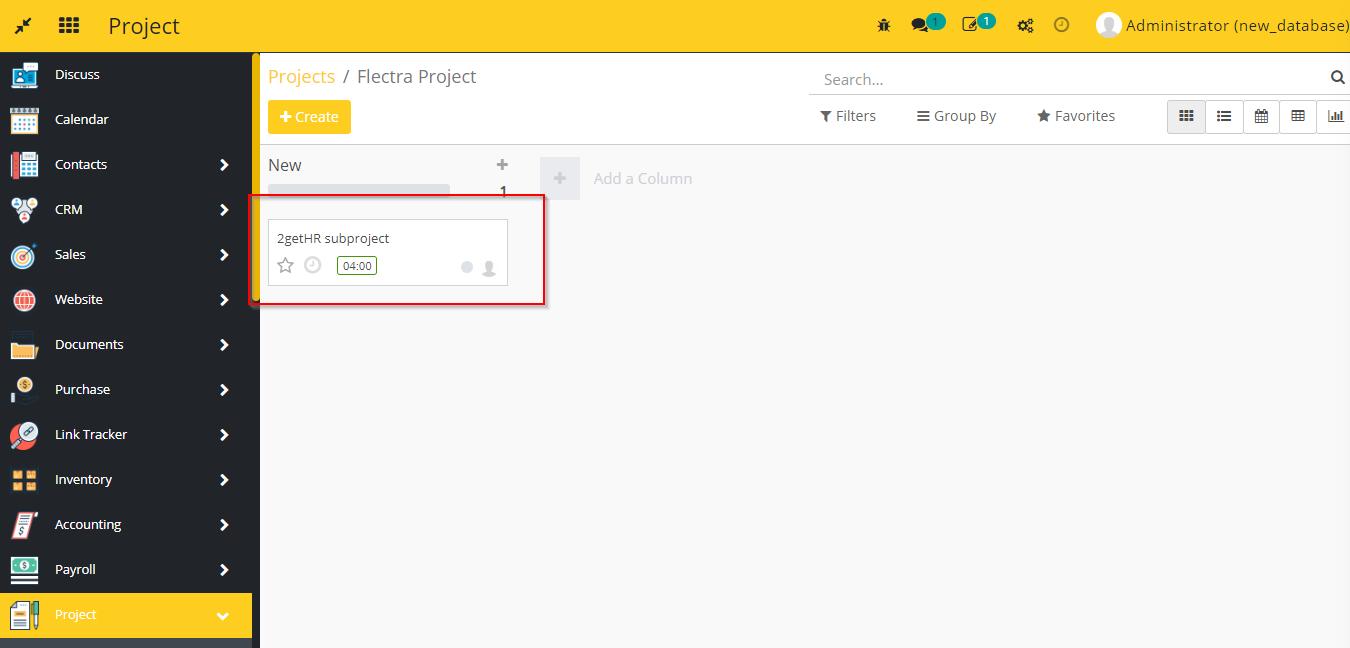
- This module also synchronizes suprojects or tasks between flectra and 2getHR.
- Create any subproject inside any project in 2getHR, It will synchronize automatically as a task in related project in flectra.
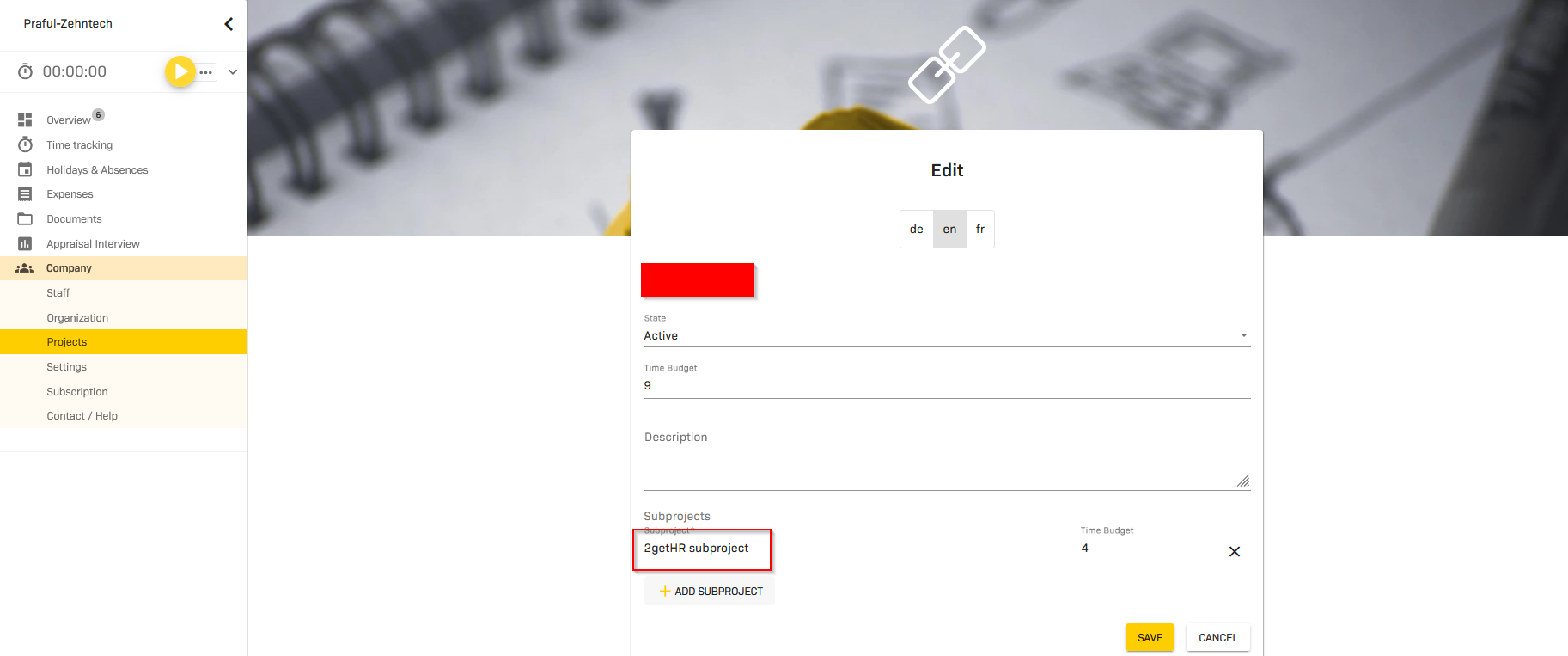
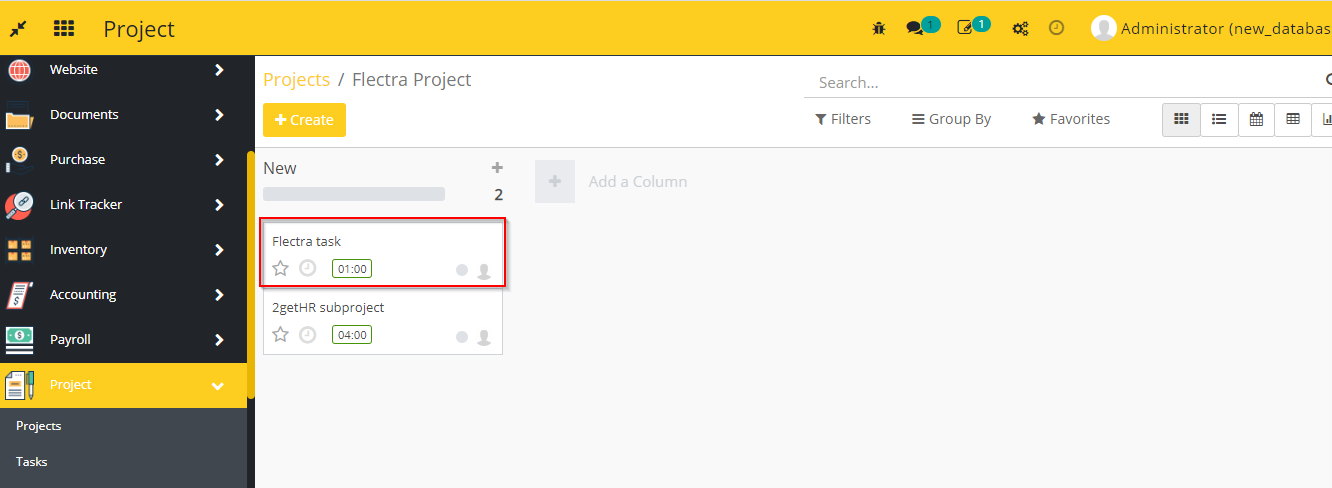
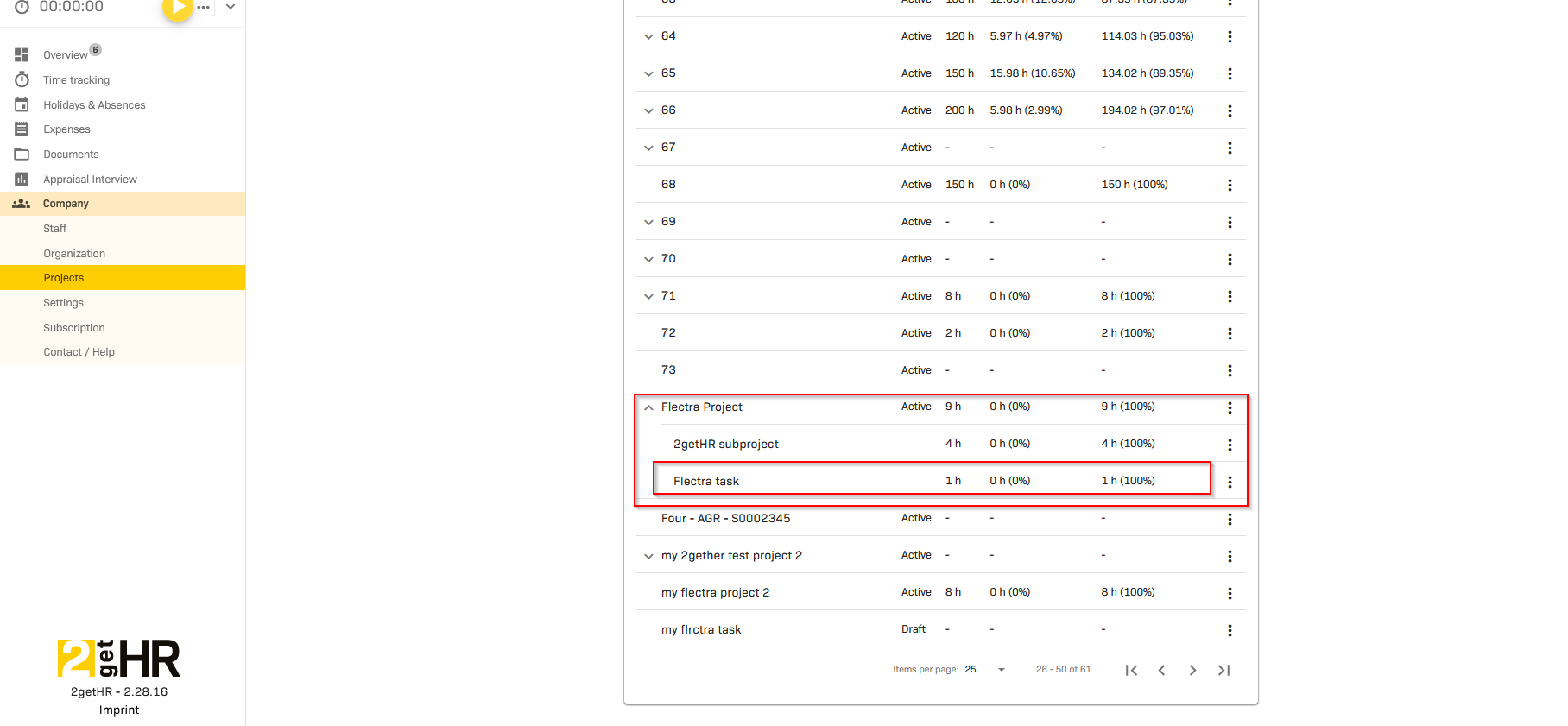
- In the same way when we create any task inside any 2getHR project in flectra, It will synchronize as a subproject in related project in 2getHR.
- Organization Unit
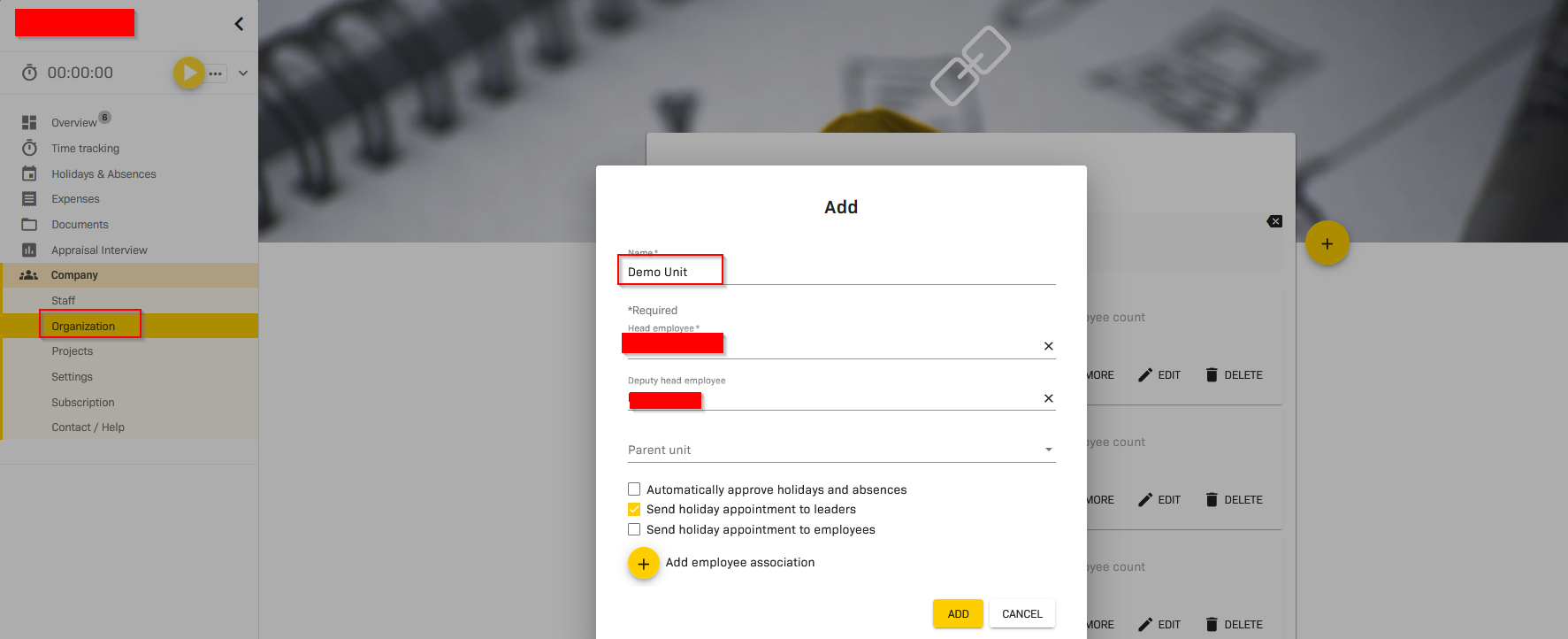
- This module synchronizes organization unit from 2getHR to flectra.
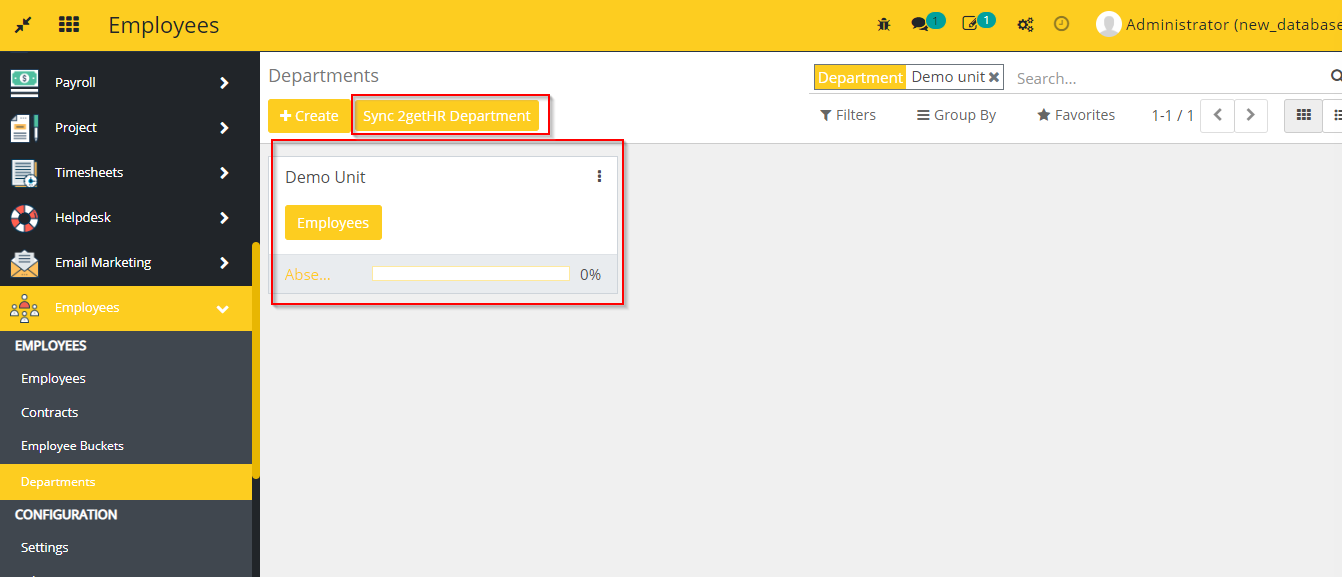
- Create any Organization Unit in 2getHR, It will synchronize as a Department in flectra.
- Click on Sync 2getHR Department button in departments in flectra, you can see the department which created in 2getHR.
- Employees
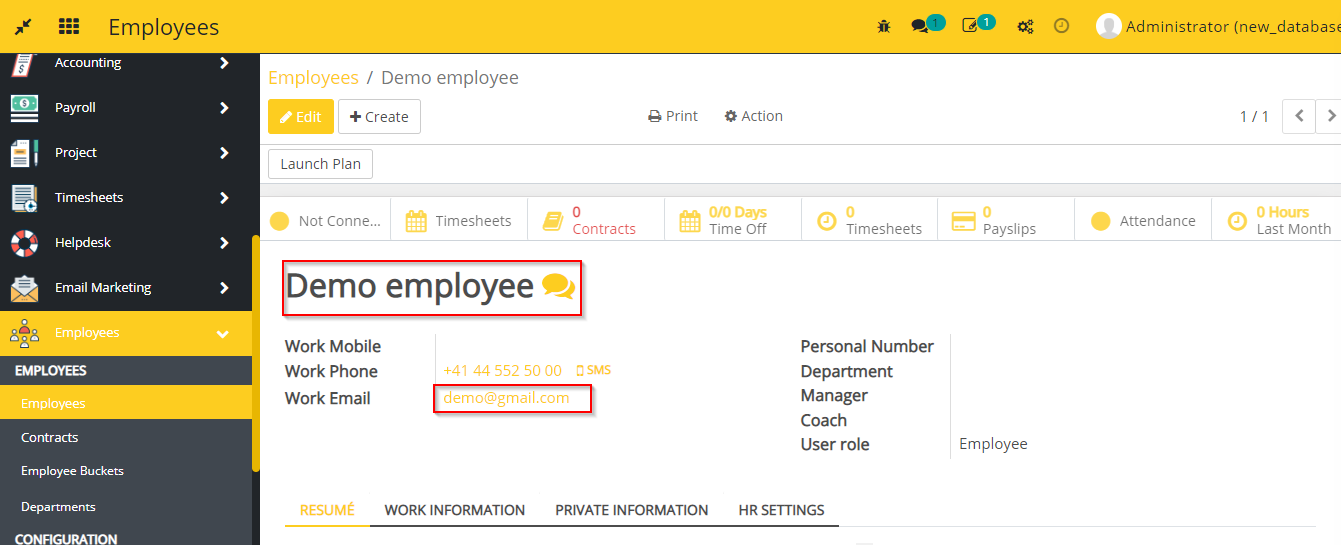
- This modules synchronizes Employees between flectra and 2getHR.
- Create any employee in Flectra, It will automatically synchronize in 2getHR.
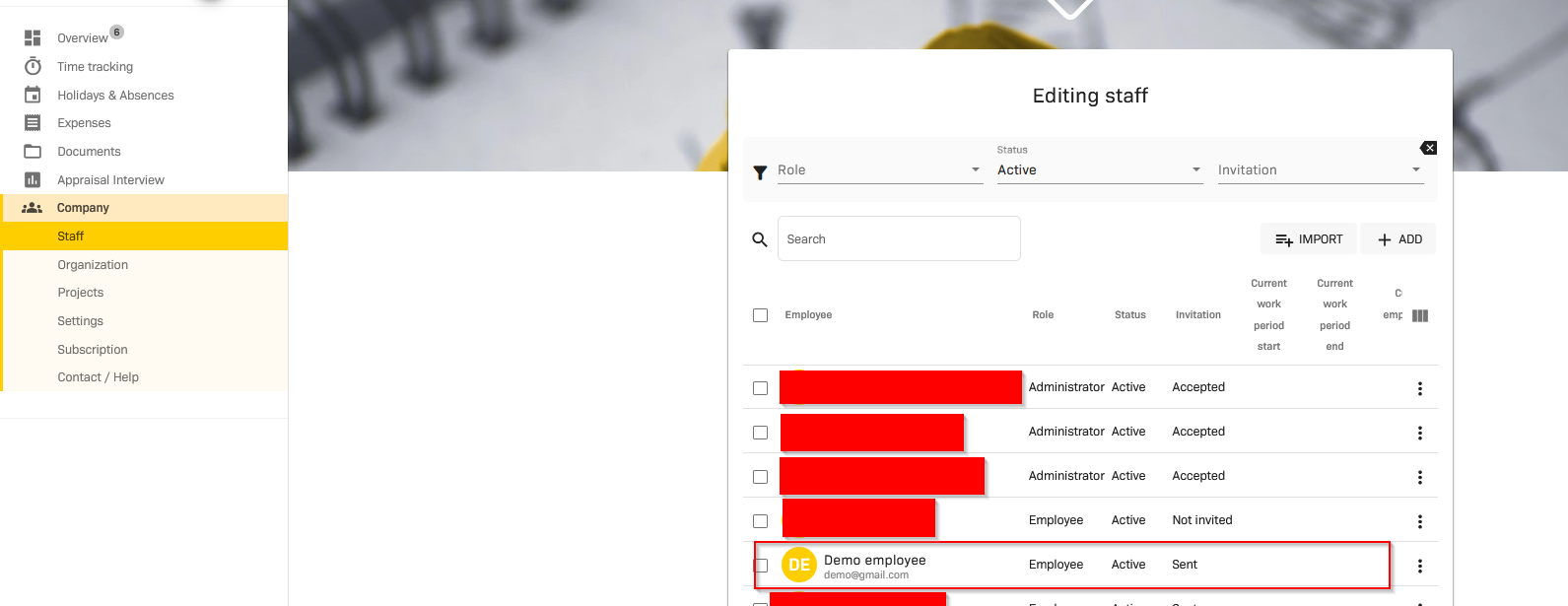
- In the same way, create an employee in 2getHR.
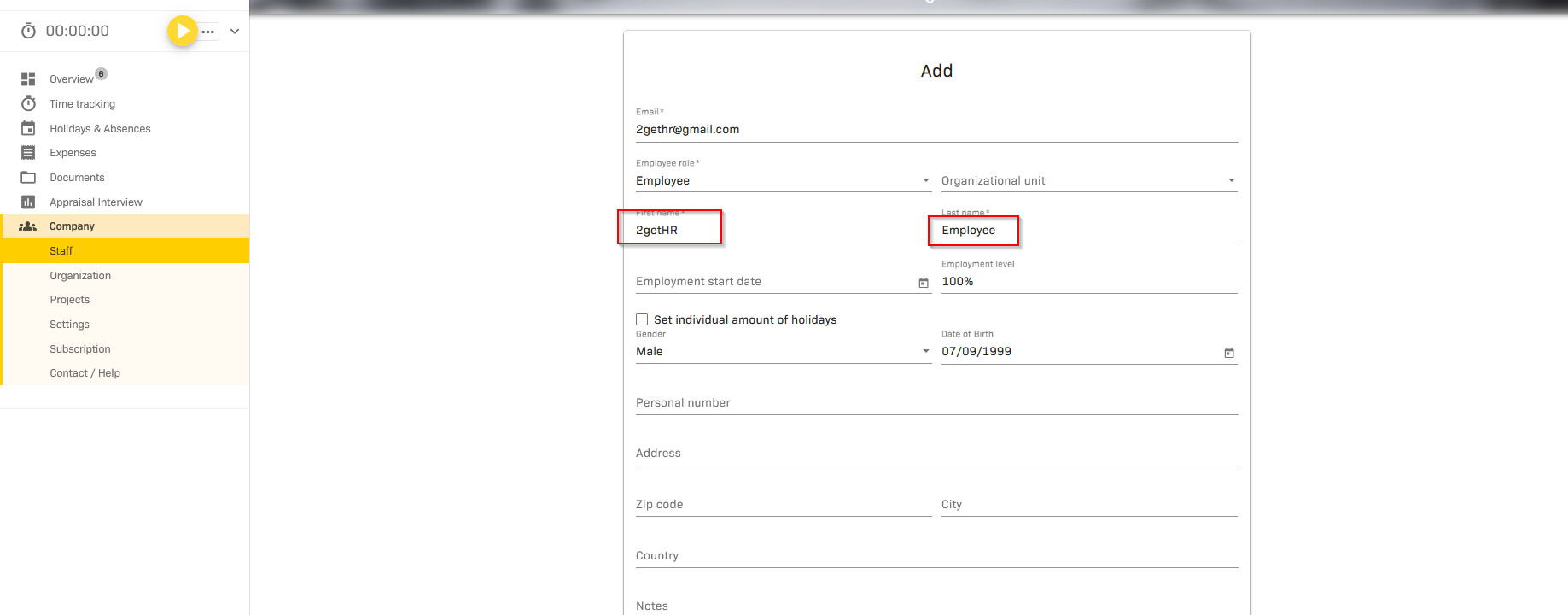
- You can see the employee which created in 2getHR.This synchronization happens automatically through webhook.
- Additionally you can use Sync 2getHR Employees button in employees to synchronize all the records at a time.
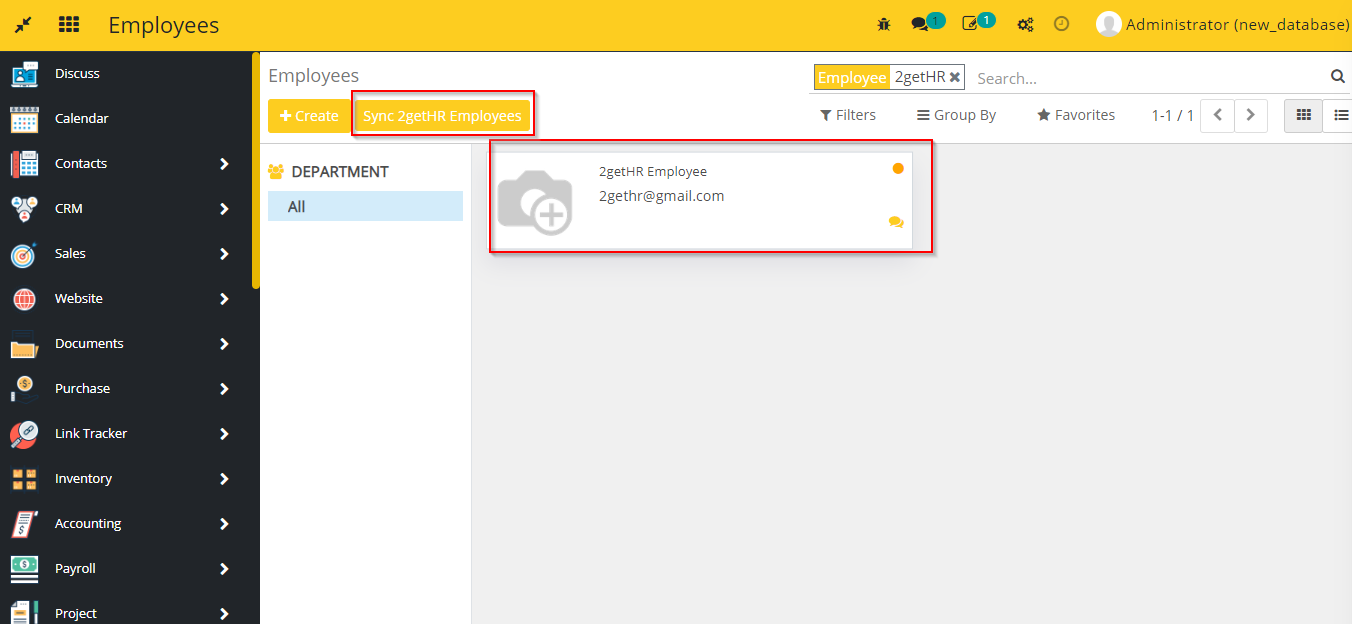
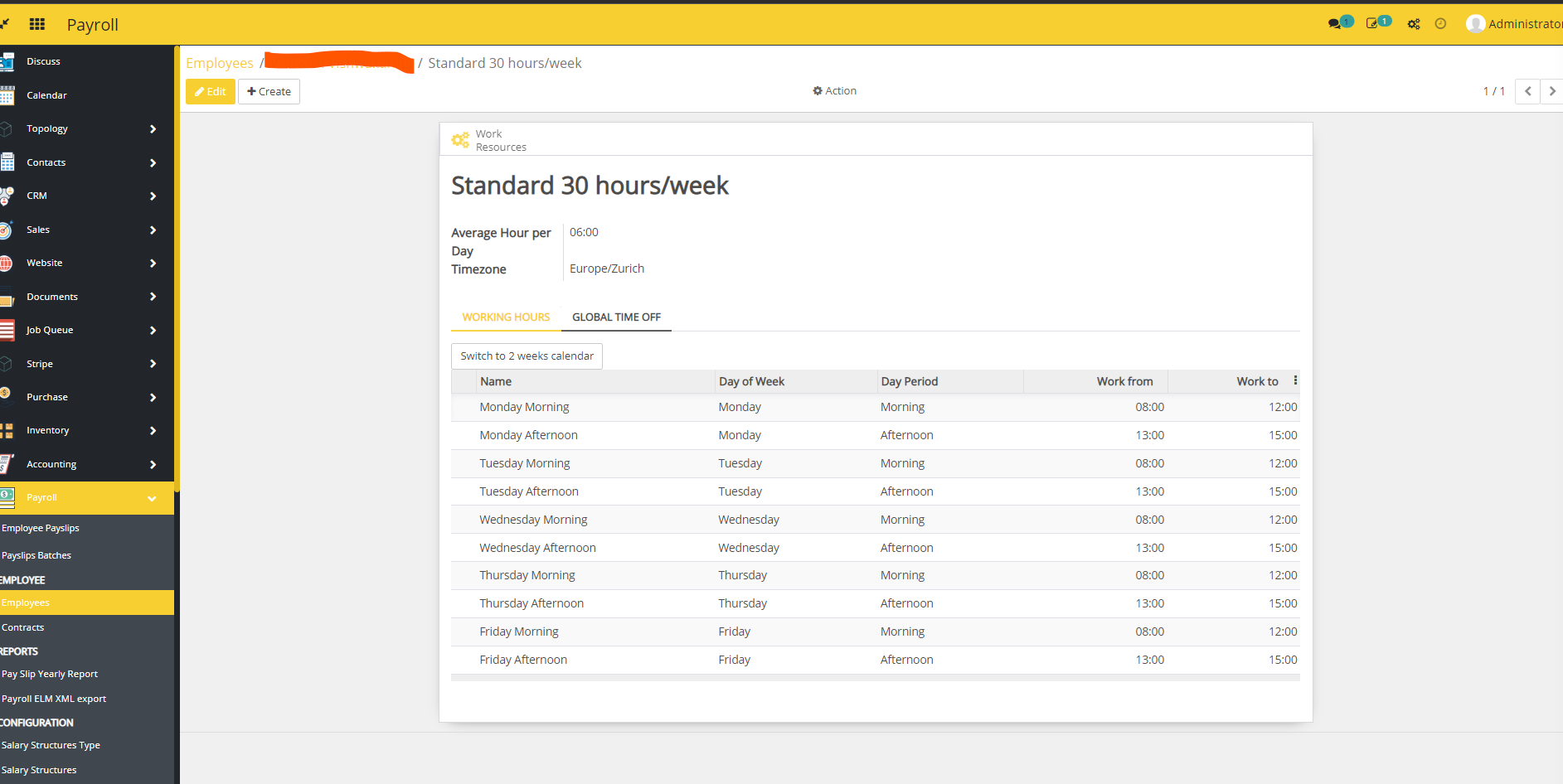
- You can create any work schedule for employee and then this will be synchronize from 2gethr to flectra through webhook and Sync 2getHR Employees button as well.
- Payslip
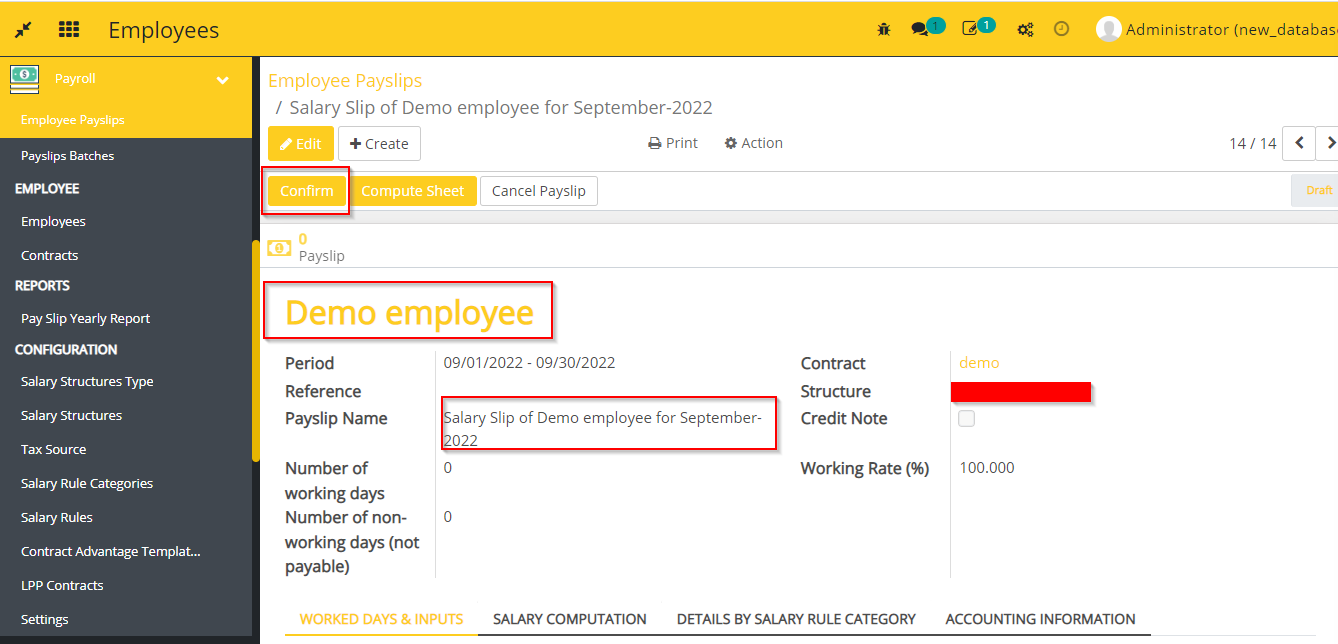
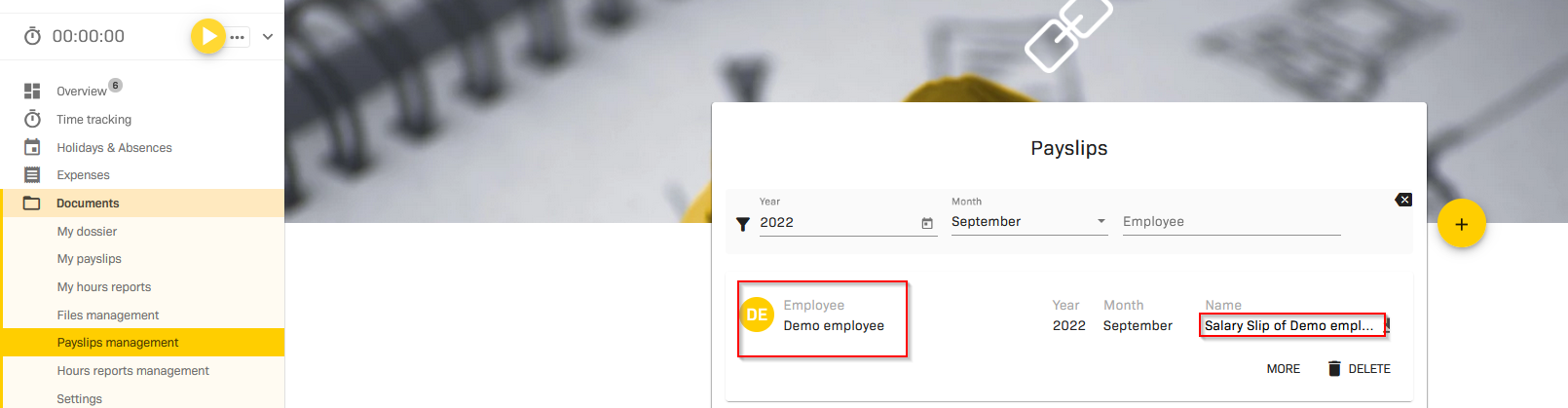
- This module synchronizes employee payslip from flectra to 2getHR. When we confirm any paylsip in flectra, It will synchronize in 2getHR.
- Hours Reports
- This module synchronizes hours reports from 2getHR to flectra.
- Create an Hour Report in 2getHR.
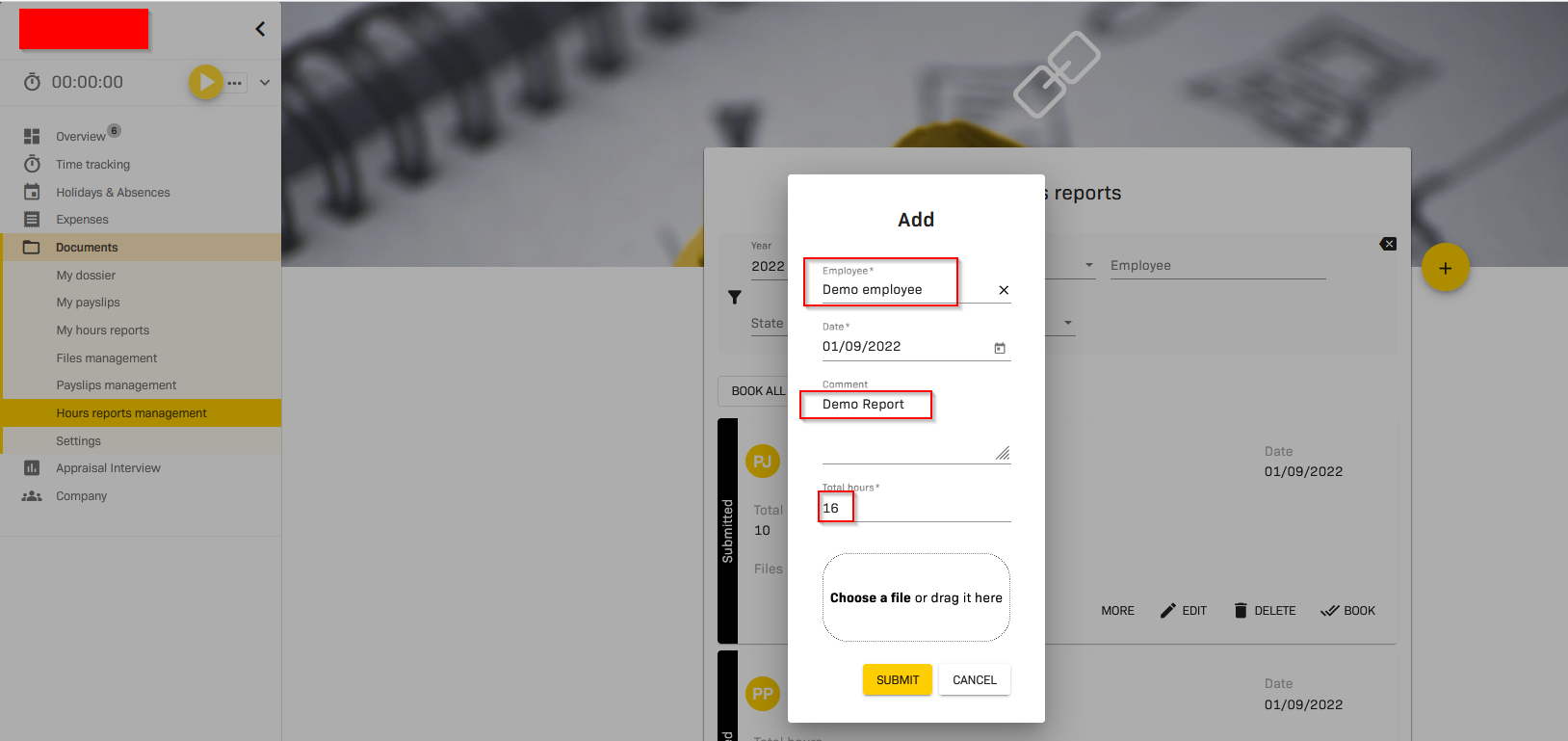
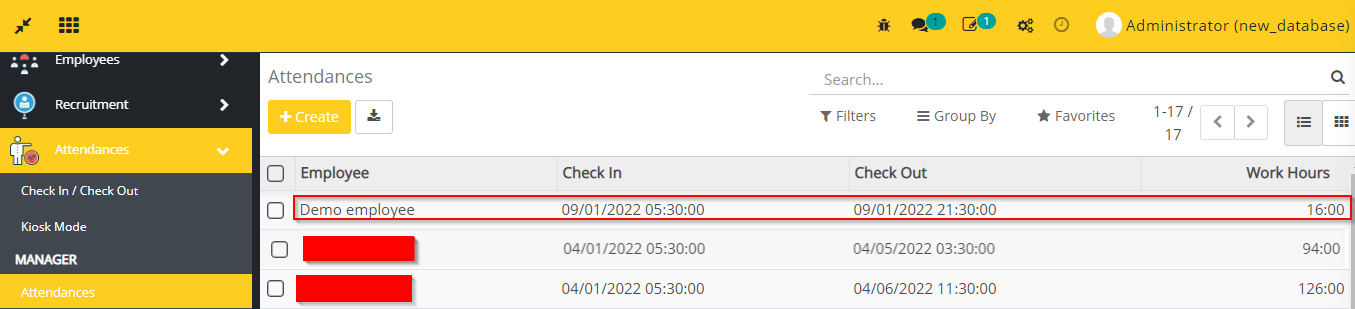
- For syncing Hours Reports make sure that employee has Personalverleih in Employee Category in contract in flectra, then only it will synchronize Hours reports.
- Go to Attendances in flectra, you can see the Hour Report here which is created in 2getHR.
- Also go to Accounting -> go to Invoices -> You can see here, the invoice is created of that 2grtHR employee on the basis of hours report.

- Holiday Request
- This modules synchronizes holiday request from 2getHR to flectra.
- Create an entry in Holiday & absences in 2getHR.
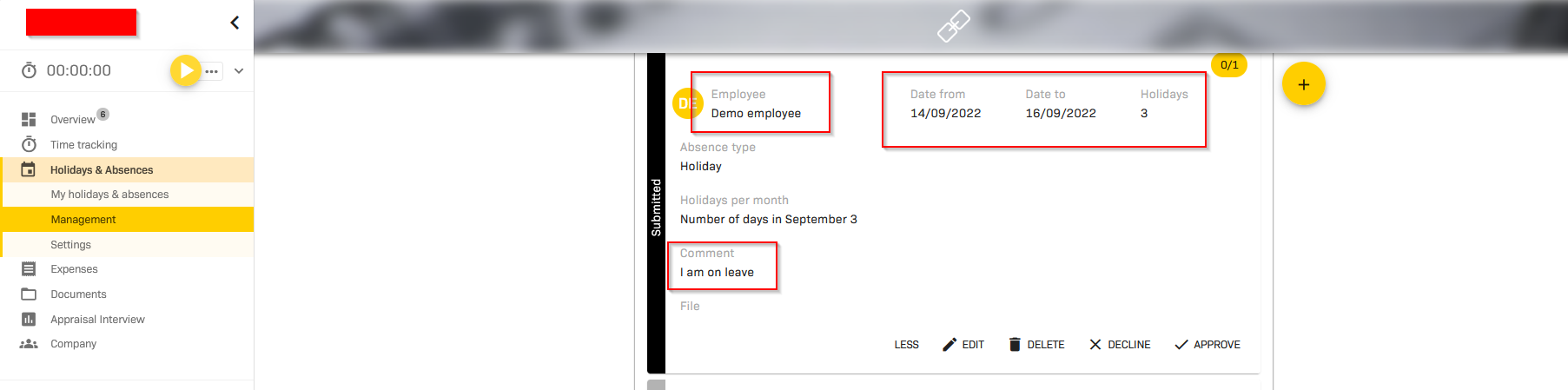
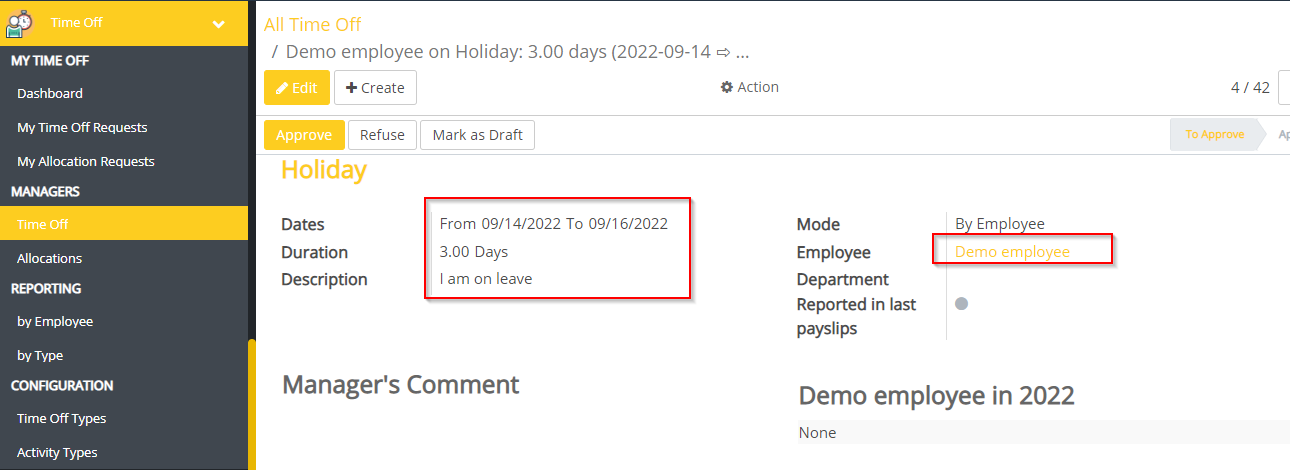
- Go to Time Off in flectra. You can see the entry here which is created in 2getHR.
- Timesheet
- This module synchronizes Timesheet from 2getHR to flectra.
- Create an entry in Time tracking in 2getHR.
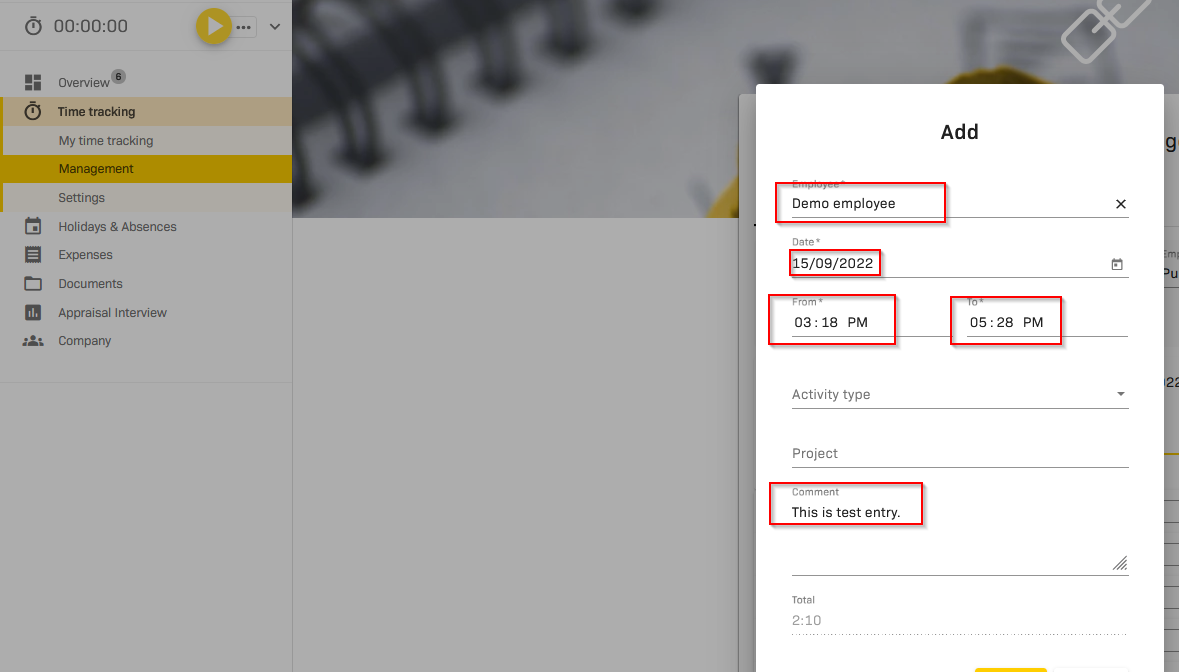
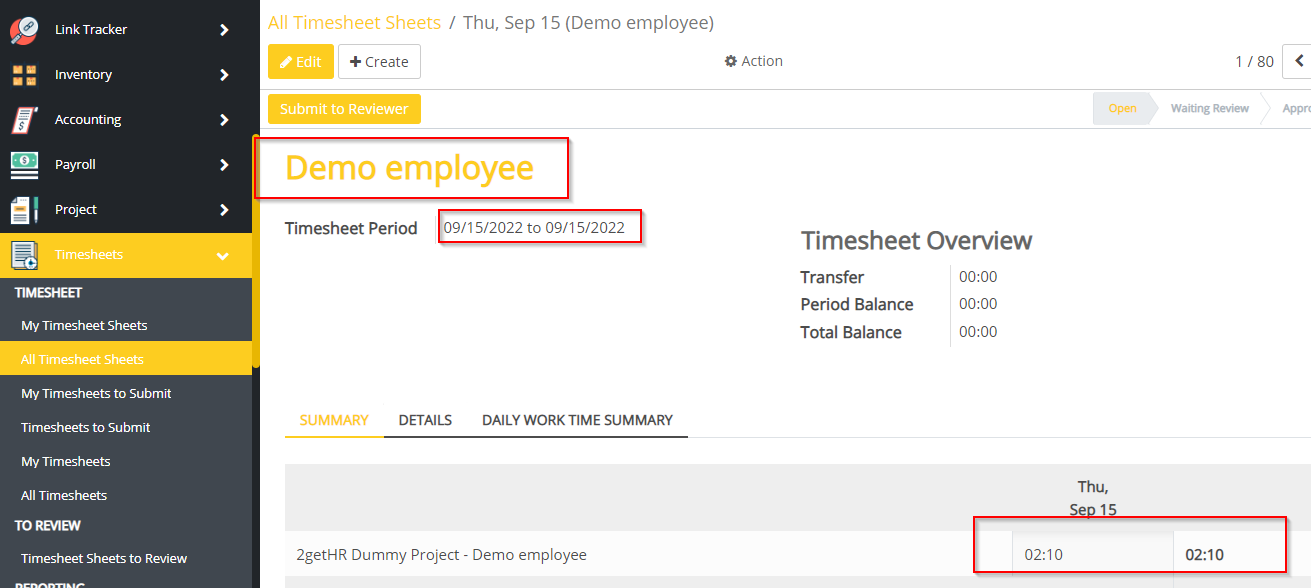
- Go to Timesheets in flectra -> go to All Timesheet Sheets -> you can see here the record which is created in 2getHR.
- Expenses
- This module synchronizes expenses from 2getHR to flectra.
- Create an expense in 2getHR.
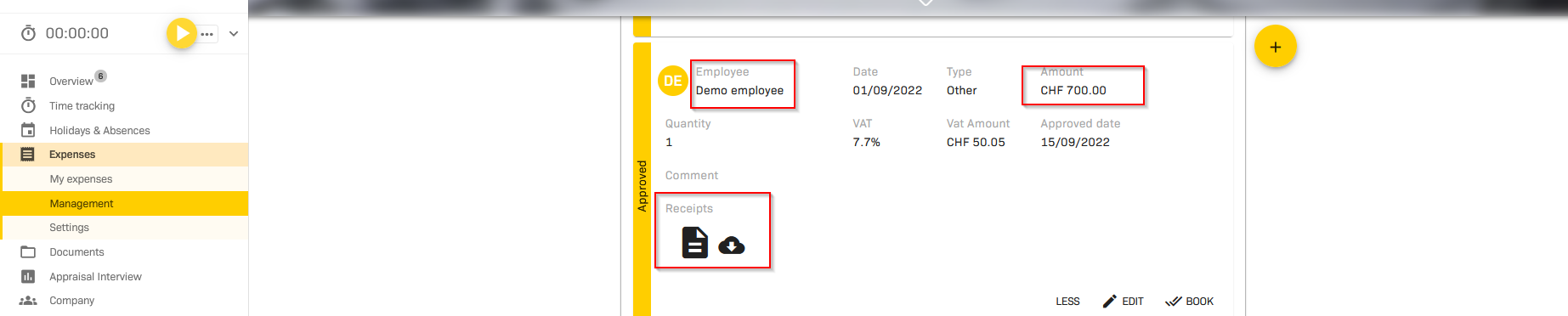
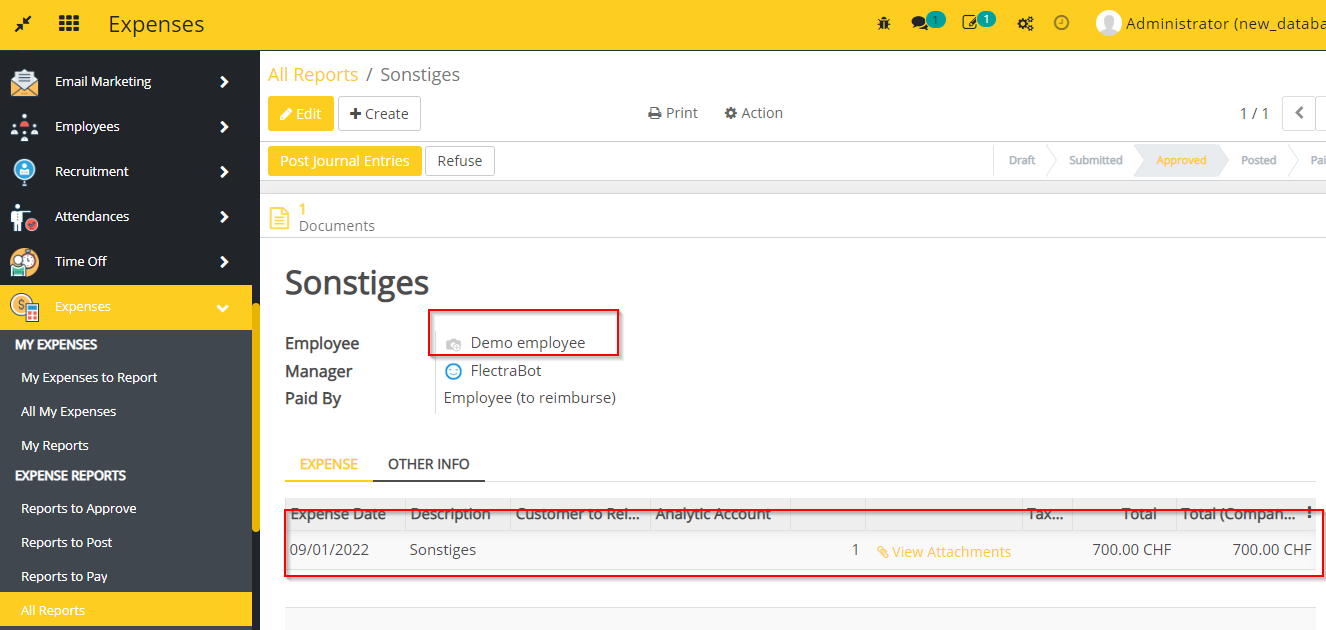
- Go to Expenses -> go to All Reports -> you can see the expense which is created in 2getHR.
- Expense Type
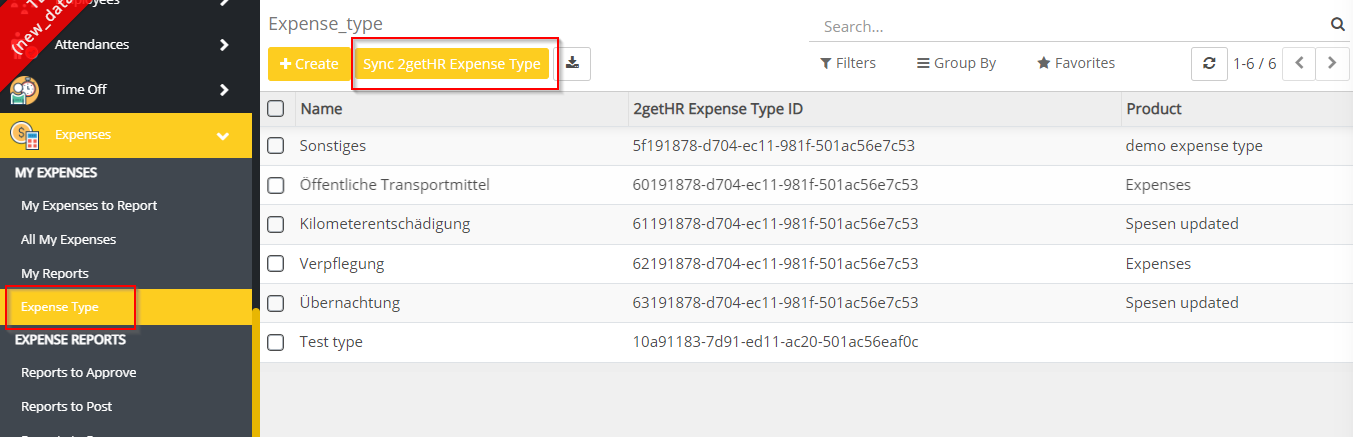
- This module Adds expense types in flectra and synchronizes them from 2getHR to flectra.
- Go to Expenses -> go to Expense Type -> You can see the Expense types here.

- You can synchronize Expense Types from 2getHR to flectra via sync 2getHR Expense Type button.
Dependent modules
- hr_payroll
- hr_expense
- project
- hr_attendance
- account
- hr_timesheet_sheet
- base_location
- l10n_ch_base_bank
- sale_project
- account_move_performance_period
- http_api_response
Change logs
- [04-04-2023] Fixed Deleting an expense in 2gethr is not deleting the entry in flectra.
- [03-03-2023] Fixed Access error while creating leave through 2gethr.
- [24-02-2023] Changed Add record id in 2getHR API error logs.
- [31-01-2023] Changed Expense type in the expense during the synchronization.
- [31-01-2023] Fixed A second time tracking entry is created instead of updating existing one.
- [23-01-2023] Added Empty translations for expense type.
- [17-01-2023] Added work schedule synchronize for employees from 2gethr to flectra.
- [11-01-2023] Added expense products in expense types.
- [11-01-2023] Added Expense Types in flectra and synchronize them from 2getHR.
- [09-01-2023] Fixed 2getHR holiday / absence synchronization is not working properly
- [09-01-2023] Fixed Changing a holiday entry in 2getHR leads to an error in flectra (update event seems not to work)
- [28-12-2022] Fixed Time tracking synchronization and additional empty timesheet entry issue
- [15-12-2022] Fixed The issue when we create new absence type in 2gethr and use it for a new holiday
- [28-11-2022] Fixed Payslips are created in english instead of german if coming from 2gethr (hourly report)
- [25-11-2022] Fixed The journal into which a payslip is booked to (if automatically created by 2gethr) was misc instead of taking it from the contract
- [06-10-2022] Added create payslip with accurate information using the hourly report when the hourly report is uploaded in 2gethr
- Added Flectra 2getHR Integration Module