Accounting Check Invoice
Accounting Check Invoice is a Flectra extended module which is used to check invoices / bills easily.
Table of contents
Installation
To install this, follow below steps:
- Just simply mount this module as Flectra's custom module
- Now, Install the module in Flectra from Main Apps section.
Usage
How to use this module:
- Go to Accounting menu -> create a new invoice -> save it.
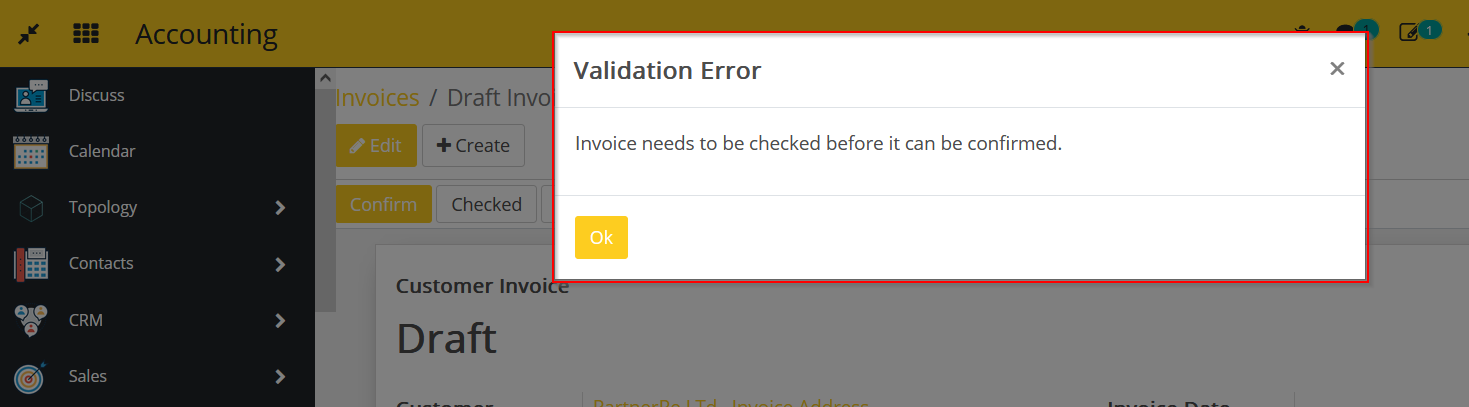
- Now, if you try to confirm this invoice, it will raise the below error.
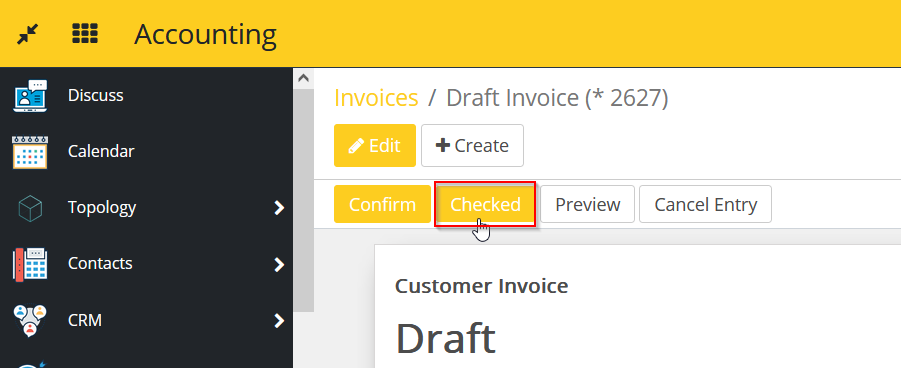
- You have to check the invoice and click on button Checked beside Confirm.
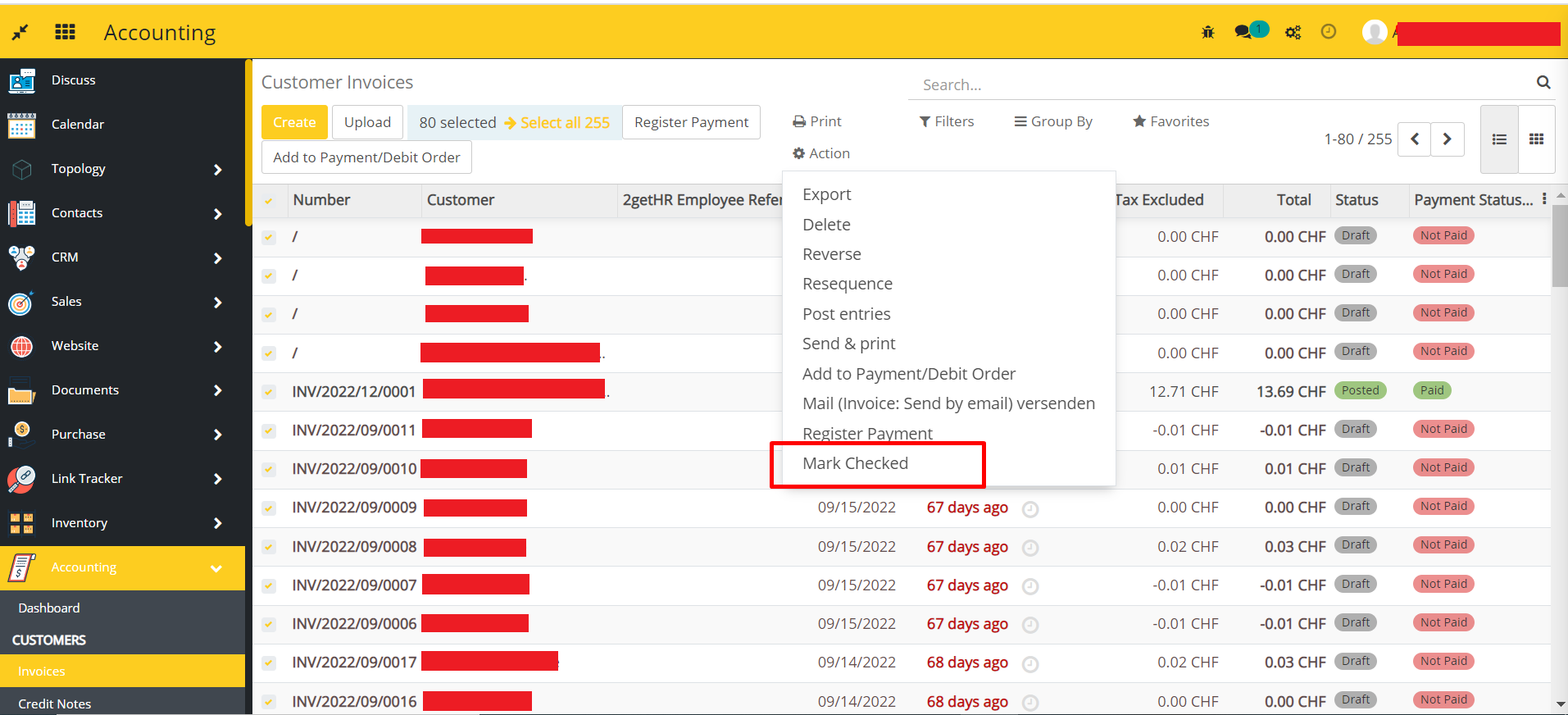
- You can also able to mark cheked all invoices in one go.
- Select invoices from the list view and click on Action -> Mark Checked as shown in the below image.
Dependent modules
- account
Change logs
- Changed Possible mark as checked all invoices in one go.
- ADDED Accounting Check Invoice Module