Account-Restrict Email To External Users
Account-Restrict Email To External Users is a Flectra extended module which is used to restrict send email to external users.
Table of contents
Installation
To install this, follow below steps:
- Just simply mount this module as Flectra's custom module
- Now, Install the module in Flectra from Main Apps section.
Usage
How to use this module:
- Go to Accounting -> Invoices -> Open a posted invoice.
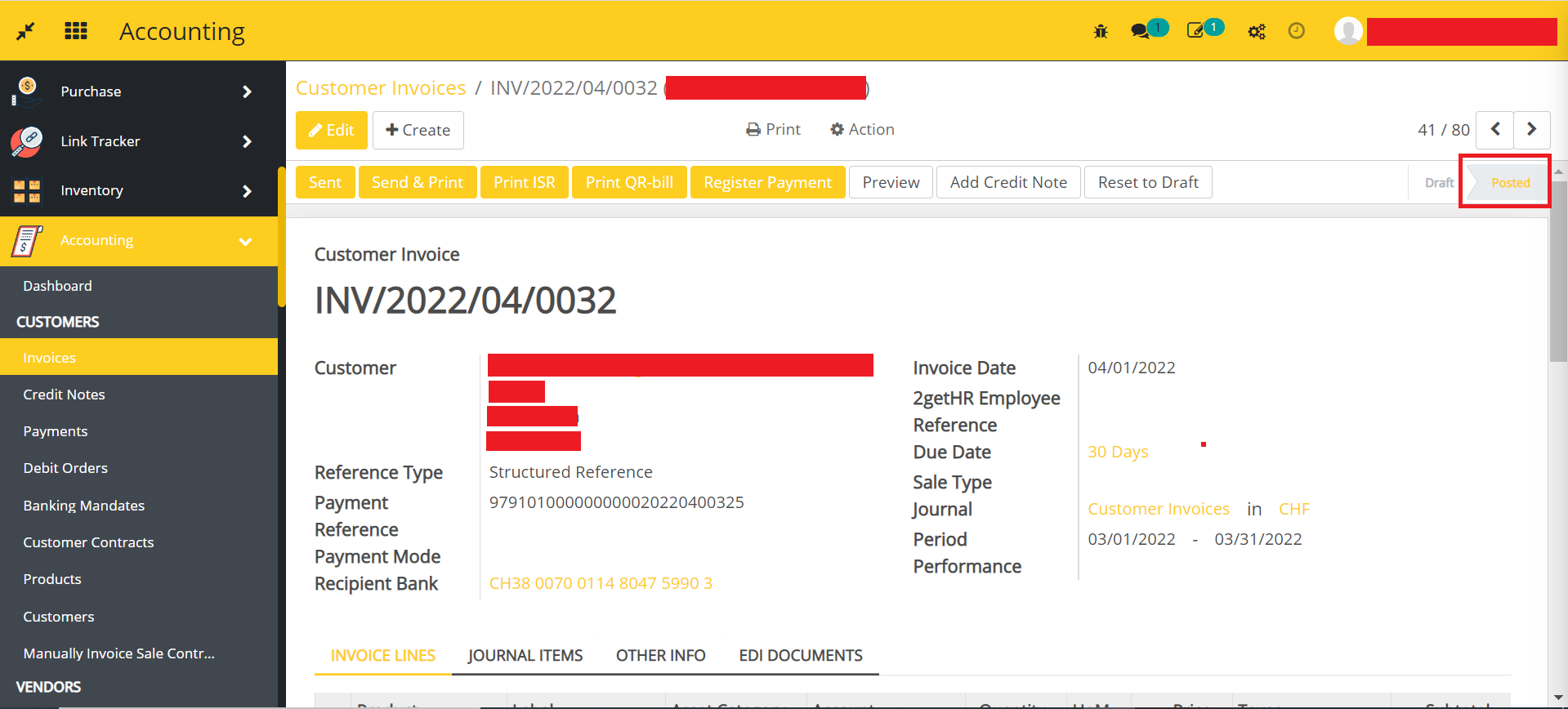
- Scroll down and click on the people icon as shown in the below image.
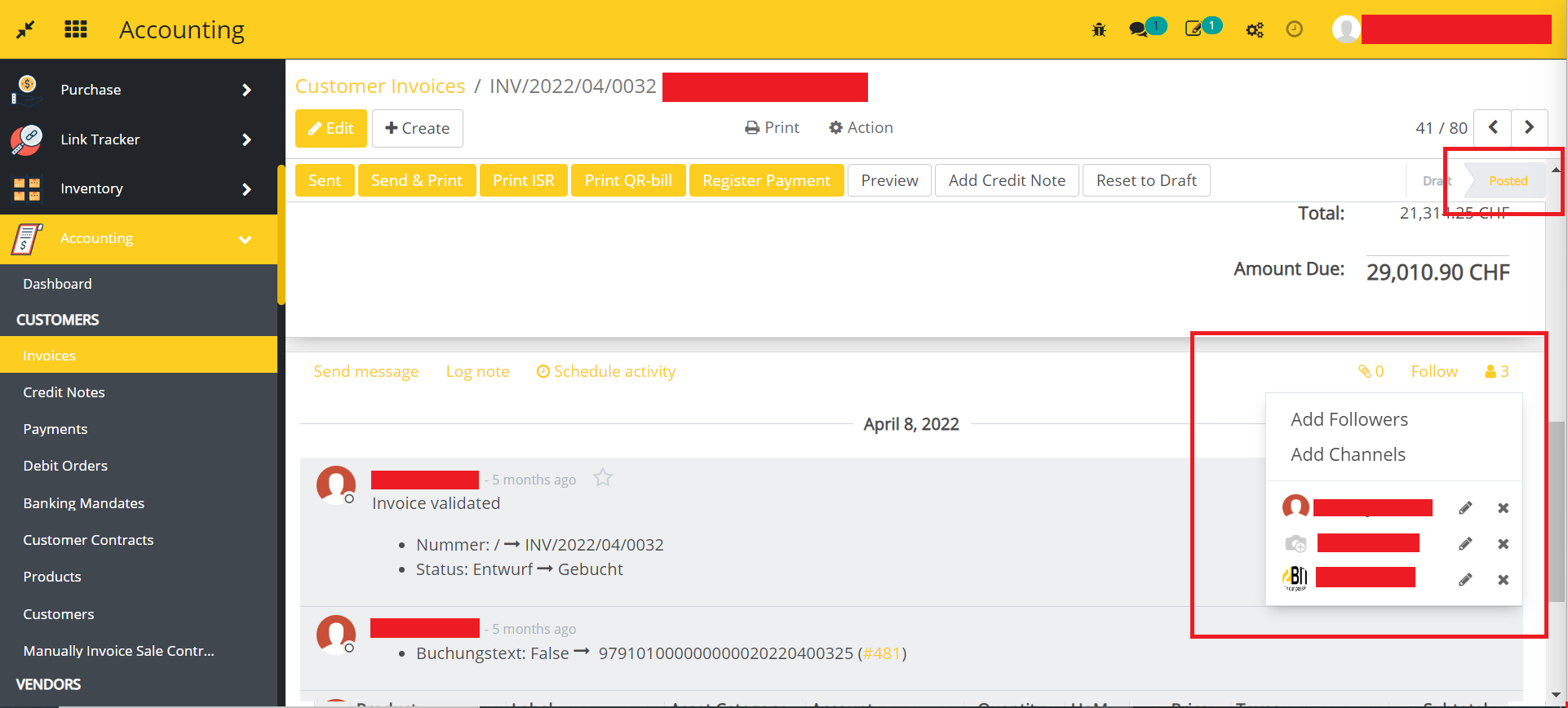
- All the follower for the invoice are displayed here. You can manage the followers for the invoice as per your requirement.
- Click on the Send & Print button.
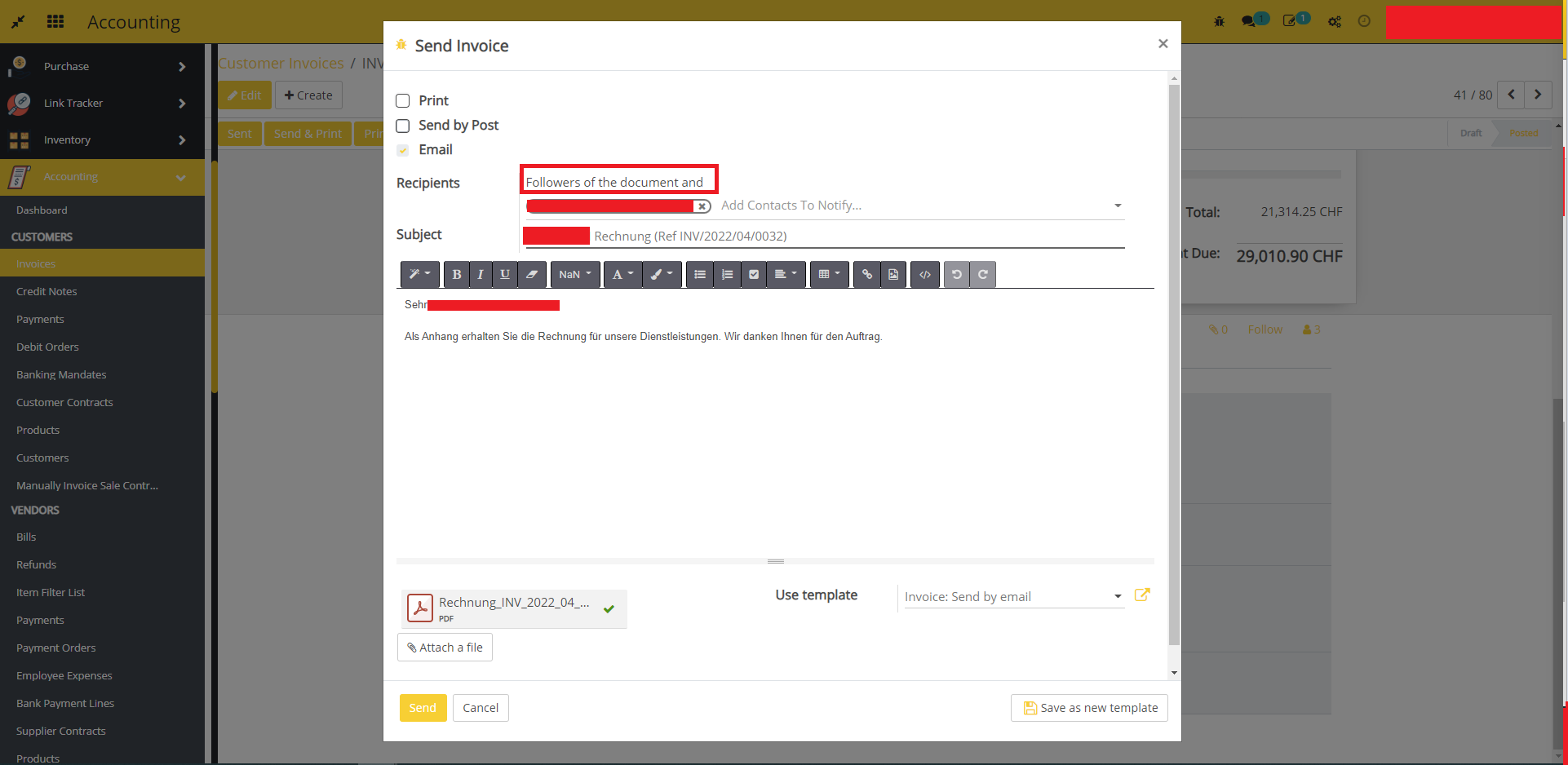
- In the mail template you can clearly see the invoice email is also send to followers of the invoice. If you want to restrict external users then this module help to restrict.
- After installing the module you can see in the mail template, the invoice email's recipients are followers of the document excluding external users and customers only as shown in the below image.
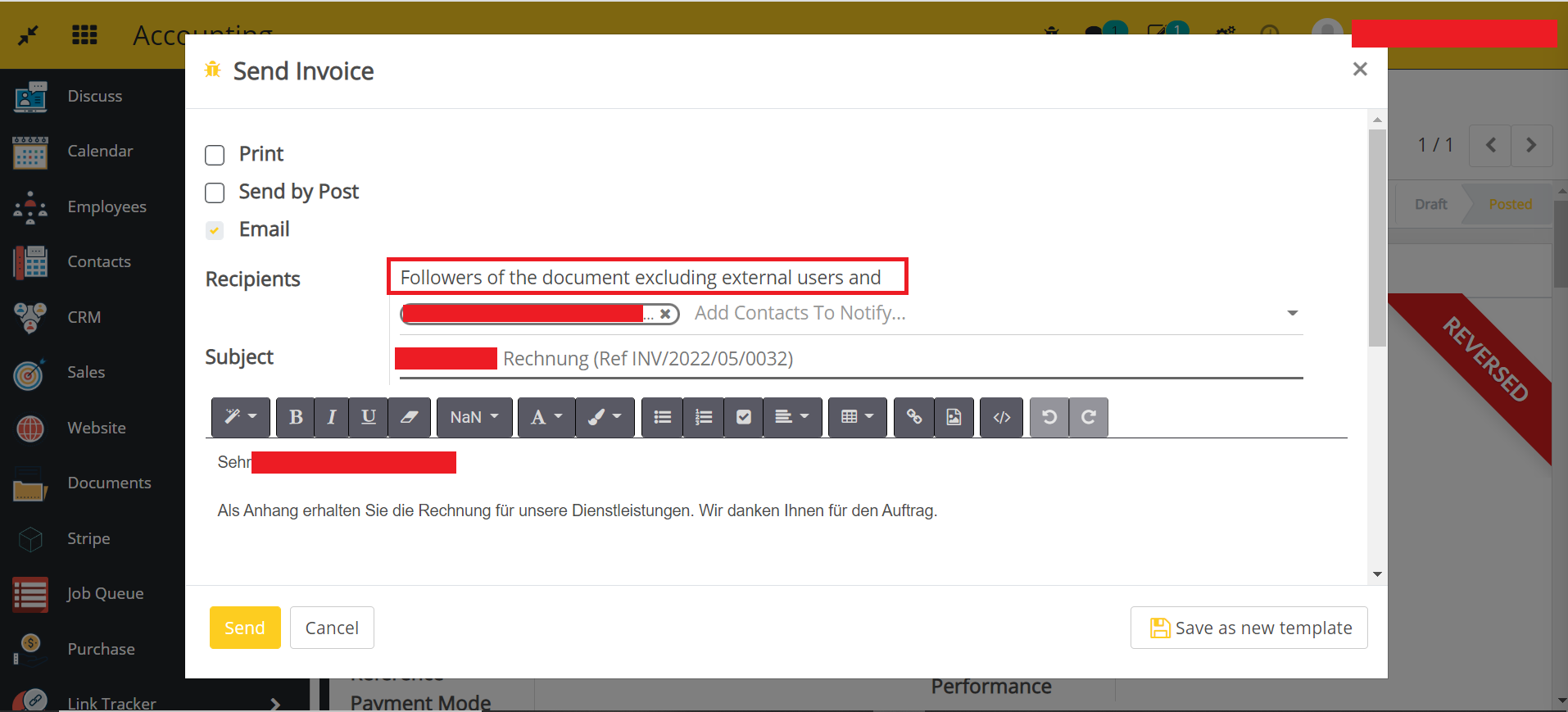
- Click on the Send button. The email will be send to customer and internal users only.
Dependent modules
- account
Change Logs
- Added Account-Restrict Email To External Users