Account/Sale Page Break
Account/Sale Page Break is a Flectra extended module that is used to add page breaks inside the lines of Accounting Invoices, Sale Quotations, and Sale Orders.
Table of contents
Installation
To install this, follow below steps:
- Just simply mount this module as Flectra's custom module.
- Now, Install the module in Flectra from Main Apps section.
Usage
How to use this module for sales quotations
- Go to Sales -> Quotations -> open a Quotation.
- Edit or create a Quotation.
- Scroll down to Order Lines.
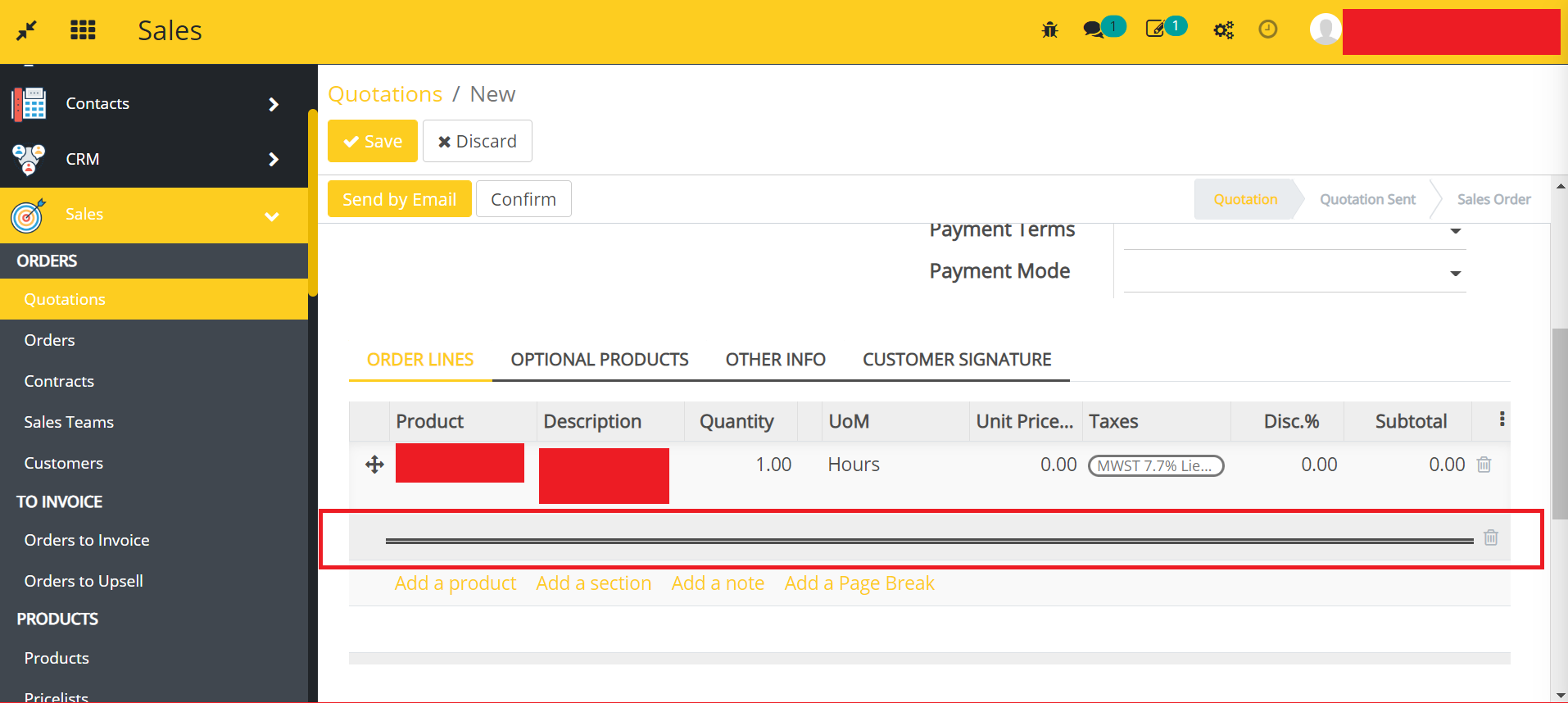
- Click on the Add a Page Break.
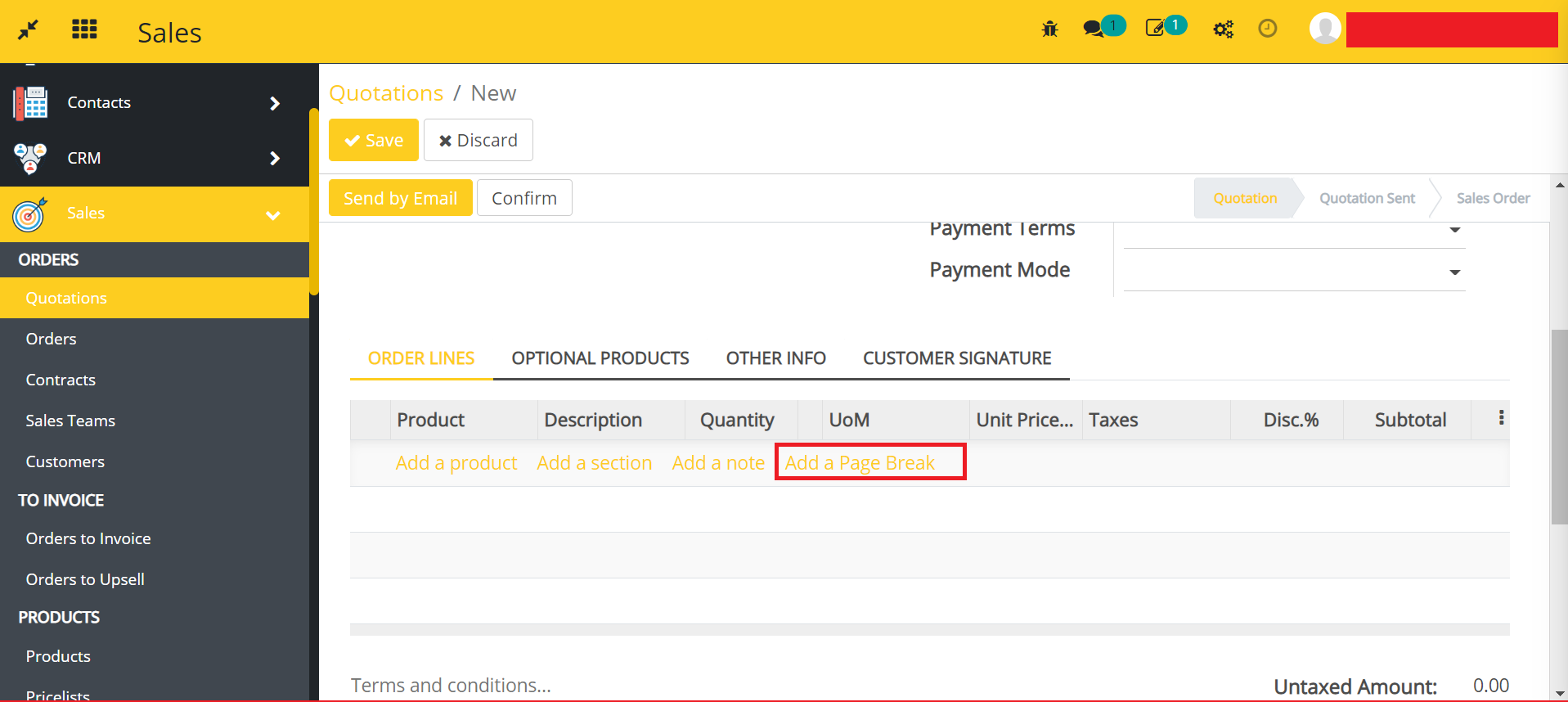
- Here, you can add the page break in Sales Quotations.
How to use this module for sales orders
- Go to Sales -> Orders -> open an Order.
- Edit or create an Order.
- Scroll down to Order Lines.
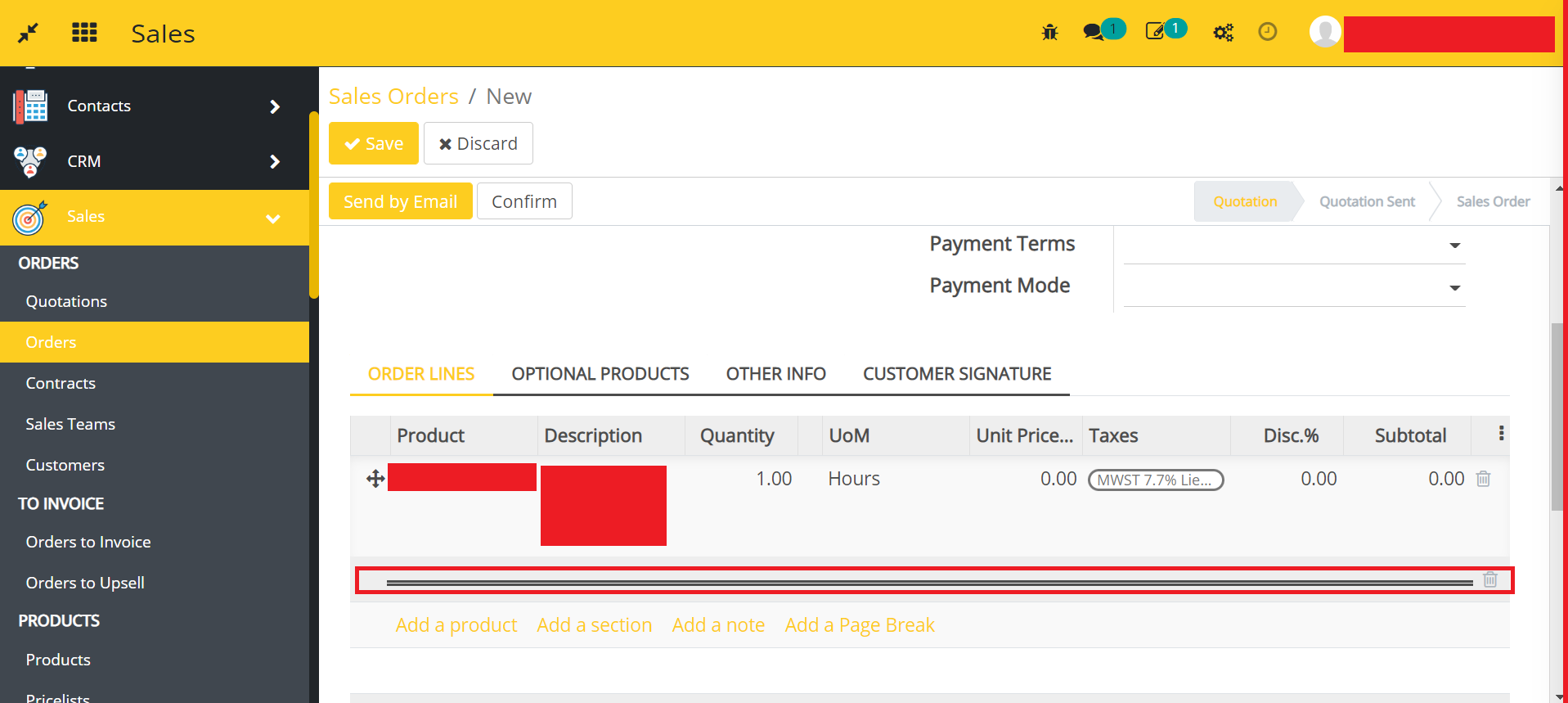
- Click on the Add a Page Break.
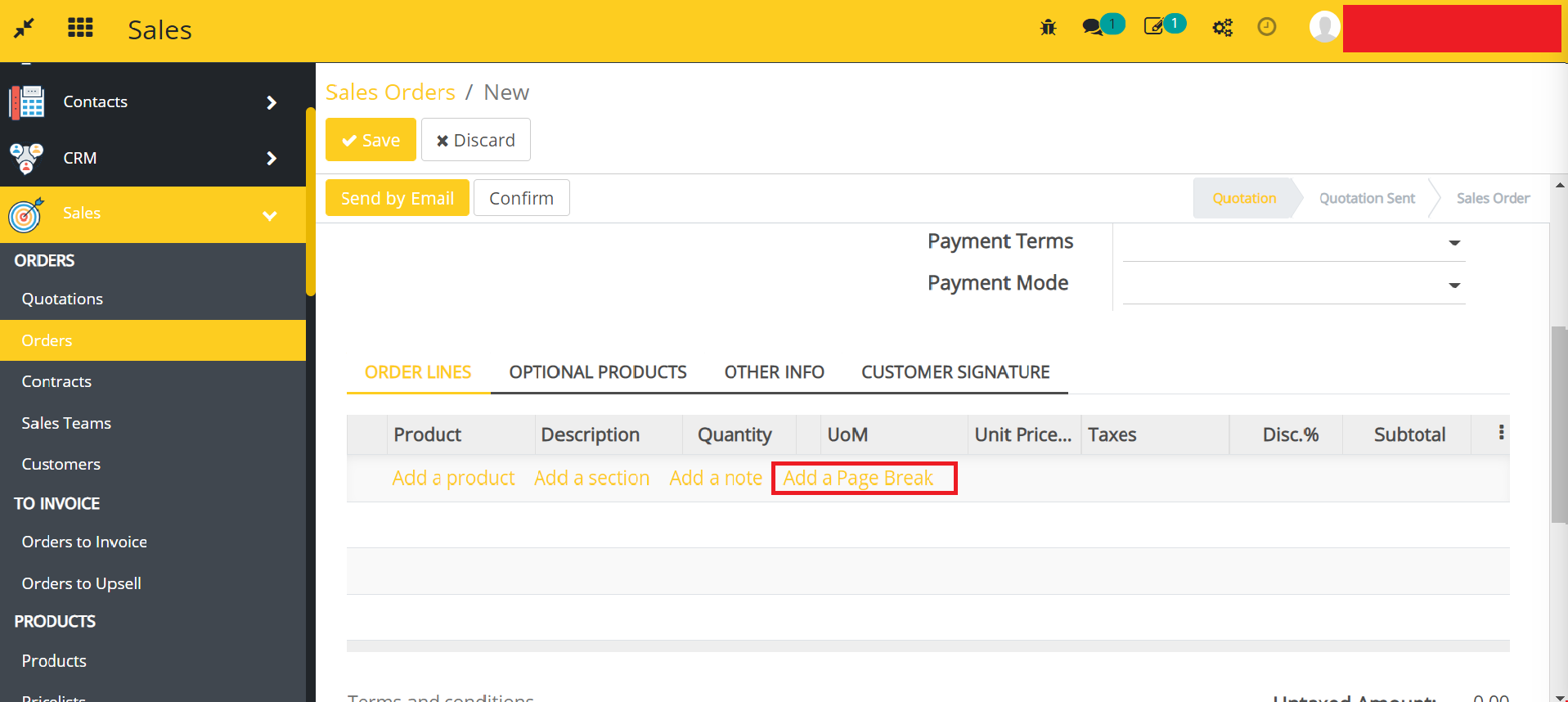
- Here, you can add the page break in Sales Orders.
How to use this module for accounting invoices
- Go to Accounting -> Invoices -> open an Invoice.
- Edit or create an Invoice.
- Scroll down to Invoice Lines.
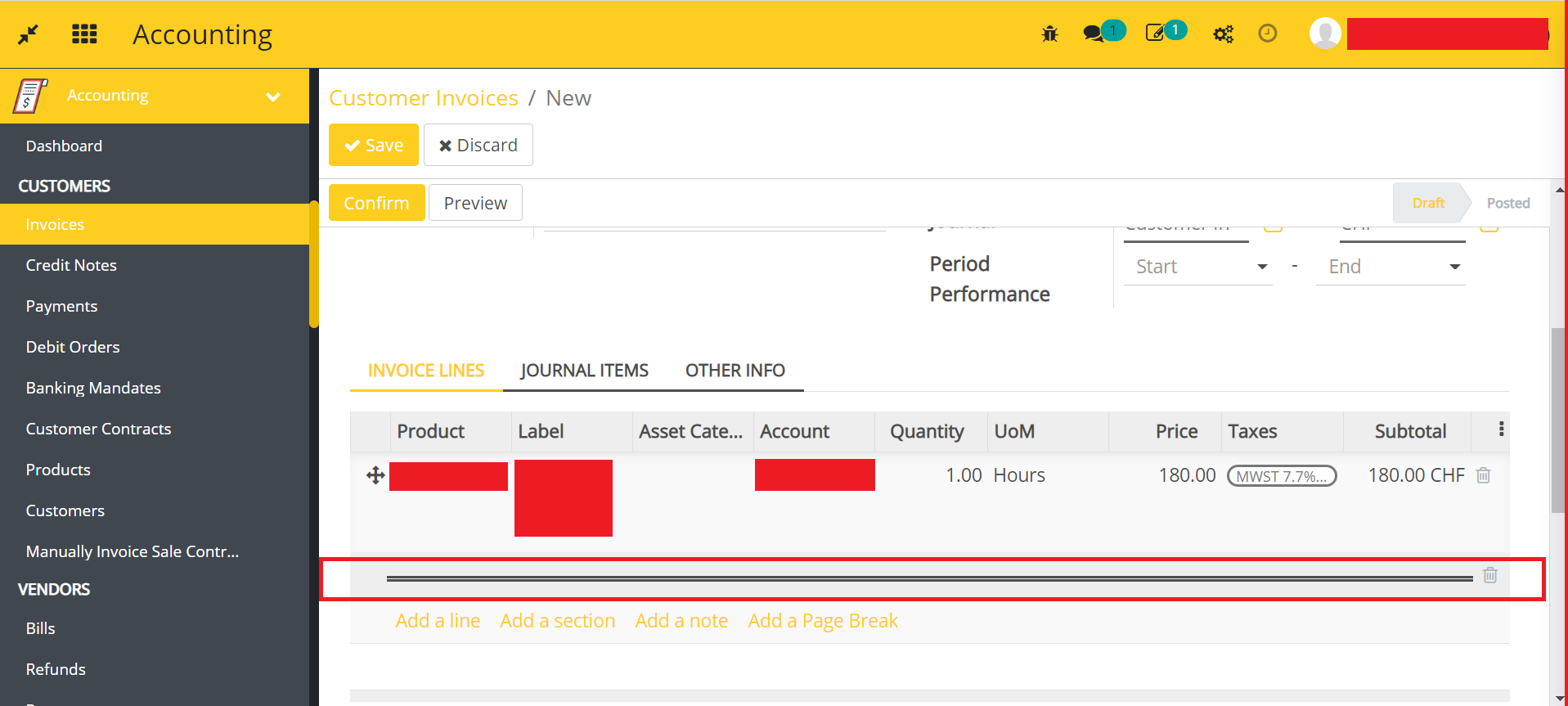
- Click on the Add a Page Break.
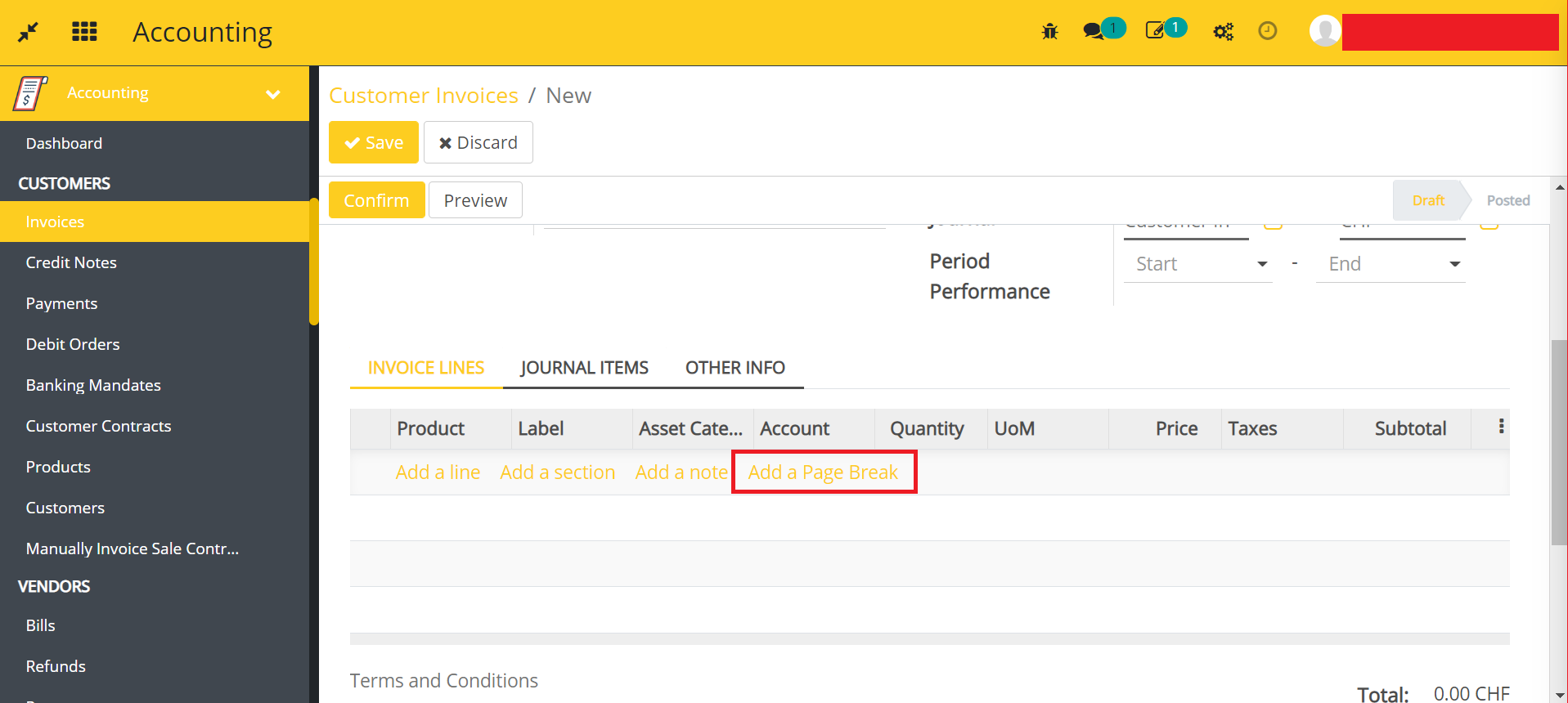
- Here, you can add the page break in Accounting Invoices.
Dependent modules
- account
- sale
Change logs
- ADDED Account/Sale Page Break Module