Accounting Sent State
Accounting Sent State is a Flectra extended module that is used to mark a posted invoice to be sent manually.
Table of contents
Installation
To install this, follow below steps:
- Just simply mount this module as Flectra's custom module.
- Now, Install the module in Flectra from Main Apps section.
Usage
How to use this module:
- Go to Accounting -> Go to Invoices -> open an invoice.
- Click on the Sent button.
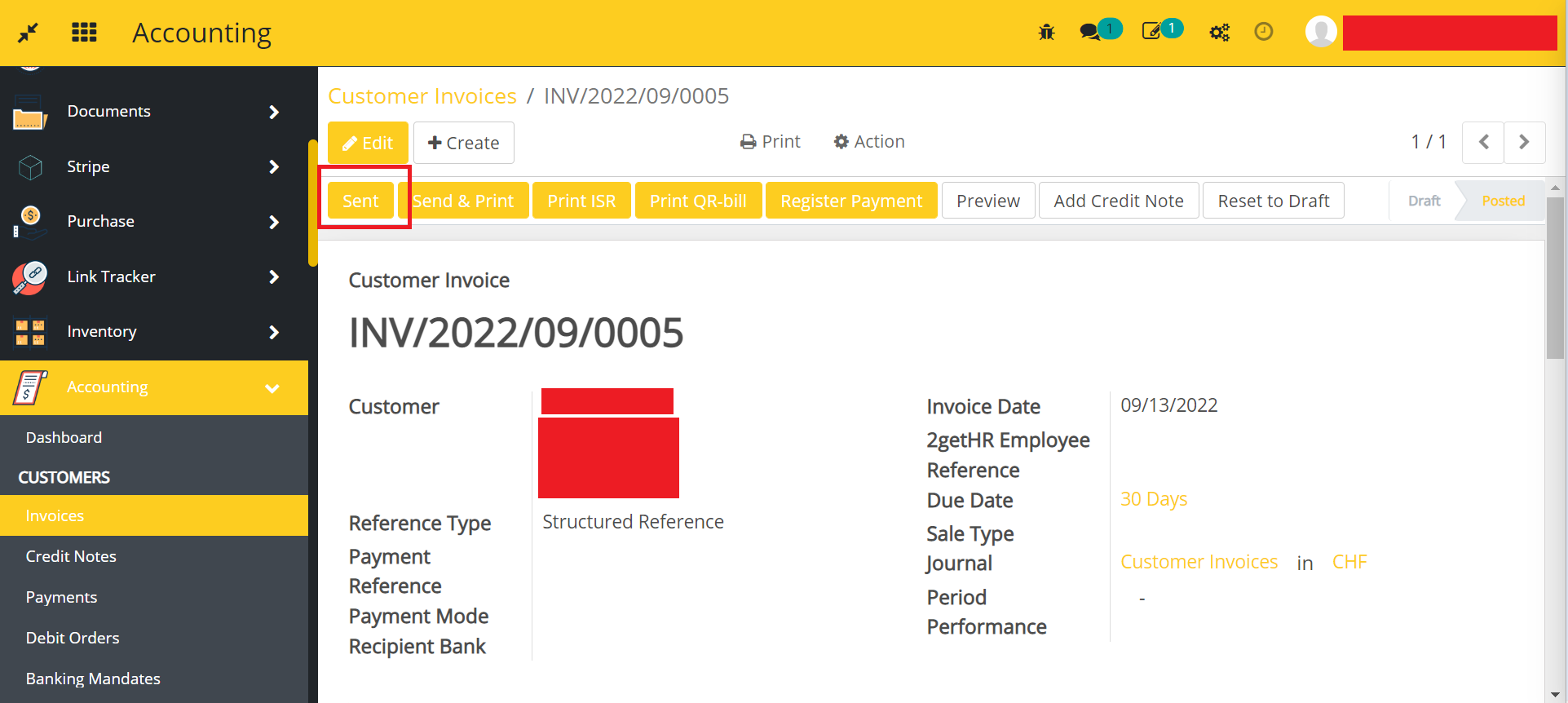
- Your following invoice will be marked as sent.

Dependent modules
- account
Change logs
- ADDED Accounting Sent State Module