Fullcalendar Premium Plugins
Fullcalendar Premium Plugins is a Flectra extended module which enhances the functionalities of Calendar view and adds Calendar Premium View.
Table of contents
Installation
To install this, follow below steps:
- Just simply mount this module as Flectra's custom module
- Now, Install the module in Flectra from Main Apps section.
Usage
How to use this module:
- Create a calendar premium view of any model by using calendar_premium tag just like the calendar tag in calendar view.
- In the below example we have created the calendar premium view for the tasks in the projects.
- Go to Projects -> go to Tasks -> Here you can see one more calendar icon which is for Calendar Premium View.
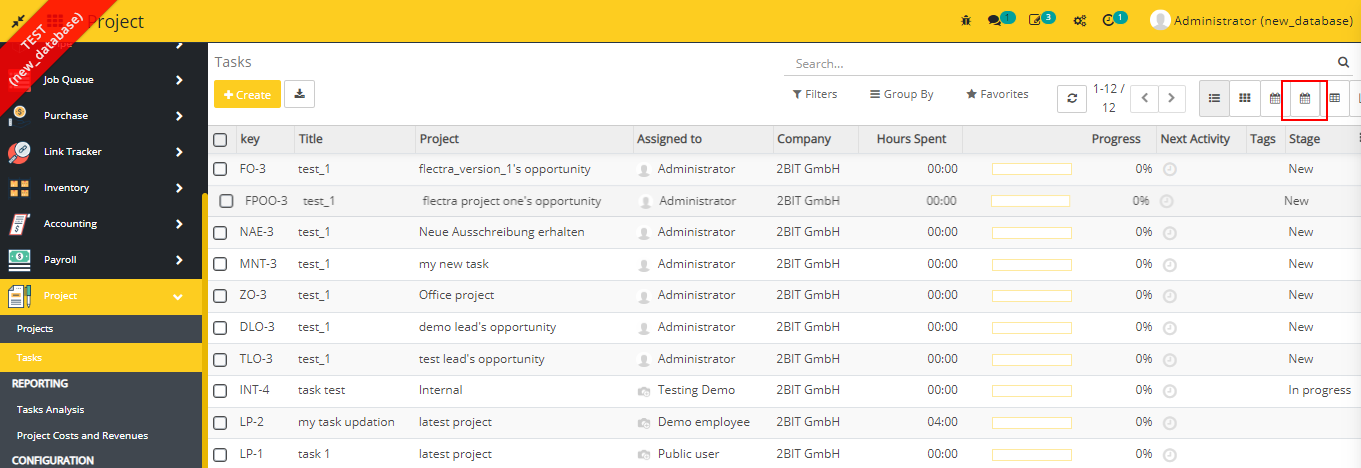
- Click the icon and you can see the Calendar Premium View here.
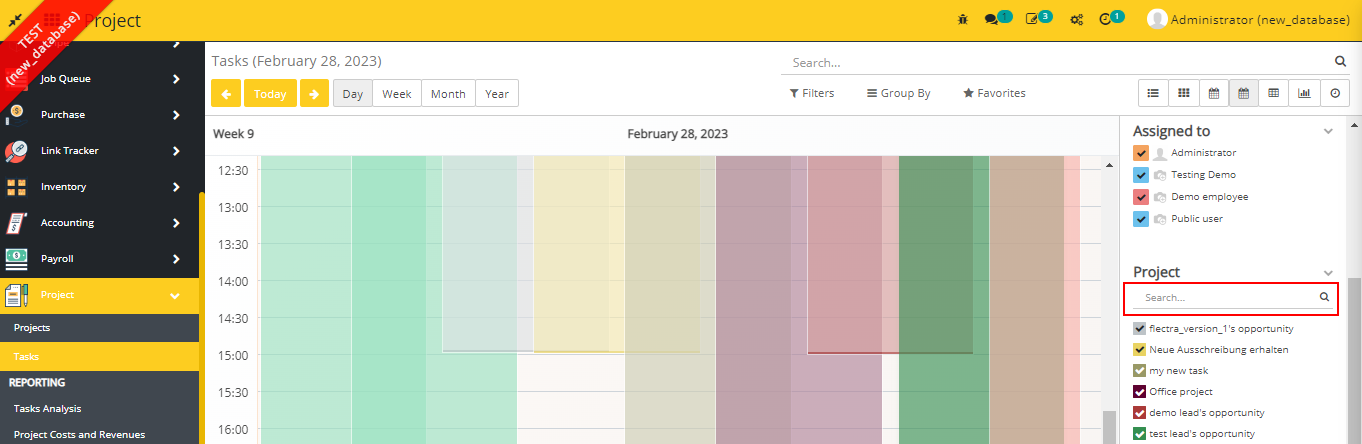
- Calendar premium module provides a search bar functionality inside the sidebar filters if the number of filters items is 8 or more than 8.
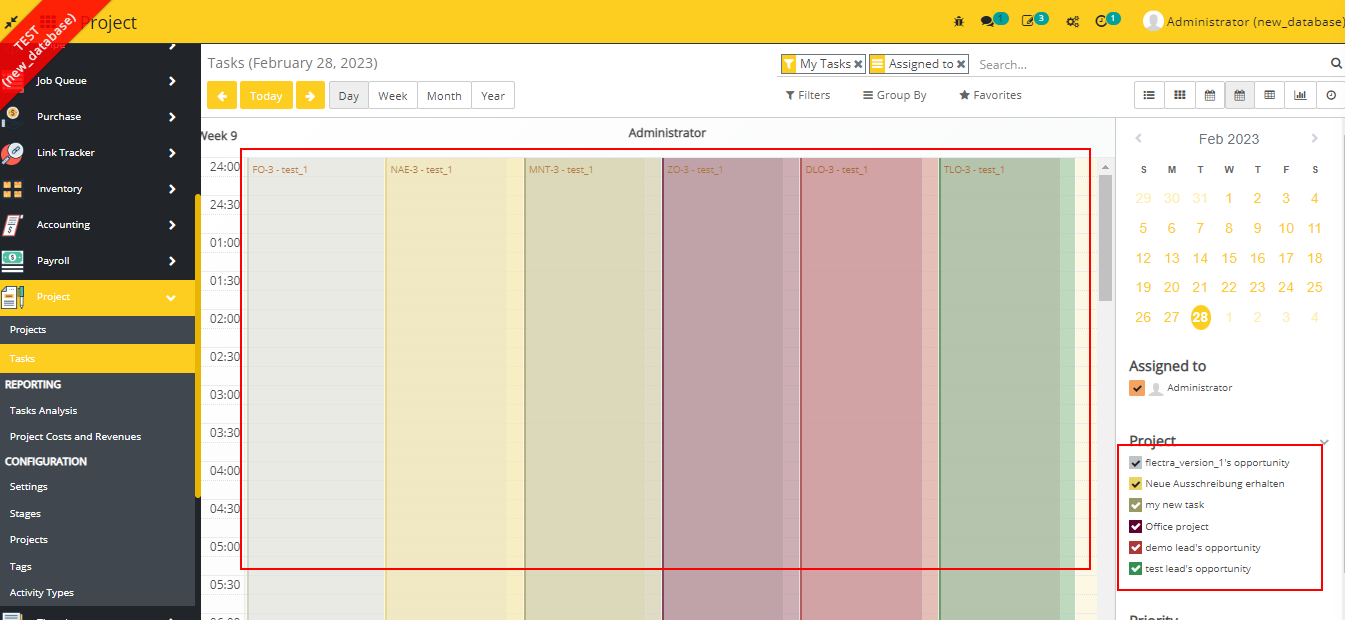
- This module also provides a functionality to set dynamic bordar color and background color for the calendar items.
- To set border color and background color you have set the values for bg_color and border_color attributes in the calendar premium view just like we set value for color attribute in the calendar view.
- In the below example we set project_id as the value of bg_color and border_color attributes. .
Change logs
- [28-02-2023] Added A Searchbar inside the sidebar filters if number of filter itmes is 8 or more than 8.
- [27-02-2023] Added A functionality to add border color and background color.
- Added Fullcalendar Premium Plugins Module