Contract Performance Period
Contract Performance Period is a Flectra extended module which is used to maintain period performance for contracts.
Table of contents
Installation
To install this, follow below steps:
- Just simply mount this module as Flectra's custom module
- Now, Install the module in Flectra from Main Apps section.
Usage
How to use this module:
- Go to Accounting -> Go to Customer Contracts -> create or select any contract.
- You can now manage the Period Performance of the contracts.
- Use performance period on invoice is to turn off the function
- The Start and End Current Period are calculated based on the fields Invoice Every/ Date Start
- Invoice Every last day, the check means that the current period end always takes the last day of the month (e.g. checked start: 15.12.2022 end: 31.12.2022 / not checked start: 15.01.2022 end: 14.02.2022)
- When the invoice is created, the period information is transferred to the invoice from this contract
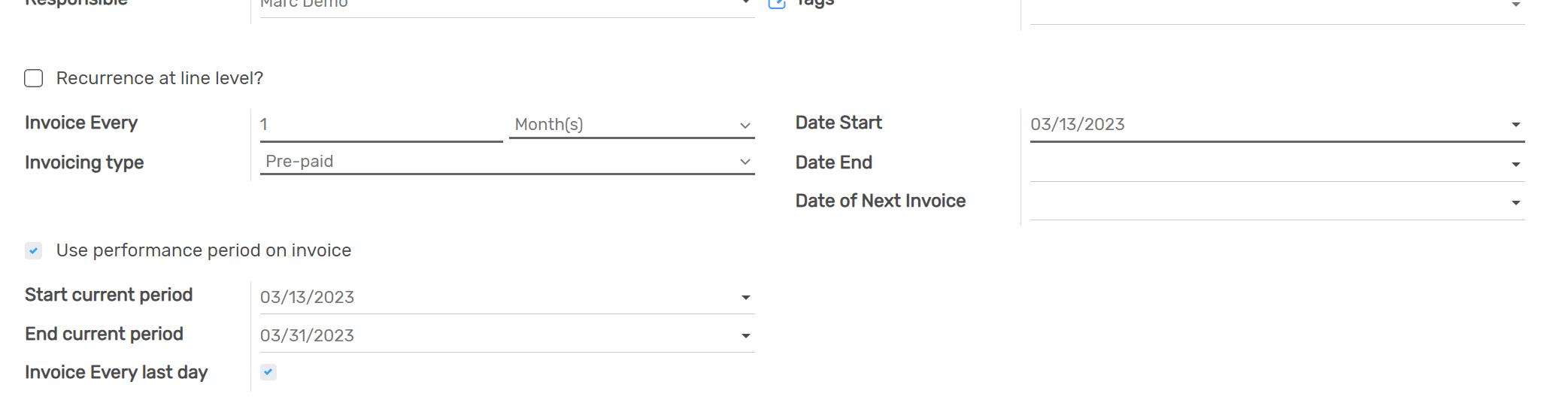
- The period duration can be used in the line items for the calculation
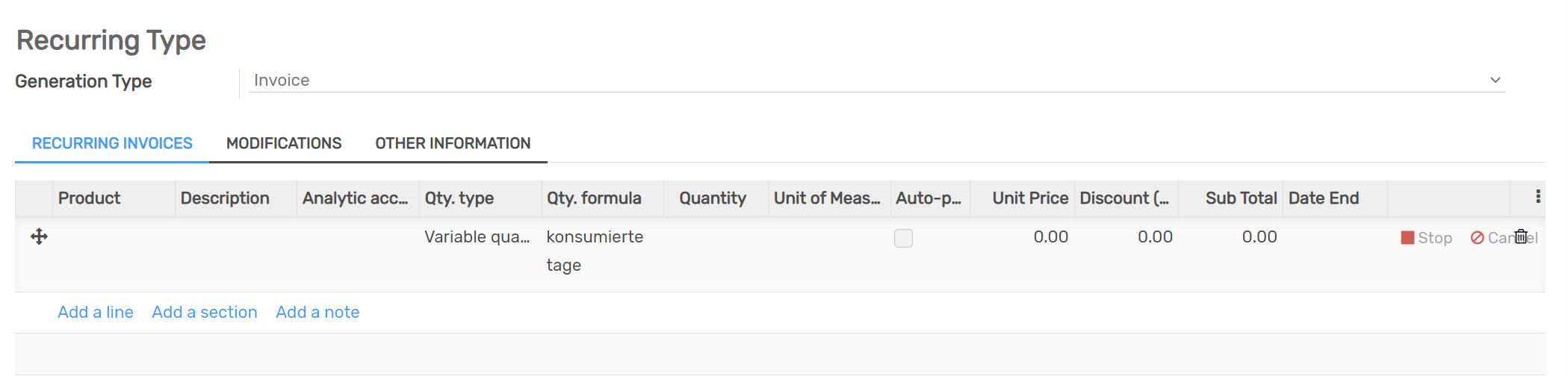
- In the lower part of the window is a description if how it works

Dependent modules
- account
- contract
- account_move_performance_period
- contract_variable_quantity
Change logs
- [03-03-2023]``ADDED`` Extend Description
- ADDED Contract Performance Period Module