Ebill Paynet IO Market
Is an extension for the modul ebill_paynet. This modul allows to send invoices to IO.Market. For the qr part it computed the information for additional information and alternative parameters. The Modul uses solution 1 from IO.Market. The Invoices will be created and over SFTP sent.
Table of contents
Installation
To install this, follow below steps:
- Just simply mount this module as Flectra's custom module.
- Now, Install the module in Flectra from Main Apps section.
Usage
To use the Module: * Add IO.Market in the Paynet Service
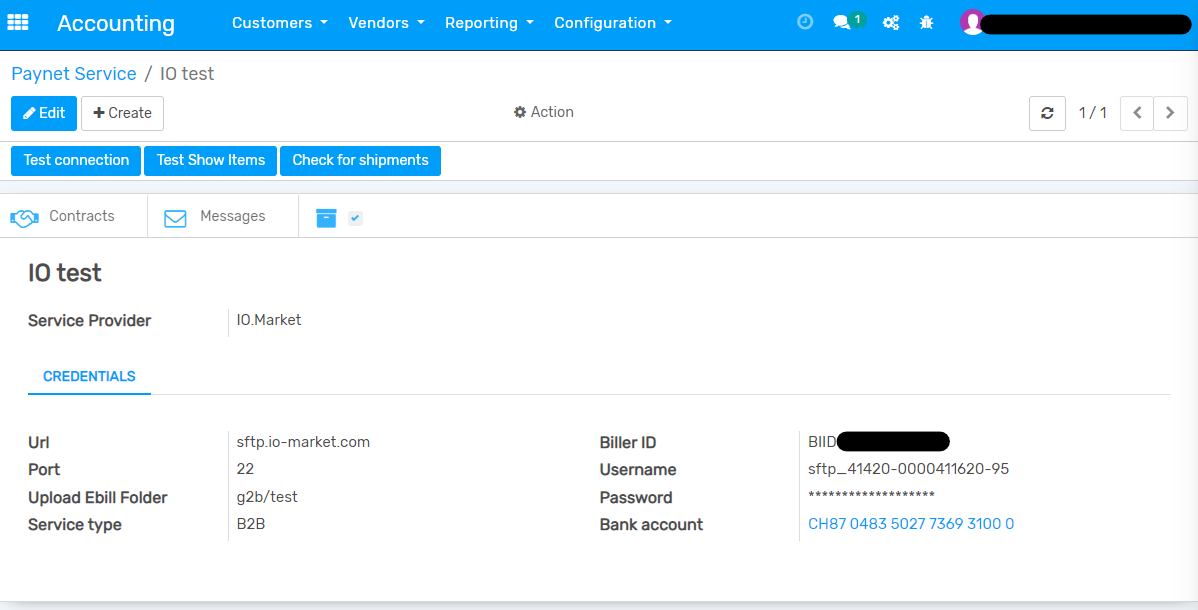
- Add customer in eBill Payment Contract like in the ground modul
- With Test connection you can test if the userdata correct
- With Test Show Items you can look in the first 10 dictionary and filenames in path from Upload Ebill Folder
How to use this module:
- Go to Accounting -> go to Bills.
- Create a Bill and set Transmission Method on E-Bill
- If you want to pass a payment term you can this to in the Due Date -> Terms
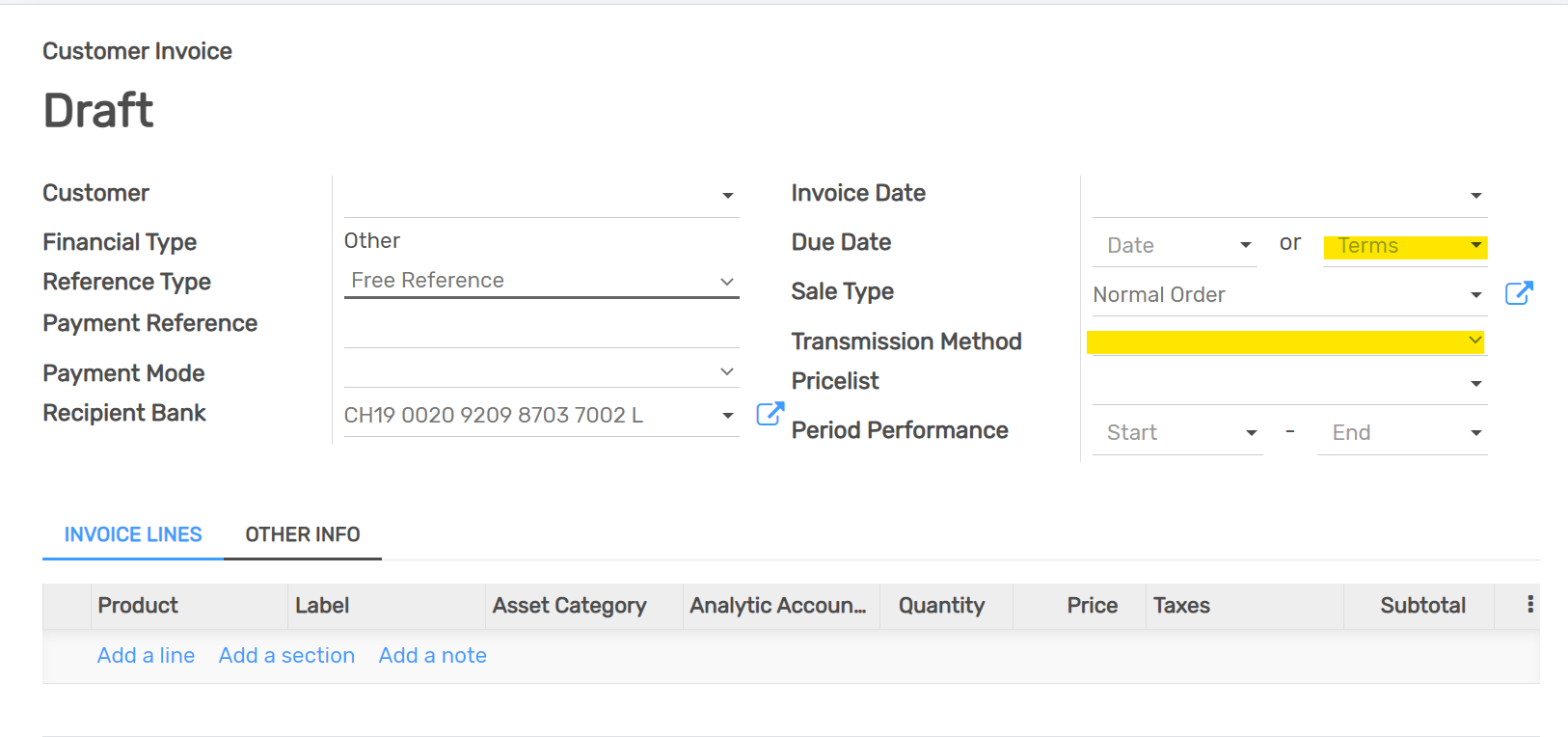
- After confirm of the invoice, the Button Send eBill will show up
Dependent modules
- ebill_paynet
To Do
- logic for reminder to add the the right letter
- check is ebill canceled/succesful
- ssh connection
Change Logs
- Added ebill paynet io market modul