Employee Manager
Employee Manager is a Flectra extended module which is used to set the access rights of a manager to see all his/her employees (where he/she is manager) in the people view.
Table of contents
Installation
To install this, follow below steps:
- Just simply mount this module as Flectra's custom module
- Now, Install the module in Flectra from Main Apps section.
Usage
How to use this module:
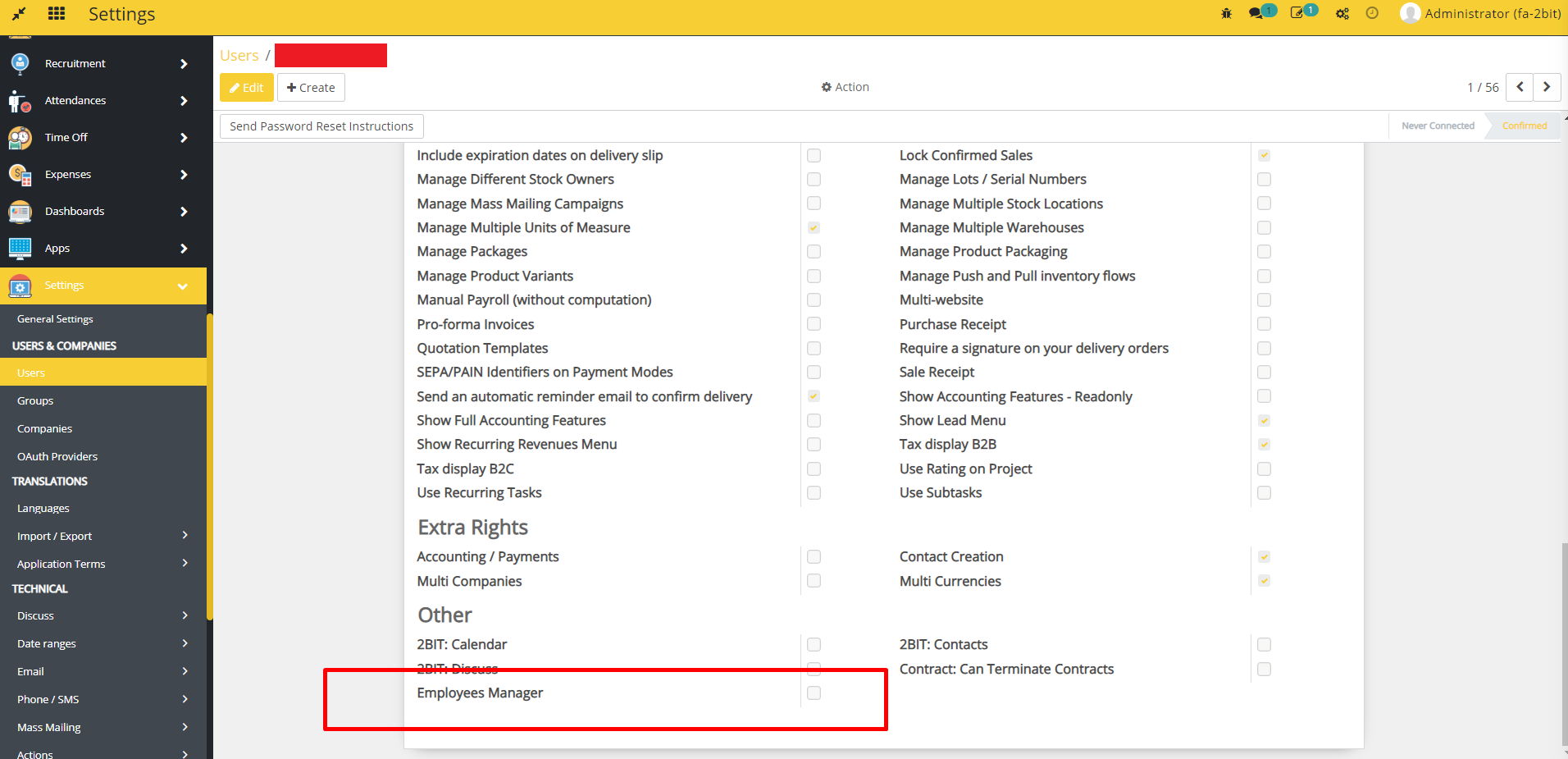
- Go to Settings -> go to Users -> create or open any user.
- In Access Rights tab, check the Employees Manager checkbox in Other section.
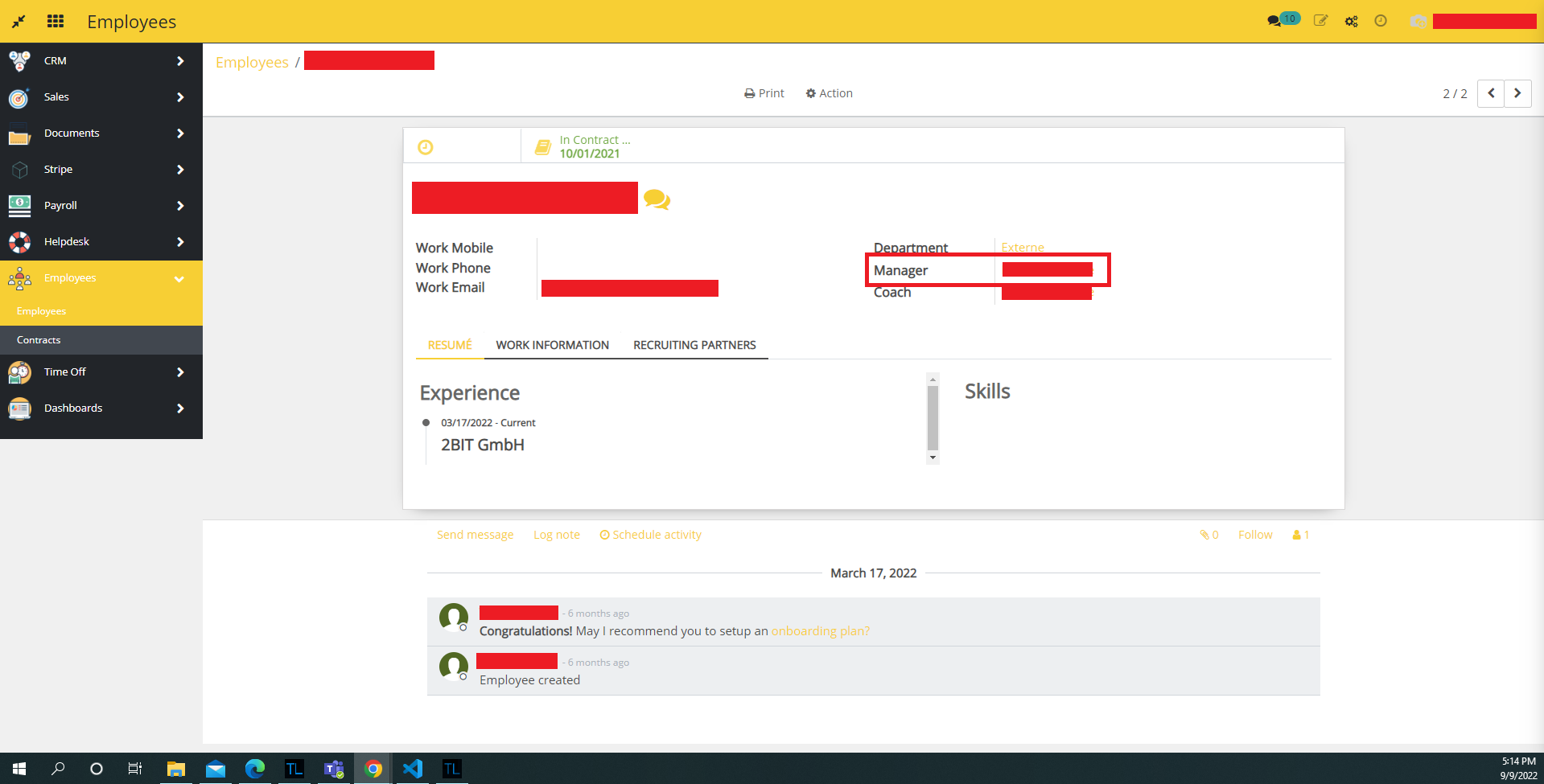
- Go to Employees -> go to Employees -> create or open an employee -> edit the employee.
- select the manager for the employee.
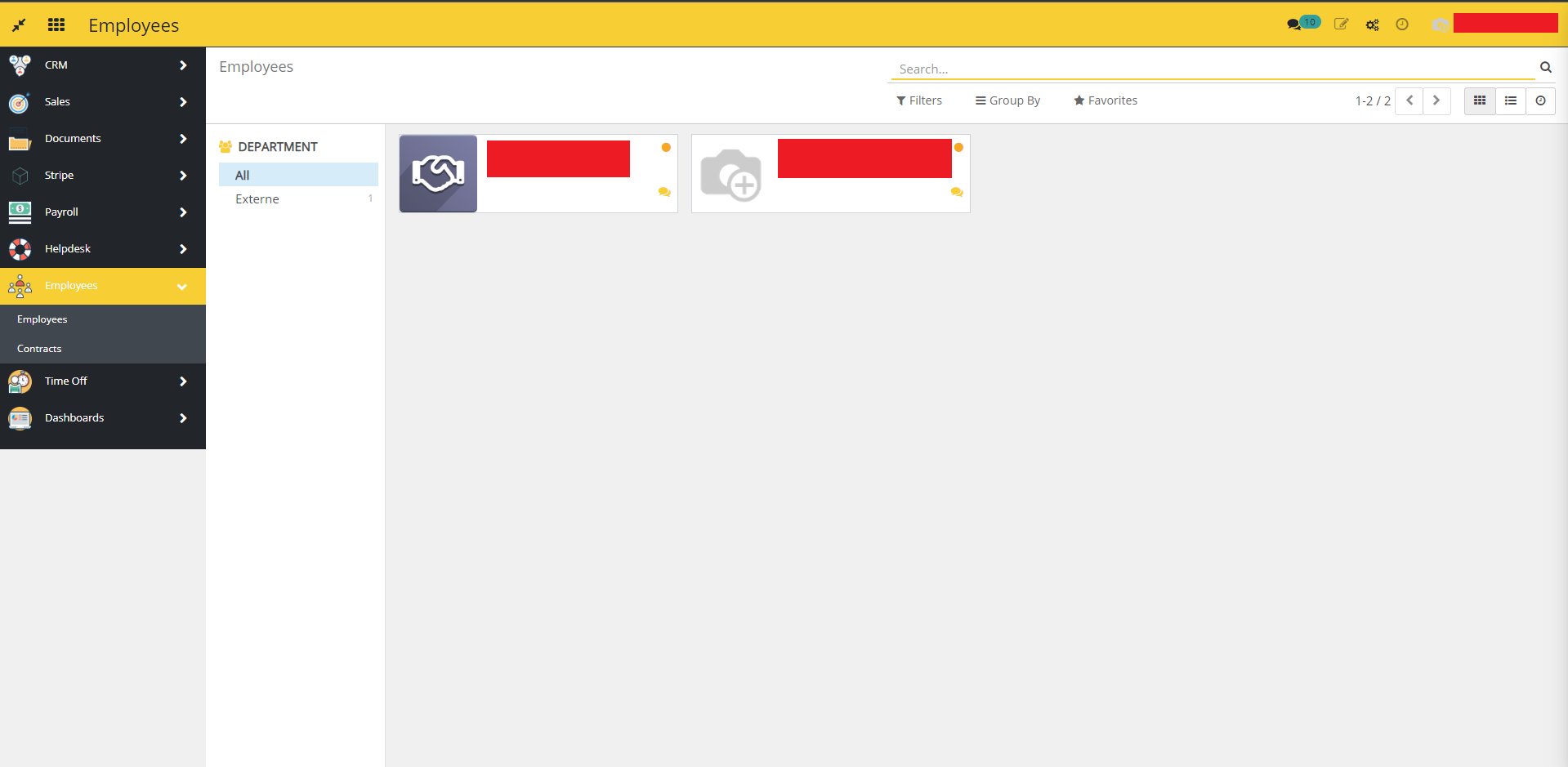
- Now, login with the manager account -> go to Employees -> go to Employees.
- All the employees will be available in a kanban view whose manager is the LoggedIn user.
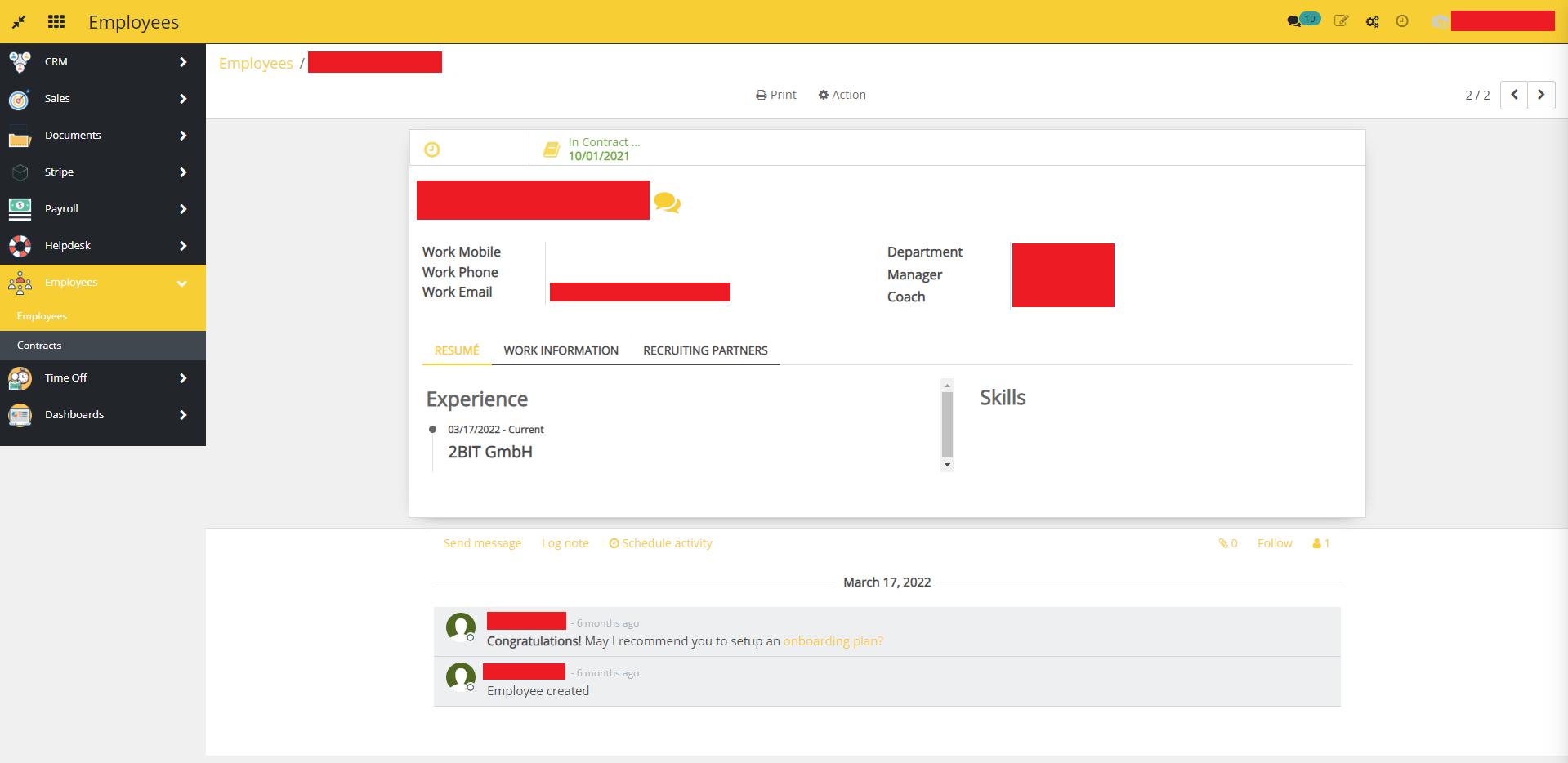
- Open any employee -> the manager can only see the employee's information, other access will not be available for the manager.
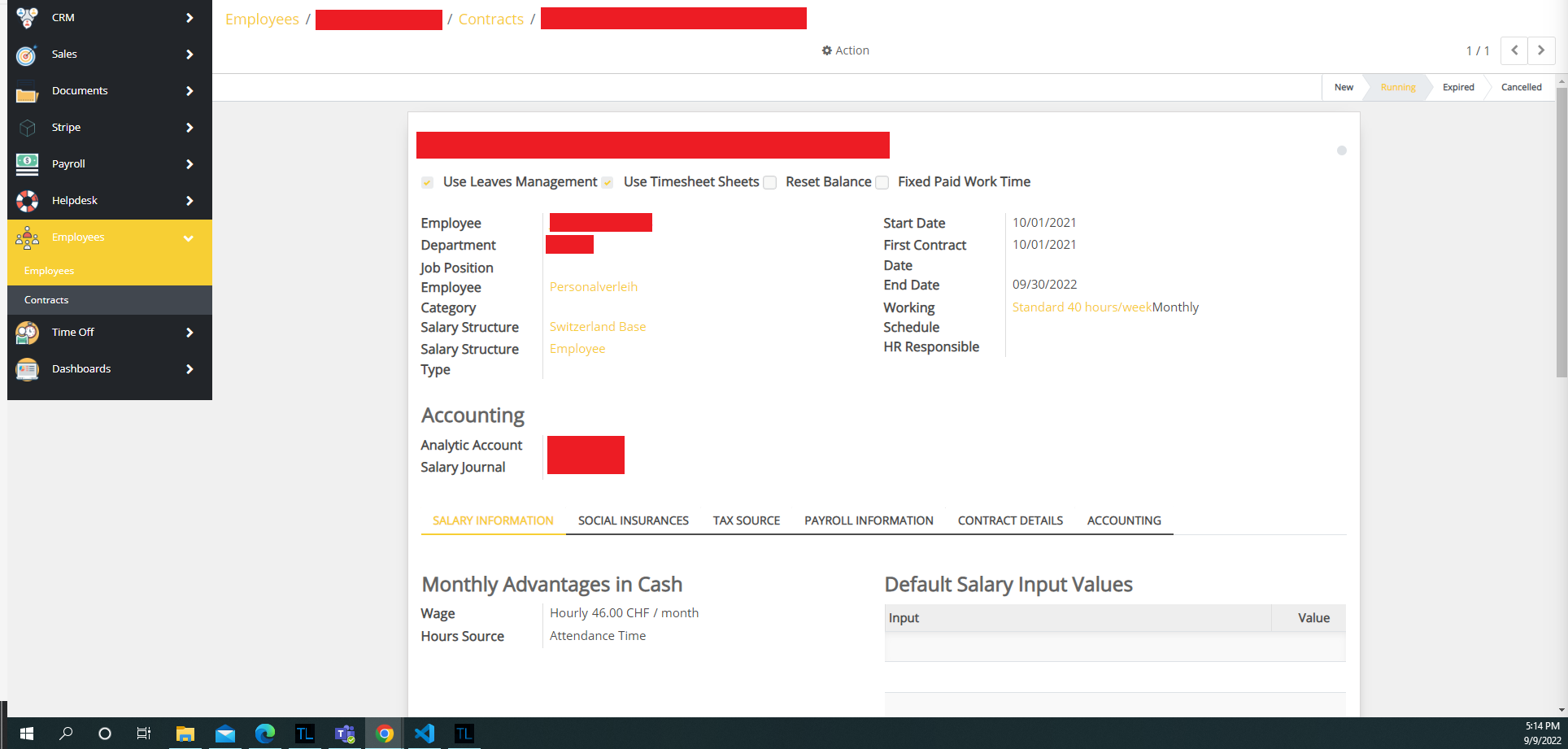
- Go to Employees -> go to Contracts.
- All the contracts will be available in a kanban view whose employee's manager is the LoggedIn user.

- Open any contract -> the manager can only see the contract's information, other access will not be available for the manager.
Dependent modules
- hr
- l10n_ch_hr_payroll_input
- hr_holidays
- hr_contract
Change logs
- ADDED Employee Manager Module