Invoice Document with Swiss QR Bill
Integration of swiss qr bill into invoice report.
Installation
To install this, follow below steps:
- Just simply mount this module as Flectra's custom module
- Now, Install the module in Flectra from Main Apps section.
Usage
- Print customer invoices with integrated swiss qr bill payment slip. This app overwrites the original invoice document.
CSS Tweaks
Make your QR bill match
- This app provides an own paper format with no side borders, in order to display the qr bill on the bottom of the invoice document.
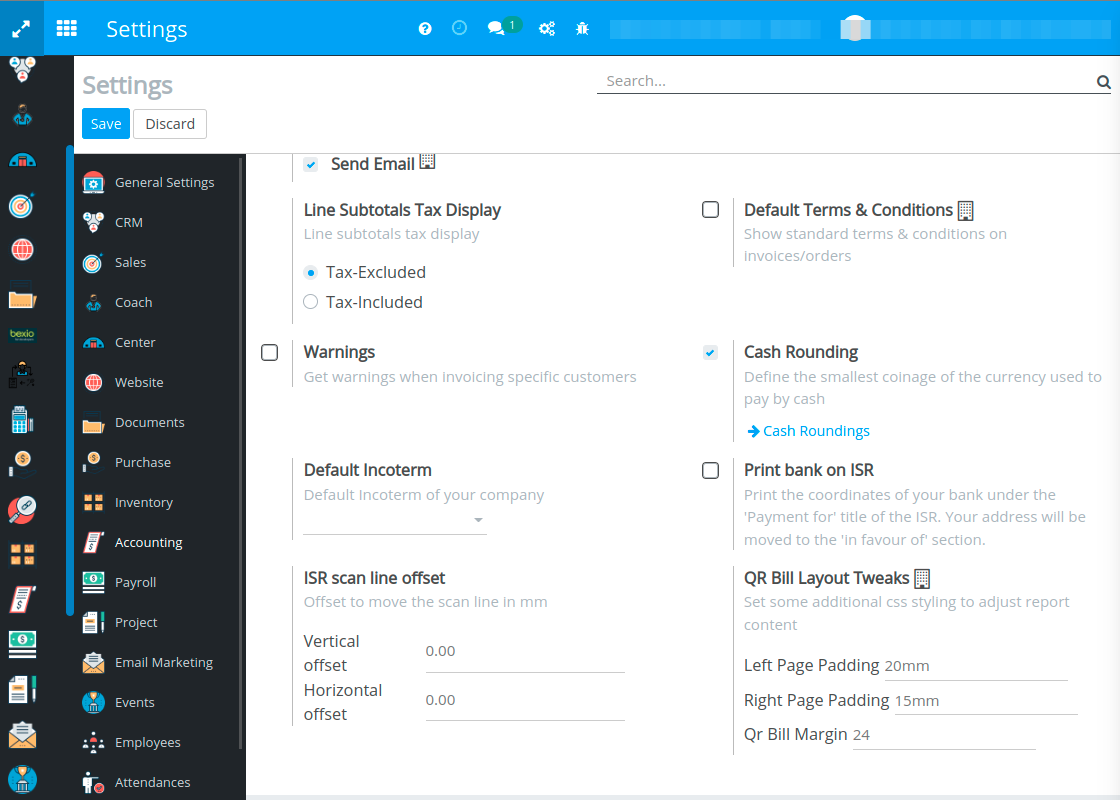
- You can restore the side margins from original invoice paper format by adding them in the accounting settings. Go to Settings -> Accounting -> Customer Payment -> QR Codes. Enabling the QR Codes flag will make the layout tweaking fields visible.
Dependent modules
- l10n_ch
Change logs
- ADDED Invoice Document with Swiss QR Bill