Switzerland - Payroll Expenses
Switzerland - Payroll Expenses is a Flectra extended module which is used to add all approved expense(s) as payslip's input line and mark them as paid out once user confirms the payslip.
Table of contents
Installation
To install this, follow below steps:
- Just simply mount this module as Flectra's custom module
- Now, Install the module in Flectra from Main Apps section.
Usage
How to use this module:
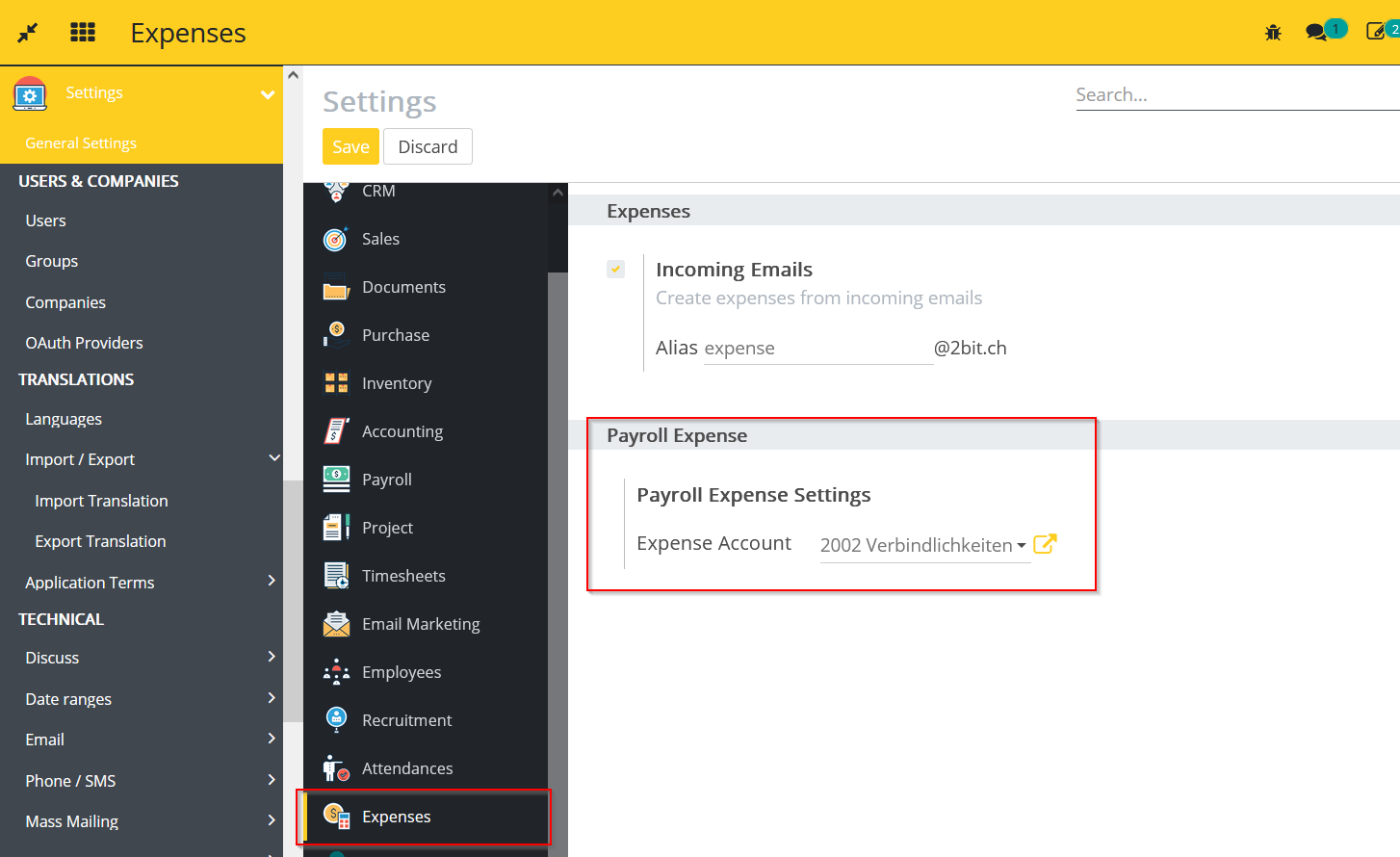
- Go to Settings -> go to Expenses -> select the Expense Account.
- If the Expense Account is not selected then the payable account will be selected automatically based on the Flectra default logic.
- Go to Payroll -> go to Employee Payslips -> create a payslip.
- All the expenses which are approved and pending for reimburse to employee will be added as expense input lines automatically into the payslip inputs.

- Once user confirms the payslip then the added approved expenses will automatically be paid out.
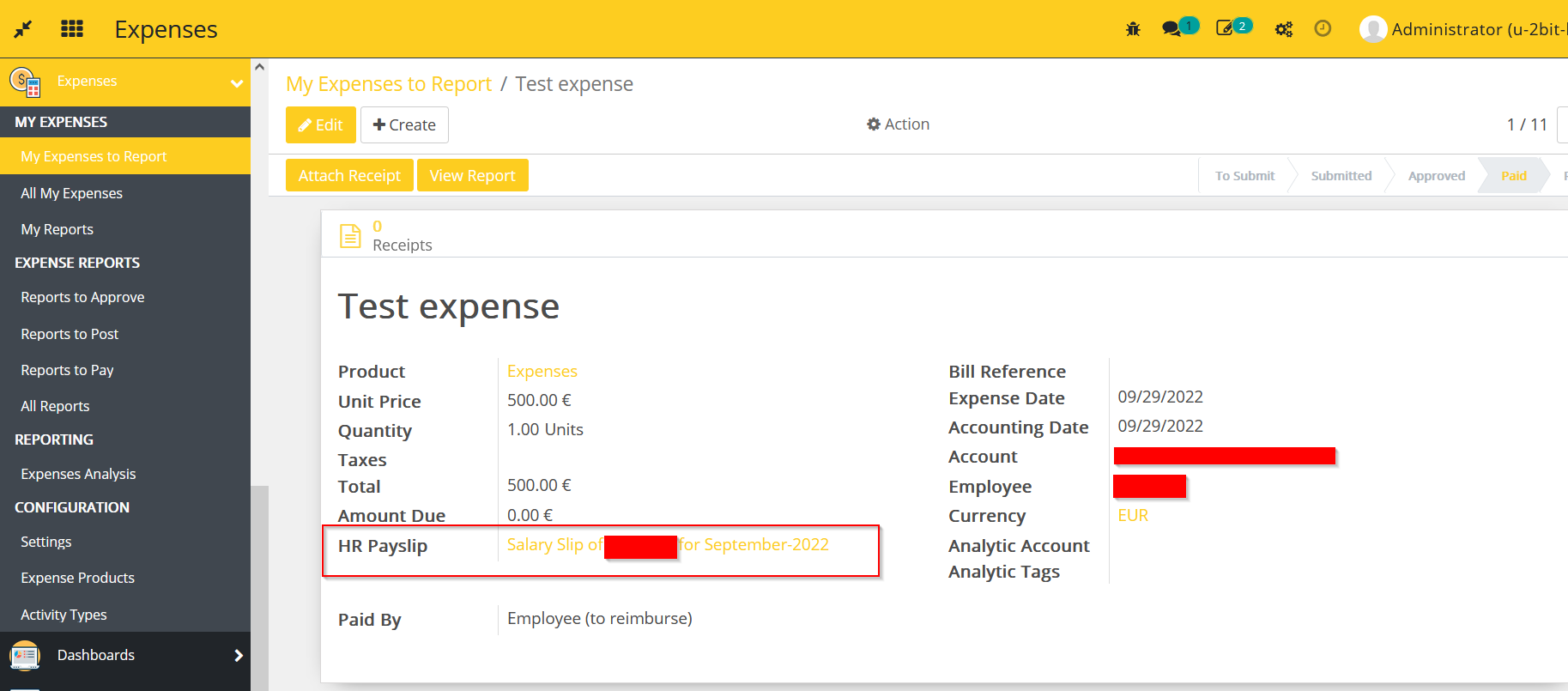
- Payslip reference can be visible in the paid expenses.
Dependent modules
- l10n_ch_hr_payroll_base
- 2gethr_integration
Change logs
- [30-01-2023] Fixed On cancelling of the payslip the related expenses are set back to confirmed(approved) and a reversal journal entry make for that payslip.
- [31-01-2023] Changed Made expense type and product interdependent in the expense
- [31-01-2023] Added Payslip input in the expense type and used this input in the input line of the expense in the payslip.
- [31-01-2023] Added Expense type in the expense.
- [30-12-2022] Fixed Pressing generate Payslip Batches for external employees not working
- [04-11-2022] Changed Rename module to l10n_ch_hr_payroll_expenses
- [04-11-2022] Changed Only take expenses with paid by: Employee (to reimburse)
- Added Switzerland - Payroll Expenses Module