Sale Ceiling Limit of Expenses
Sale Ceiling Limit of Expenses is a Flectra extended module that is used to generate a warning alert in sales order when trying to create an invoice if the billed amount is greater than the ceiling limit of expenses when Quotation or Order type is Kostendach.
Table of contents
Installation
To install this, follow below steps:
- Just simply mount this module as Flectra's custom module.
- Now, Install the module in Flectra from Main Apps section.
Usage
How to use this module:
- Go to Sales -> go to Orders.
- Create or open a quotation Kostendach type.
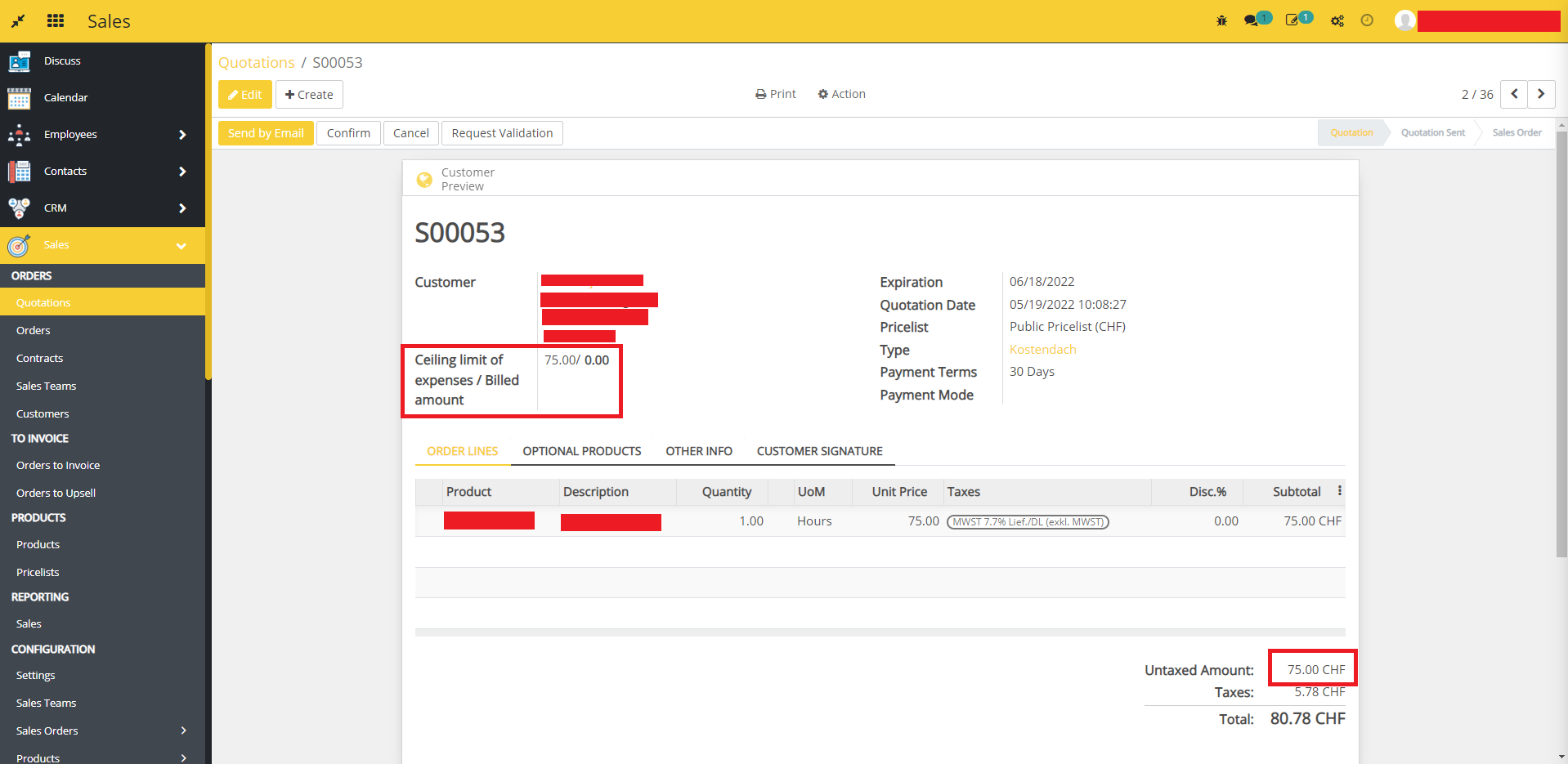
- Here you can see a field Ceiling limit of expenses / Billed amount as shown in the below image.
- Confirm the quotation.
- Unlock the quotation.
- Edit and set the delivered quantity more than the quantity.
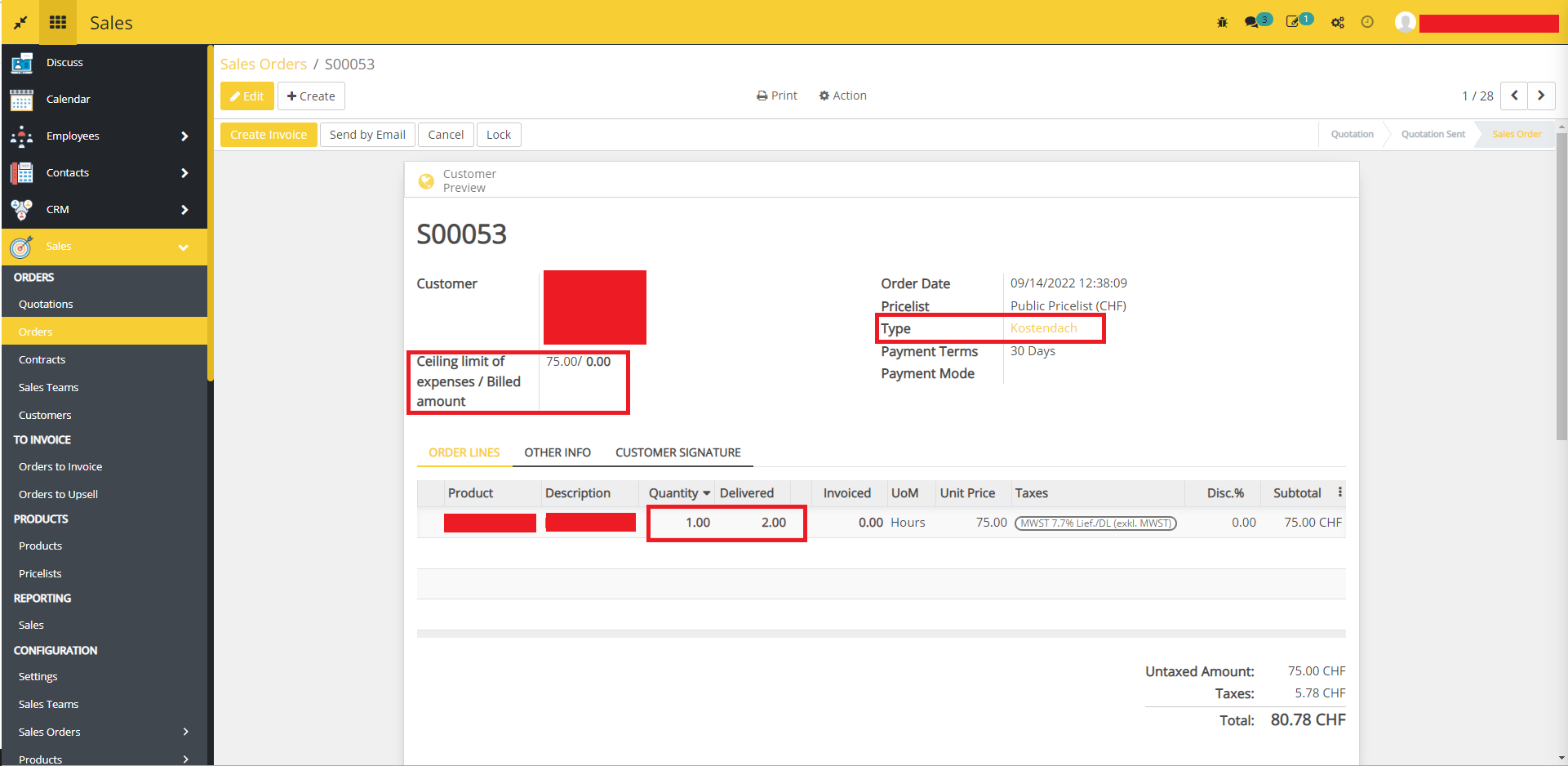
- Click on the Create Invoice button.
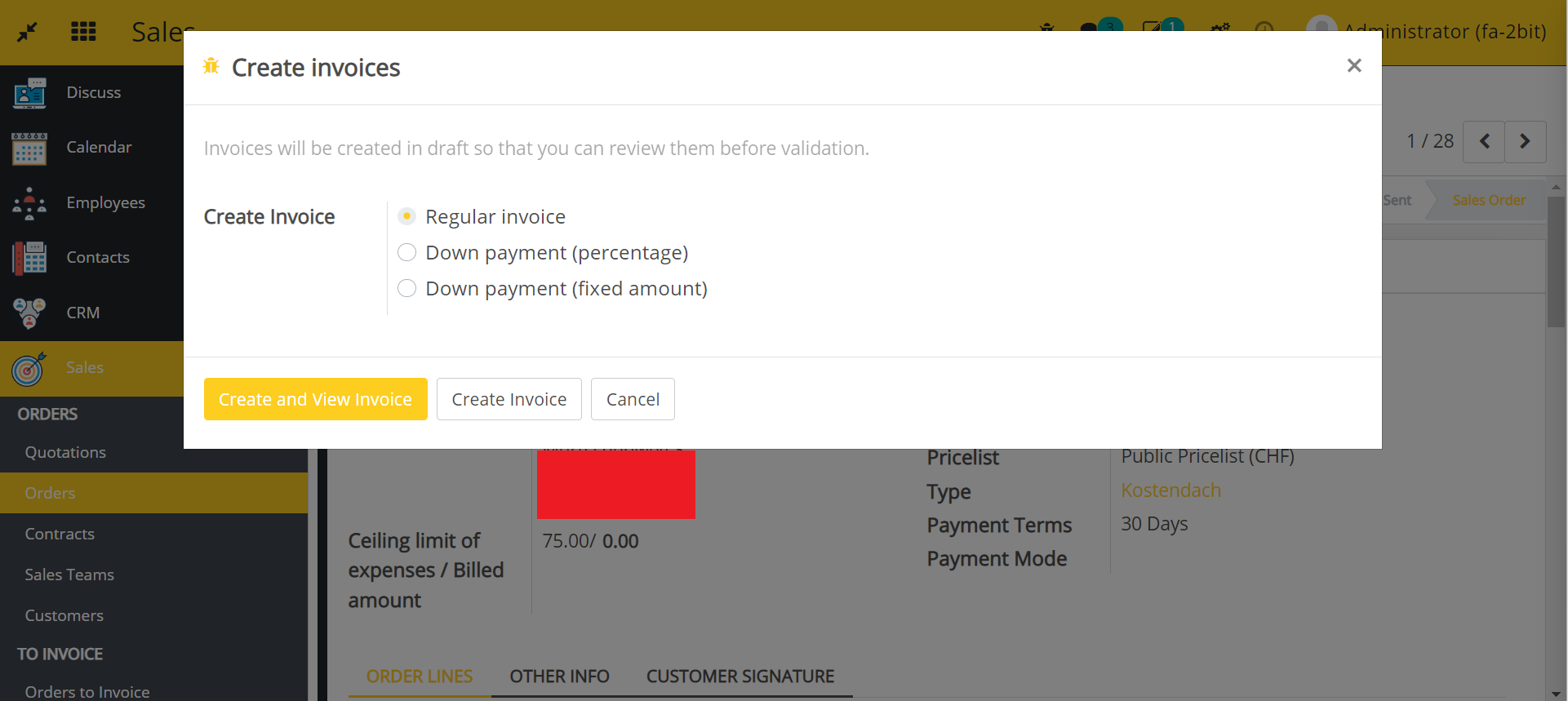
- Select an invoice type.
- Click on the Click and View Invoice or Create Invoice button.
- Warning message is displayed in a new pop-up window. If the ceiling limit of expenses is less than the billed amount, it will ask you Do you want to create the invoice even so the limit of expenses will be exceeded?
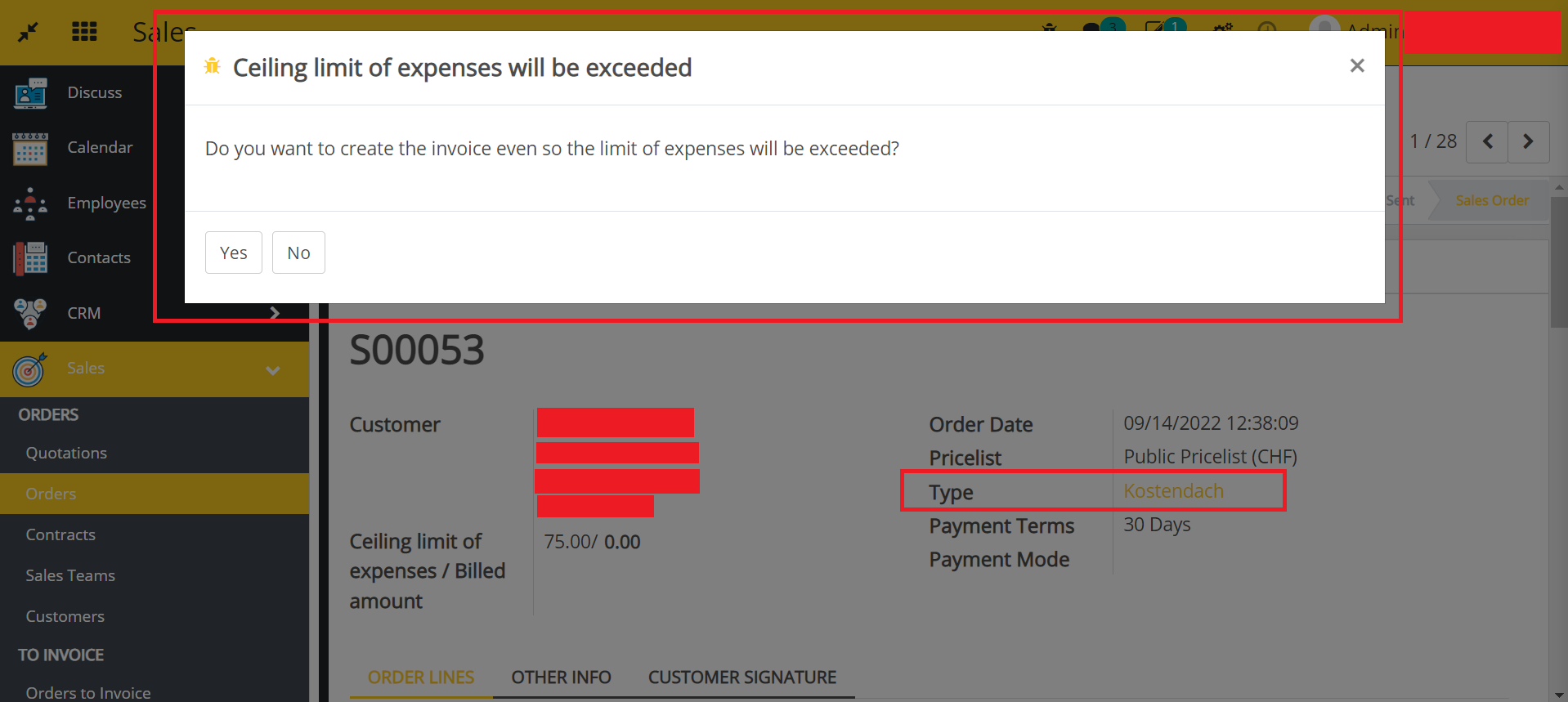
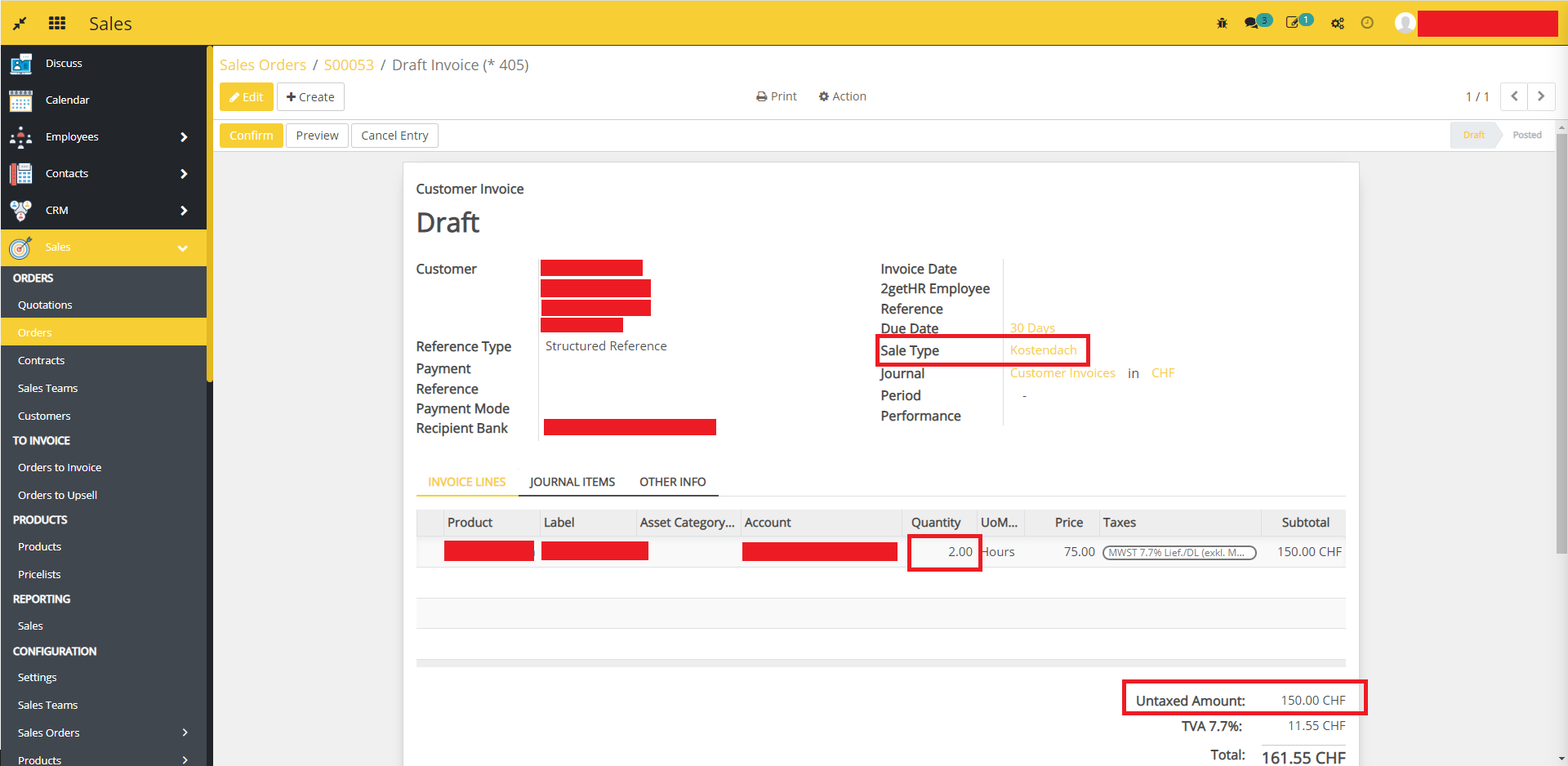
- If you click on Yes the invoice will be created in draft mode. otherwise, you go back to the quotation.
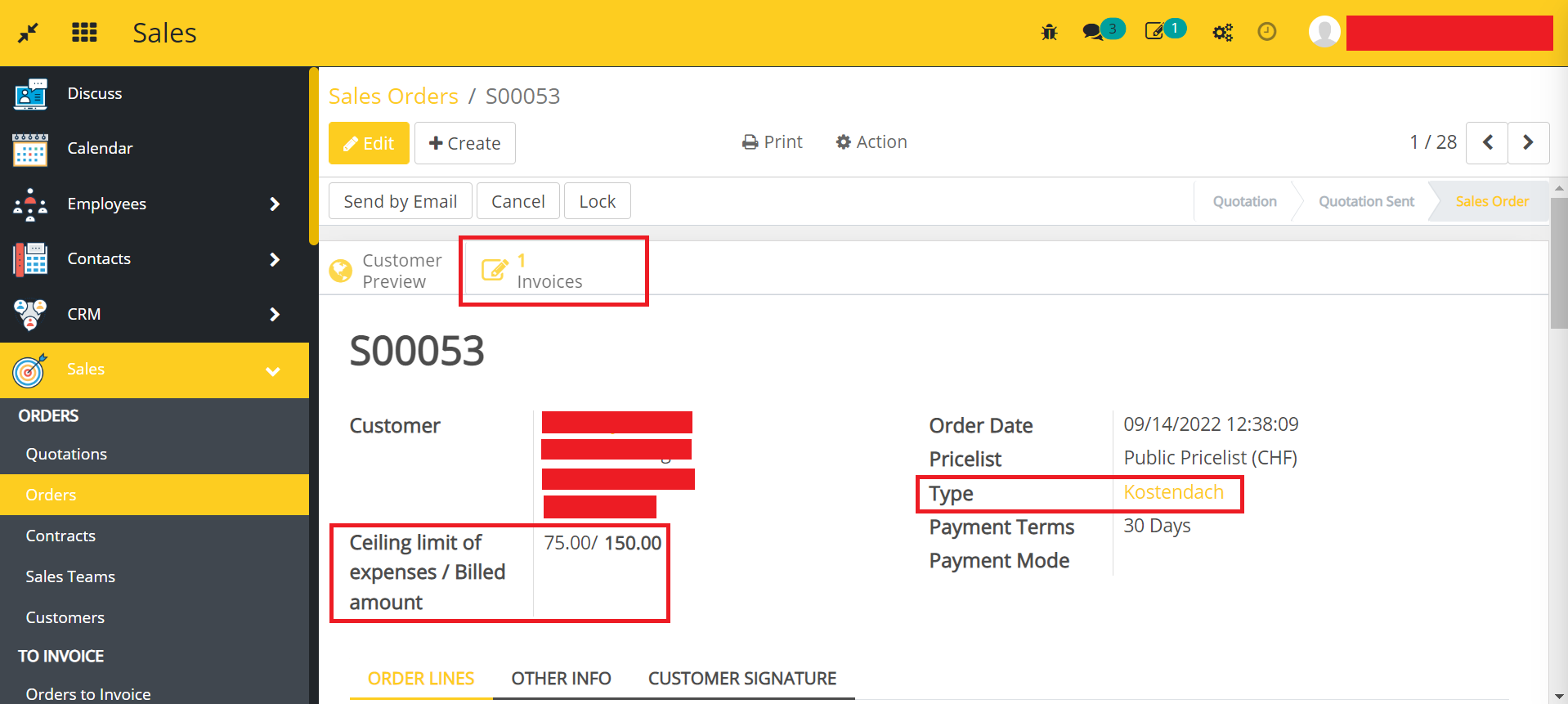
- Click on the Invoice shown in the above image to see the invoices for this order.
Dependent modules
- sale_order_type
- sale_timesheet
Change Logs
- ADDED Sale Ceiling Limit of Expenses Module