Sale Tier Validation
Sale Tier Validation is a Flectra extended module which is used to extend the functionality of Sale Orders to support a tier validation process.
Table of contents
Installation
To install this, follow below steps:
- Just simply mount this module as Flectra's custom module
- Now, Install the module in Flectra from Main Apps section.
Usage
How to configure this module
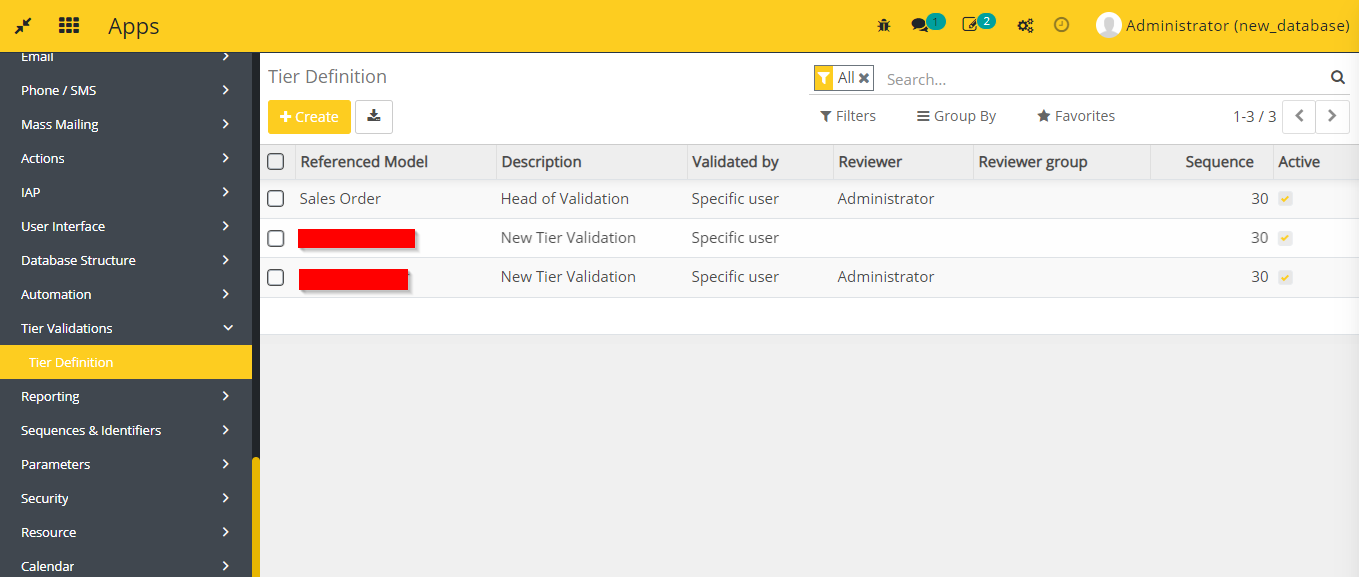
- Go to Settings -> Technical -> Tier Validations -> Tier Definition.
- Create as many tiers as you want for Sale Order model.
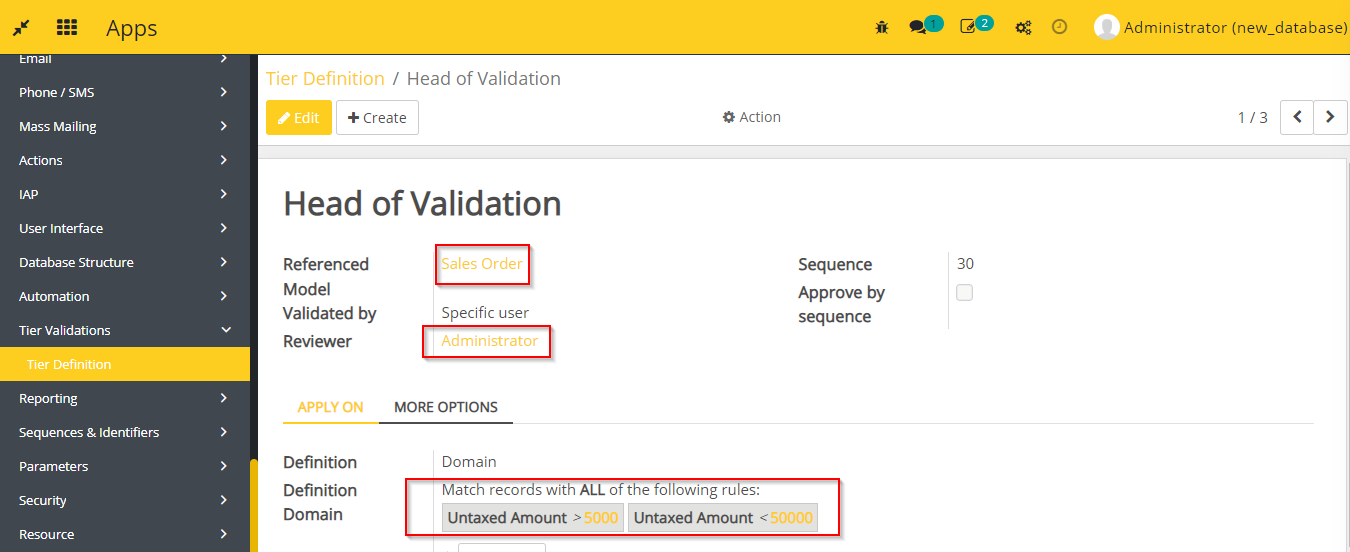
- You have to select any reviewer and add a domain for tier definition.
How to use this module
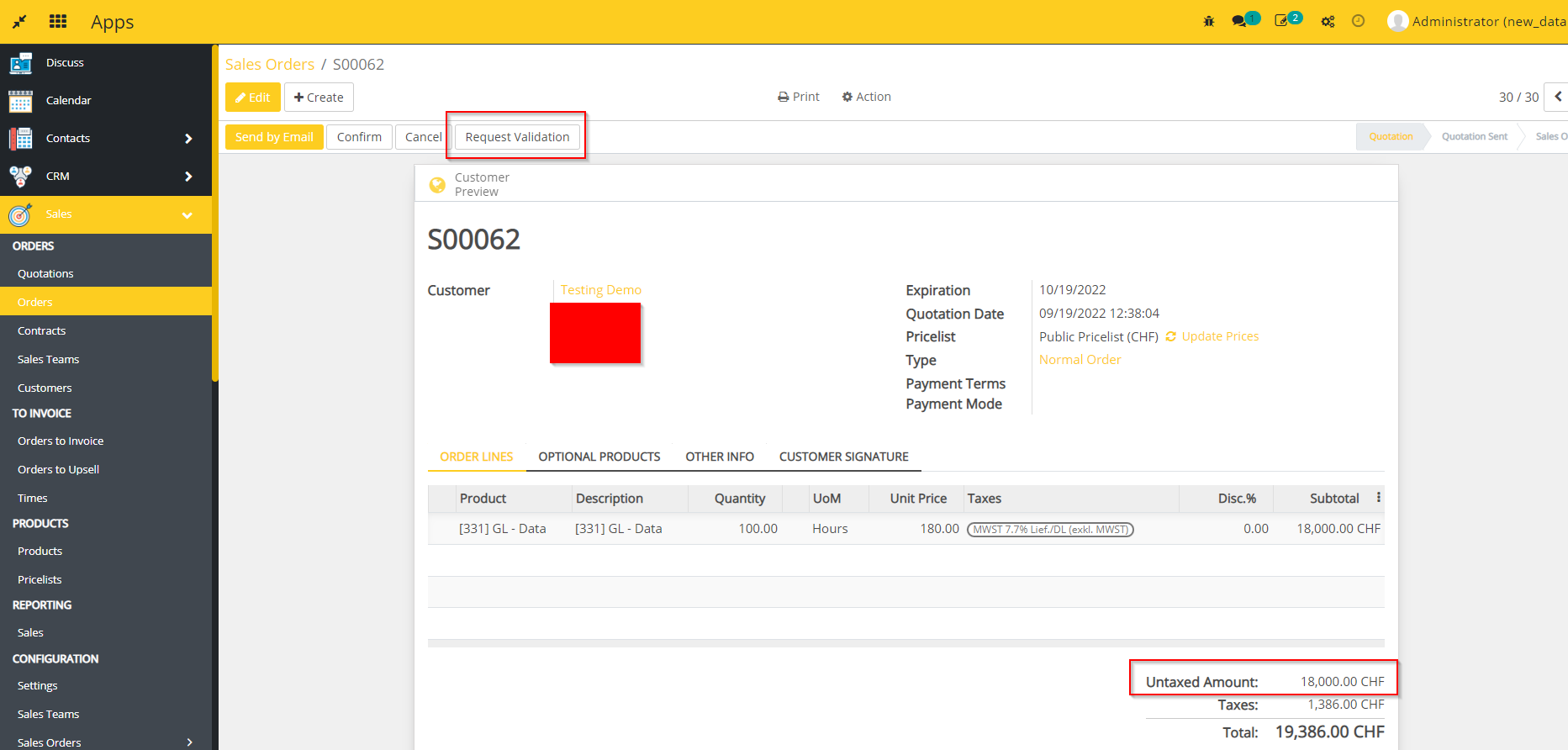
- Create a Sale Order triggering at least one "Tier Definition".
- Click on Request Validation button.
- Now the reviewer can Validate or Reject the order.
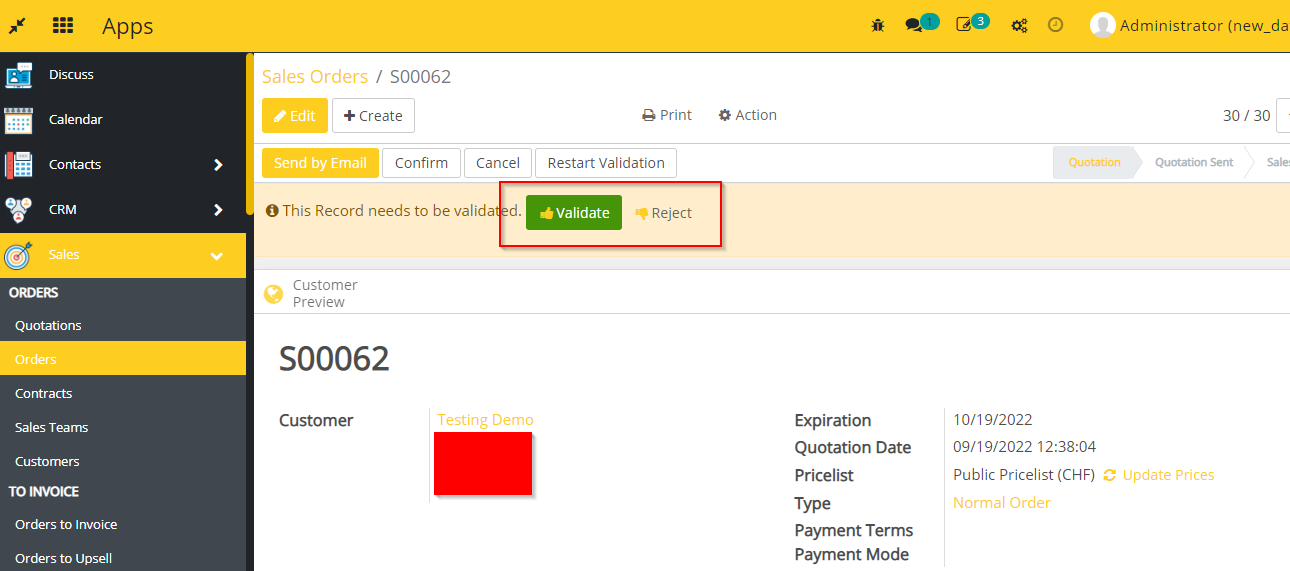
- Once all reviews are validated Confirm the order.

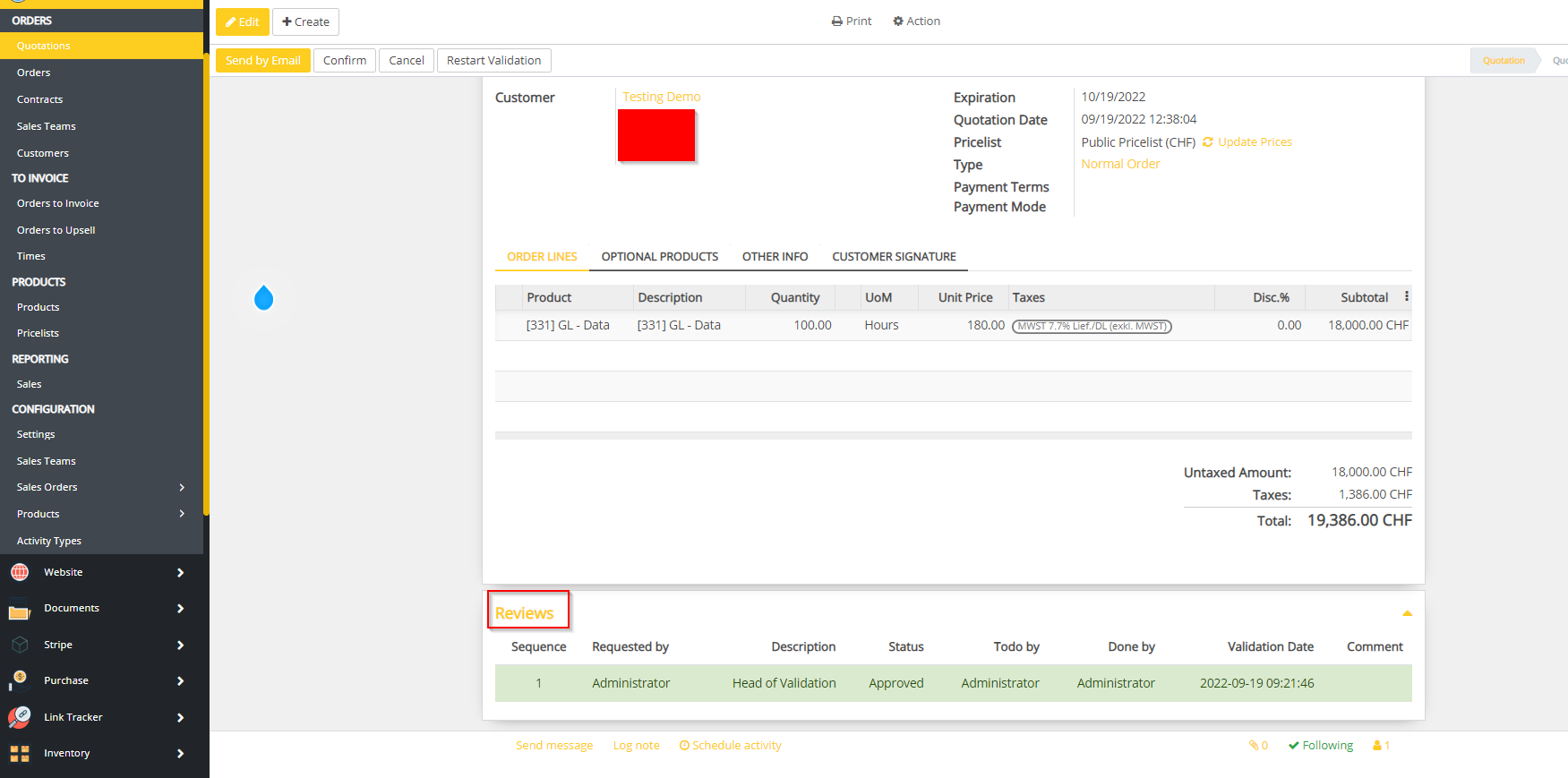
- You can see the summary of Reviews from here.
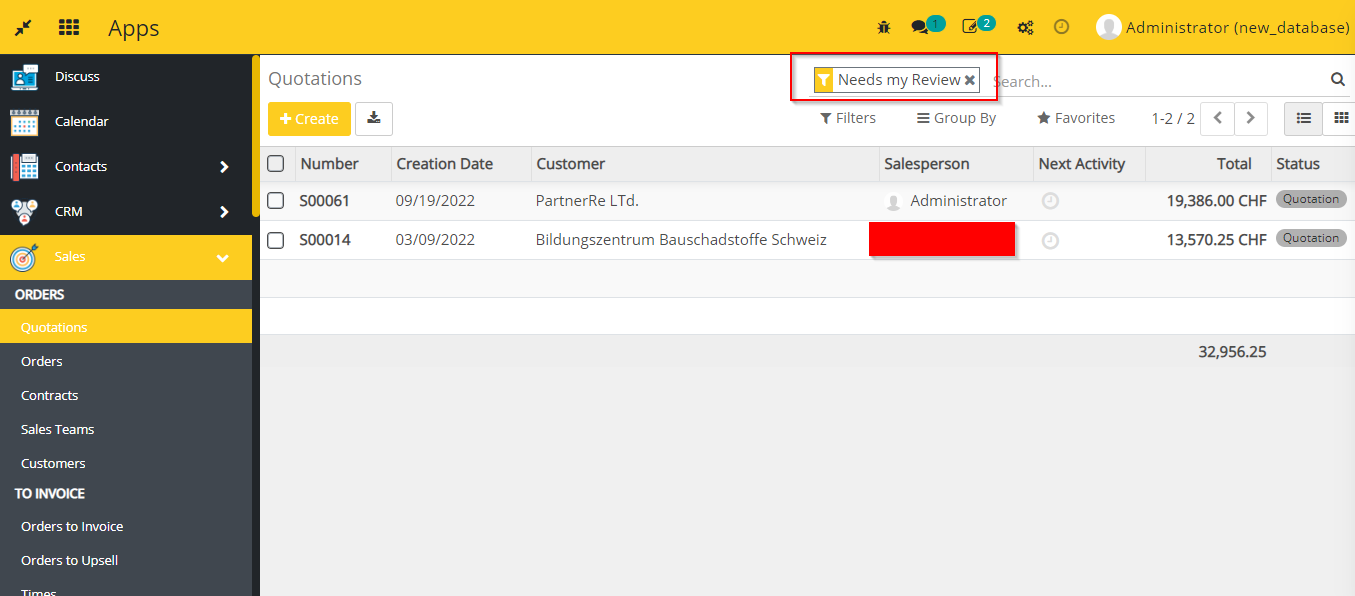
- You can filter the SOs requesting your review through the filter Needs my Review.
- User with rights to confirm the SO (validate all tiers that would be generated) can directly do the operation, there is no need for her/him to request a validation.
Dependent modules
- sale
- base_tier_validation
Change logs
- ADDED Sale Tier Validation Module