Rich Text Editor Terms And Conditions
Rich Text Editor Terms And Conditions is a Flectra extended module which converts terms and conditions field's type from text to HTML editor.
Table of contents
Installation
To install this, follow below steps:
- Just simply mount this module as Flectra's custom module
- Now, Install the module in Flectra from Main Apps section.
Usage
How to use this module:
- Go to Settings -> Go to Accounting -> check the Default Terms & Conditions checkbox.
- Enter the default terms and conditions in the HTML text field -> save it.

- Go to Accounting -> Go to Invoices -> create a new invoice.
- Here, the default terms and conditions is visible in the HTML field that were saved in the Accounting settings.

- Go to Sales -> Go to Quotations -> create a new quotation.
- Here, the same default terms and conditions is visible in the HTML field that were saved in the Accounting settings.

- Similarly, the default terms and conditions can be set for purchase.
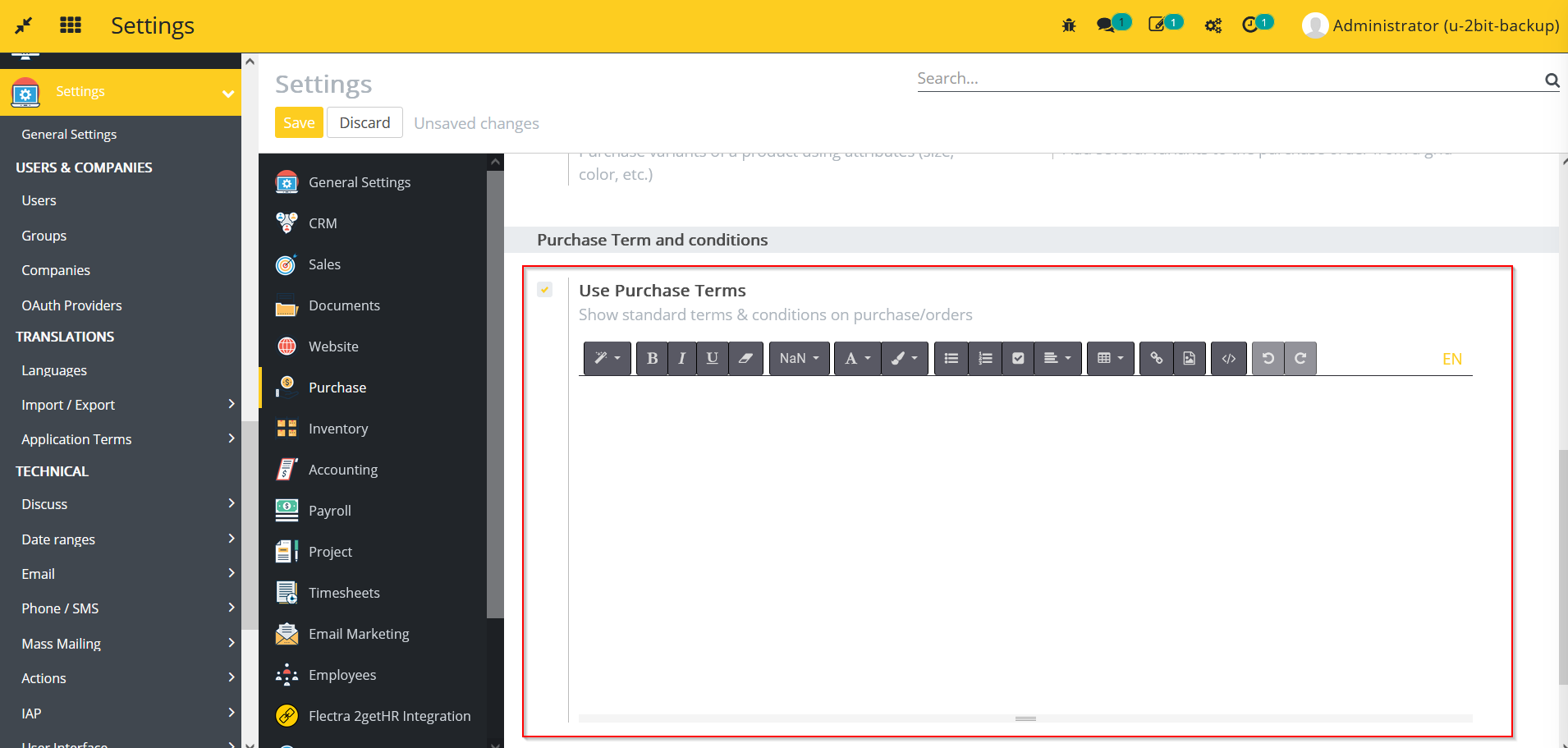
- Go to Settings -> Go to Purchase -> check the Use Purchase Terms checkbox.
- Enter the default terms and conditions in the HTML text field -> save it.
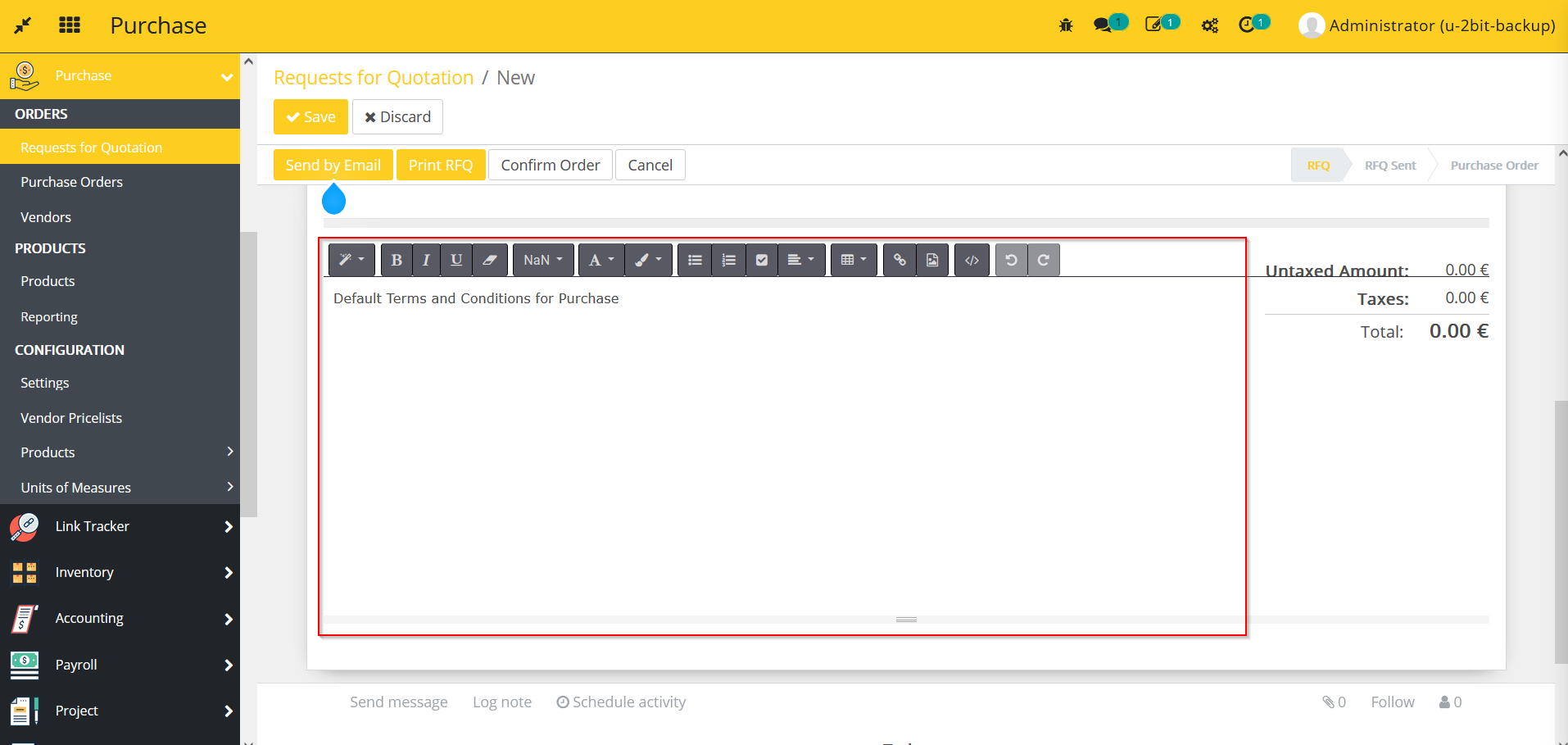
- Go to Purchase -> Go to Requests for Quotation -> create a new quotation.
- Here, the default terms and conditions is visible in the HTML field that were saved in the Purchase settings.
Dependent modules
- account
- sale
- purchase
Change logs
- ADDED Rich Text Editor Terms And Conditions Module